Does “Unable to log in” mean you’re getting a message that your username or password is incorrect or doesn’t exist? Or does the system freeze after logging in?
Please check the HDD LED indicators. If they are flashing frequently, it’s likely that a RAID synchronization or file system defragmentation process is in progress, which may be preventing some system services from running normally. You’ll need to wait until the HDD LED indicators stop flashing, then restart the NAS.
If you receive a message indicating an incorrect username or password, or if you’ve forgotten your credentials and haven’t set up or forgotten your account recovery measures, you’ll likely need to reset the system to restore functionality. Please remove the M.2 SSD, access the partitions using an M.2 enclosure or a PC case, and format the second 8GB partition to FAT, NTFS, or another compatible file system to clear any potentially corrupted remnants of the old TOS system. After clearing it, you can reinsert the M.2 SSD into the NAS. (M.2 SSDs do not support hot-swapping; please shut down the device and disconnect the power before proceeding.)
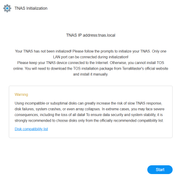
Since upgrading to TOS 7 does not automatically update the built-in USB Initboot to the TOS 7-specific version, you’ll need to open the NAS, remove the USB drive from the internal motherboard, and flash it with the TOS 7 UEFI version of the Initboot image before reinstalling TOS 7. You can then reinstall the latest TOS 7.
viewtopic.php?t=423
Please note that since the disk partition structure is inherited from TOS 6, when the initialization process prompts “32GB/8GB,” please keep 8GB to preserve your data.
To contact our team, please send email to following addresses, remember to replace (at) with @:
Technical team: support(at)terra-master.com (for technical support)
Service team: service(at)terra-master.com (for purchasing, return, replacement, RMA service)