Joesh wrote: ↑10 Apr 2026, 18:11
This might be a trivial question: when will the final version be released?
Our stock answer when I was doing software development was 90 days after the last person asks when it will be released......
The friendlier version is when we stop finding bugs. Once we get a clean beta release I'd expect a release candidate RC1. If that is clean it it becomes the release version; if not then we'll get RC2......
F2-425 Plus, 16GB RAM, 2 x 500GB WD SN700 EXT4 RAID1, 2 x 18TB WD Red Pro EXT4 RAID1, TOS 7.0.<latest>
logicalx wrote: ↑11 Apr 2026, 07:57
I try to update it from NAS control panel but its failed all the time so how i can find the image for manual installation
F4-424 Pro 32GB
I have sent you a private message with the link to the update package. Please let us know how it goes.
When a system disk in a RAID1 pair is replaced, the synchronisation process does not make the new one a system disk. So when the second disk is replaced the NAS cannot boot. The details are at viewtopic.php?t=9969
F2-425 Plus, 16GB RAM, 2 x 500GB WD SN700 EXT4 RAID1, 2 x 18TB WD Red Pro EXT4 RAID1, TOS 7.0.<latest>
The problem of mounting remote SMB folders persists. I connect to my server without problems with my Synology DSM 7.3.2 and Asustor ADM 5.1.2, but with Terramaster TOS7 I get the message "The source path is not available."
logicalx wrote: ↑11 Apr 2026, 07:57
I try to update it from NAS control panel but its failed all the time so how i can find the image for manual installation
F4-424 Pro 32GB
I remember asked about to put the image link and EriChan said my request has been shared with the product team, but never been realized
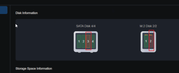
Based on your screenshot, your disk appears to be in an unhealthy state. This could be due to bad sectors, degraded performance, or other underlying issues. Any of these conditions can make it difficult for the system to read data. To ensure data safety, we recommend running a diagnostic check using the system’s built-in S.M.A.R.T. tool to determine if the disk is still fit for data storage.
Yes, I'm aware of the SMART errors. The SSD is still functional, but based on its metrics, it has reached the end of its lifespan.
TOS6 allowed me to add it as a cache in this condition; it seems you've tightened the requirements for drives in TOS7. Okay, I've removed it from the cache and will replace it in the future.
ive uploaded 3500 photos to the NAS using the mobile app and they are currently not showing in the photos app - im not sure if this is related to the current version however as i have not uploaded photos in several months
mnewland wrote: ↑16 Apr 2026, 20:53
ive uploaded 3500 photos to the NAS using the mobile app and they are currently not showing in the photos app - im not sure if this is related to the current version however as i have not uploaded photos in several months