Gremlin wrote: ↑30 Mar 2026, 02:16
Just a minor point:
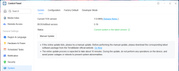
The first image of TNAS-PC is only showing access history. It does not show currently found device(s). You would probably need to click on 'refresh' button to see a current accessibility display.
And, you might need to follow your own advice. Saying something like 'you are using HDD' does not mean you don't have an nvme drive installed - maybe not selected as system drive or in use as hypercache drive. Plus, stating that 'you have not changed anything' does not mean that something has not changed. Quite often, in the simplistic ways an new install may result in an IP change whether we want it to or not. It might be as simple as nas not immediately seeing dhcp server or the on-board controller mis-firing. It may just depend on your settings which outsiders may not know. Then, when one brushes off advice with bluster or otherwise, one may find further advice in short supply.
First image is the result when i allready refresh, even power off the device, the PC and try to access the device again through browser or TNAS PC. OK, if you said "I'm using HDD' does not mean I don't have an nvme drive installed, but TMNight said :
TMnight wrote: ↑27 Mar 2026, 12:16
The boot priority will not change on its own. After following the steps in the link, is the NAS currently functioning normally?
So there's no reason for you to suspect that my boot priority device has changed to NVME. You have to go into the BIOS to change the boot priority, right? I don't have a keyboard on my device! Maybe you are more expert than me, but I know my device better than you. I'm not so stupied either, I allready tried all the basic troubleshot!
My device's IP?????
This is the IP address after update, can't access it, check my router, the IP still pointed to my NAS
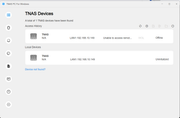
This is my NAS IP when I had another problem when using TOS 7.0.0408
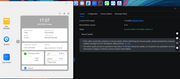
[/quote]
This is my IP's device now
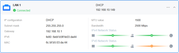
Come on, man, you seem to be forcing your sudgests, as if you know my device better than its owner. See the next post; the problem isn't with the boot priority, but rather an error in the boot loader. Okay, I already said thank you for your concern, but my problem was solved my way, before doing my way, I have done all your suggestions, but nothing has changed and the problem remains..
I'm a novice user, but I'm not so stupid after all!
There is no benefit for me to lie about the problem, about the device's condition, about the effort, about my device's IP, about my device booot priority, on the contrary, when I take the solution that I did, there is a risk of losing my data, even though I have backed up the data, but it takes effort to restore the data from the backup source and that takes time, I just want to share so that the TM Team can fix it for the latest update later.