Regarding the buzzer issue you mentioned, the device buzzer can be categorized into two types, each controlled differently depending on the scenario:
1. System Notification Beep (Controlled within TOS)
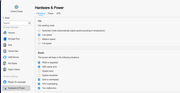
This type of buzzer is mainly used for system alerts or status notifications (e.g., disk errors, temperature warnings) and can be configured within the system.
Path:
Control Panel > General Settings > Hardware > Buzzer Notification
You can enable or disable the corresponding alert options based on your needs.
2. Power-On Self-Test (POST) Beep (BIOS Level Control)
This type of buzzer sound is generated during the system’s POST (Power-On Self-Test) process. It is not controlled by TOS and must be configured in the BIOS.
Steps:
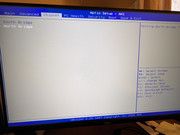
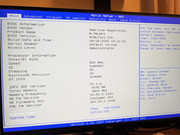
Connect a keyboard and monitor to the NAS, then press Del during startup to enter the BIOS
1、Use the arrow keys to navigate to "Chipset"
2、Press Ctrl + , to reveal the hidden options. Then locate PCH-IO Configuration and press Enter to access it.
Within this menu, find Legacy IO Low Latency and set it to Disabled.
3、Press F4 to save and exit
After completing the above steps, the POST beep during startup and shutdown will be disabled.
Note
Not all NAS models support this BIOS option. Currently available for the following models:
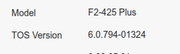
F2-425 Plus, F4-425 Plus, F4 SSD, F8 SSD, F8 SSD Plus
To contact our team, please send email to following addresses, remember to replace (at) with @:
Technical team: support(at)terra-master.com(for technical support)
Service team: service(at)terra-master.com(for purchasing, return, replacement, RMA service)