The Btrfs file system manages deleted files differently from traditional file systems, and the time it takes to free up space isn't instantaneous. Here’s a breakdown of the process and the factors that influence it.

The Deletion Process in Btrfs
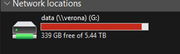
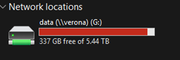
When you delete a file in Btrfs, the action doesn't immediately erase the file's data blocks from the disk. Instead, Btrfs marks the space previously occupied by that file as "no longer needed." This space is then considered free for future use by the file system's internal allocator .
This design is closely tied to Btrfs's Copy-on-Write (CoW) nature. In a CoW file system, when a file is modified, the changes are written to new free space on the disk, and the file system then updates pointers to the new data. When a file is deleted, Btrfs simply removes the pointers to the data blocks. The actual data blocks are not overwritten until that space is needed for new data .

When is the Space Actually Freed?
The release of space back to the pool available for the operating system is not always immediate and can depend on several factors:
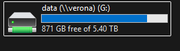
1. Background Reclamation: Btrfs typically handles the final freeing of blocks in the background. This process might take some time, usually from a few seconds to several minutes. If the disk was very full, this background operation might be delayed or hindered .
2. The Balance Operation: The key command that actively reclaims free space is the balance operation (btrfs balance start). This process reorganizes data and metadata across the available storage, which also releases unused blocks. You can initiate this manually to force space reclamation . For targeted reclamation, you can start a balance with filters like -dusage=0 or -musage=0 to process blocks that are barely used .
3. Presence of Snapshots: This is a crucial factor. If a Btrfs snapshot exists that references the deleted file, the space will not be freed until that snapshot is also deleted. This is because snapshots rely on the CoW mechanism to preserve the state of the file system at a point in time, meaning they retain pointers to all data blocks that existed when the snapshot was taken, even if the file is deleted from the live file system . To check for snapshots, you can use the command btrfs subvolume list /path .
4. Open Files: If a file was deleted while still being held open by a process (a common scenario with virtual machine disk images or log files), the space will not be released until the process closes the file. The operating system keeps the file's data blocks allocated until the last reference to it is closed . You can check for such files with commands like lsof | grep deleted.

How to Check Space Usage in Btrfs
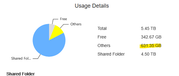
Because of its unique structure, the standard df command can sometimes be misleading for Btrfs. It's more accurate to use the Btrfs-specific command to see how space is allocated between data, metadata, and the unallocated free space that can be reclaimed :
btrfs filesystem usage /path/to/mountpoint

Summary
In summary, Btrfs doesn't immediately wipe data upon deletion. Space is marked for reuse and freed up by background tasks or manual balancing. The main factors causing delay are:
• Background Operations: The internal process of freeing space isn't always instant.
• Snapshots: Any existing snapshots will prevent the space from being freed.
• Open Files: Processes holding onto deleted files will block space reclamation.
Understanding these factors should help you diagnose situations where free space doesn't appear to increase immediately after deleting files.
I hope this gives you a clear picture of how Btrfs handles file deletion. If you are facing a specific issue with space not being freed, feel free to share more details.
To contact our team, please send email to following addresses, remember to replace (at) with @:
Support team: support(at)terra-master.com (for technical support only)
Service team: service(at)terra-master.com (for purchasing, return, replacement, RMA service)





 The Deletion Process in Btrfs
 When is the Space Actually Freed?
 How to Check Space Usage in Btrfs
 Summary