[Help] D4-320: 3 of 4 disks failing in 24 hours!

USB RAID storage for photographers, music producers, movie collectors
User avatar
benomatic42
Posts: 7
Joined: 09 May 2025, 03:30
Netherlands

[Help] D4-320: 3 of 4 disks failing in 24 hours!

Post by benomatic42 »

Situation:
  • I have a D4-320 with 4x WD RED 8TB drives, running with a linux (ubuntu 24.04) box
  • ZFS config -- 2 pools, 1 raidZ with 3 disks, 1 lone disk ZFS pool
  • original cables, connections checked and solid
  • disks all bought used, < 70k hours
  • whole system's been running for ~1 month
tl;dr - 3 of 4 disks failing in a 24 hour period... it's gotta be the controller, right?

I have no other linux box (other than a raspberry pi), only mac laptop which can see the disk but doesn't currently have ZFS setup or seem to have support for smartmontools.

Can I do anything else to diagnose? Is it possible that the controller misreports, and the disks are not actually broken?

------------------------------------------

More details... in case useful
Yesterday the single-disk pool was acting badly while I was running backup to it, and I eventually saw these critical medium errors. It was late so I killed the backup, unmounted and physically pulled the disk until this morning. This was the first error:

Code: Select all

May 07 18:50:40 store kernel: critical medium error, dev sdc, sector 4367228520 op 0x0:(READ) flags 0x100 phys_seg 1 prio class 0
May 07 18:50:40 store kernel: zio pool=space vdev=/dev/sdc1 error=61 type=1 offset=2236019953664 size=4096 flags=1573248
May 07 18:50:46 store kernel: sd 2:0:0:0: [sdc] tag#28 FAILED Result: hostbyte=DID_OK driverbyte=DRIVER_OK cmd_age=11s
May 07 18:50:46 store kernel: sd 2:0:0:0: [sdc] tag#28 Sense Key : Medium Error [current]
May 07 18:50:46 store kernel: sd 2:0:0:0: [sdc] tag#28 Add. Sense: Unrecovered read error
May 07 18:50:46 store kernel: sd 2:0:0:0: [sdc] tag#28 CDB: Read(16) 88 00 00 00 00 00 6e 01 93 f8 00 00 00 08 00 00

This morning I plugged back in to see, same thing. Not critical, there was nothing important on there.
Then when digging into the logs, I noticed that the raidZ had resilvered a couple weeks ago. Since I have a fresh remote backup of that pool I thought to scrub it and see if there were other issues.

That led first to 1 of the 3 disks, and eventually a 2nd. Now, 2 of the 3 have read errors and/or corrupted data:

Code: Select all

  pool: storage
 state: DEGRADED
status: One or more devices has experienced an error resulting in data
        corruption.  Applications may be affected.
action: Restore the file in question if possible.  Otherwise restore the
        entire pool from backup.
   see: https://openzfs.github.io/openzfs-docs/msg/ZFS-8000-8A
  scan: scrub in progress since Thu May  8 22:41:19 2025
        285G / 2.55T scanned at 17.8G/s, 0B / 2.55T issued
        0B repaired, 0.00% done, no estimated completion time
config:

        NAME                        STATE     READ WRITE CKSUM
        storage                     DEGRADED     0     0     0
          raidz1-0                  DEGRADED     0     0     0
            sda                     DEGRADED     0     0     0  too many errors
            sdb                     ONLINE       0     0     0
            scsi-35000000000000001  FAULTED      0     0     2  corrupted data

errors: 18 data errors, use '-v' for a list
I have lots of logs, but they mostly repeat
User avatar
TMjack
TM Support
Posts: 185
Joined: 27 Oct 2020, 08:41

Re: [Help] D4-320: 3 of 4 disks failing in 24 hours!

Post by TMjack »

Hello!

Based on the relevant information you've provided, our preliminary analysis indicates that the degradation of the ZFS storage pool is likely caused by a hardware failure in either the sdc or sda hard drive.

To further confirm the specifics of the faulty hard drive, we recommend that you install the SMARTReporter software by following the instructions in the link below. With this software, you can obtain the SMART information of the faulty hard drive, which will assist us in more accurately diagnosing and resolving the issue.

Link address: viewtopic.php?t=7692

Should you encounter any questions or difficulties during the operation, please feel free to contact us at any time.
To contact our team, please send email to following addresses, remember to replace (at) with @
Technical team: support(at)terra-master.com (for technical support)
Service team: service(at)terra-master.com (for purchasing, return, replacement, RMA service)
User avatar
TMroy
TM Support
Posts: 3060
Joined: 10 Mar 2020, 14:04
China

Re: [Help] D4-320: 3 of 4 disks failing in 24 hours!

Post by TMroy »

Update the Linux USB driver and try again.
viewtopic.php?t=7184
To contact our team, please send email to following addresses, remember to replace (at) with @:
Support team: support(at)terra-master.com (for technical support only)
Service team: service(at)terra-master.com (for purchasing, return, replacement, RMA service)
User avatar
benomatic42
Posts: 7
Joined: 09 May 2025, 03:30
Netherlands

Re: [Help] D4-320: 3 of 4 disks failing in 24 hours!

Post by benomatic42 »

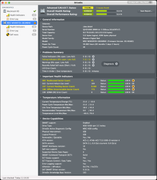
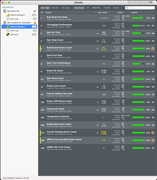
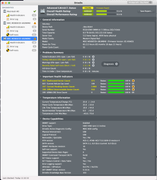
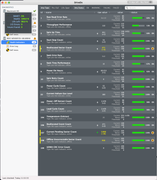
I see SMART diagnostics telling the same story on 2 drives: lots of read errors.
I also went back into the logs and did find that one of them had errors already several weeks ago, but they were quietly recovered by ZFS (and I didn't have email notifications yet). The 3rd disk which _was_ reporting file corruption via ZFS seems to have been repaired by a resilvering.

I am still wary of low power conditions -- one of the drives was failing to spin up properly which I've recorded here. Perhaps there are other reasonable explanations, I am no expert here. (I had another time where multiple drives failed to spin up, but I did not wait to let them separately spin up.)

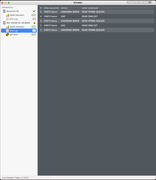
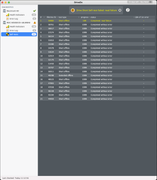
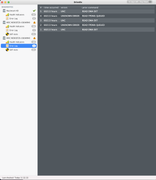
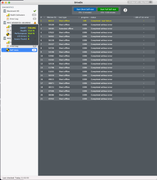
I attached all drive reports from DriveDX. The linux smartmontools recorded similar results.

Is there more I can do here? I will now reconfigure with the 2 remaining 8TB drives, and 2 other 1TB drives I have. We'll see whether they stay alive :)


drive 1:
Image
Image
Image
Image

drive 2:
Image
Image
Image
Image
User avatar
GevinKe
TM Product Manager
Posts: 251
Joined: 08 Dec 2023, 10:27
China

Re: [Help] D4-320: 3 of 4 disks failing in 24 hours!

Post by GevinKe »

Thank you for your new discovery and sharing. We will also forward this information to our lab for further evaluation and verification.
To contact our team, please send email to following addresses, remember to replace (at) with @:

Technical team: support(at)terra-master.com(for technical support)
Service team: service(at)terra-master.com(for purchasing, return, replacement, RMA service)
User avatar
benomatic42
Posts: 7
Joined: 09 May 2025, 03:30
Netherlands

Re: [Help] D4-320: 3 of 4 disks failing in 24 hours!

Post by benomatic42 »

So it's gotten bad again. I have 511k checksum failures while resilvering right now.

I successfully rebuilt my storage on the 2 remaining 8TB drives (mirrored).
I bought 2 new drives (fact recert'd Seagates), and introduced them to the party -- using a single offline fake disc to allow a raidZ for the 1-time copy.

As soon as I began the copy, 1 of the mirrors WD 8TB drives had some read errors, and ZFS took it offline. However, the rest of the copy succeeded (around 1.5TB), in ~3-4 hours IIRC.

The last step - converting the WD 8TB drive into becoming the 3rd disc in the raidZ also showed _immediate_ failures. And ... one of the 2 new drives also reports a checksum failure.

(Cont'd next morning)
I let it run to completion overnight (replacing 1 drive, and also reported resilvering on one of the new seagates). It ran to completion but my trust in this box is completely shattered.

Code: Select all

  pool: storage
 state: DEGRADED
status: One or more devices is currently being resilvered.  The pool will
        continue to function, possibly in a degraded state.
action: Wait for the resilver to complete.
  scan: resilver in progress since Thu May 15 20:53:46 2025
        2.44T / 2.44T scanned, 2.34T / 2.44T issued at 391M/s
        801G resilvered, 95.98% done, 00:04:23 to go
config:

        NAME                      STATE     READ WRITE CKSUM
        storage                   DEGRADED     0     0     0
          raidz1-0                DEGRADED     0     0     0
            replacing-0           DEGRADED     0     0 1.20M
              /home/ben/faux.bin  OFFLINE      0     0     0
              sda                 ONLINE       0     0     0  (resilvering)
            sdc                   ONLINE       0     0     0
            sdb                   ONLINE       0     0     1  (resilvering)

errors: 3802 data errors, use '-v' for a list
  pool: storage
 state: ONLINE
status: One or more devices is currently being resilvered.  The pool will
        continue to function, possibly in a degraded state.
action: Wait for the resilver to complete.
  scan: resilver in progress since Fri May 16 00:01:00 2025
        2.11T / 2.44T scanned, 1.25G / 562G issued at 49.4M/s
        522M resilvered, 0.22% done, 03:13:46 to go
config:

        NAME        STATE     READ WRITE CKSUM
        storage     ONLINE       0     0     0
          raidz1-0  ONLINE       0     0     0
            sda     ONLINE       0     0     0
            sdc     ONLINE       0     0     0
            sdb     ONLINE       0     0     1  (resilvering)

errors: 3802 data errors, use '-v' for a list

... final state ...

  pool: storage
 state: ONLINE
status: One or more devices has experienced an unrecoverable error.  An
        attempt was made to correct the error.  Applications are unaffected.
action: Determine if the device needs to be replaced, and clear the errors
        using 'zpool clear' or replace the device with 'zpool replace'.
   see: https://openzfs.github.io/openzfs-docs/msg/ZFS-8000-9P
  scan: resilvered 76.0G in 00:08:48 with 0 errors on Fri May 16 00:09:48 2025
config:

        NAME        STATE     READ WRITE CKSUM
        storage     ONLINE       0     0     0
          raidz1-0  ONLINE       0     0     0
            sda     ONLINE       0     0     0
            sdc     ONLINE       0     0     0
            sdb     ONLINE       0     0     1

errors: No known data errors
I now have had 3 of 4 of my original WD 8TB drives give significant errors, and 1 of the 2 new ones showed checksum fails on my first real attempt to read from it. (I had 2 other old 1TB disks in the box for a little while as temp space -- those never errored.) But in total out of the 8 disks to touch this, 4 have shown significant read errors. I don't think I've ever seen a write error reported.

In each case (including yesterday) after seeing errors I powered everything down and reseated all plugs including sliding drives in securely, but no change.

Is this simply RMA time?
User avatar
TMroy
TM Support
Posts: 3060
Joined: 10 Mar 2020, 14:04
China

Re: [Help] D4-320: 3 of 4 disks failing in 24 hours!

Post by TMroy »

If it’s confirmed to be a hardware issue with our gear, we’ll totally process an RMA for you — no problem at all. But right now, I’m not entirely sure what’s causing it. Mind sharing what device you’re using as your Ubuntu host? Maybe try testing the setup on a different computer or machine? Just wanna rule out if the problem’s with your current setup.

We’ve had several reports lately where the USB ports on NUC mini PCs are acting up — turns out it might be a hardware design flaw causing random glitches.
To contact our team, please send email to following addresses, remember to replace (at) with @:
Support team: support(at)terra-master.com (for technical support only)
Service team: service(at)terra-master.com (for purchasing, return, replacement, RMA service)
User avatar
benomatic42
Posts: 7
Joined: 09 May 2025, 03:30
Netherlands

Re: [Help] D4-320: 3 of 4 disks failing in 24 hours!

Post by benomatic42 »

TMroy wrote: 18 May 2025, 14:18 If it’s confirmed to be a hardware issue with our gear, we’ll totally process an RMA for you — no problem at all. But right now, I’m not entirely sure what’s causing it. Mind sharing what device you’re using as your Ubuntu host? Maybe try testing the setup on a different computer or machine? Just wanna rule out if the problem’s with your current setup.

We’ve had several reports lately where the USB ports on NUC mini PCs are acting up — turns out it might be a hardware design flaw causing random glitches.
The device is a Minix Z300. I have attached the TM-320 to my mac laptop in order to run DriveDx, and do some general tests (ZFS) and transfers, but running long-term that way is not a realistic option for testing.

Output of lspci is below, trimmed of a couple devices to fit in char limit.

Since the rebuild, it's been running without noted problems; time will tell.

The only other thing I can think of is that I couple times observed that while running under load, plugging in another drive produced errors. I cannot make any guess whether that would come from the host controller, or the TM hub.

Code: Select all

00:00.0 Host bridge: Intel Corporation Device 4617
	DeviceName: Onboard - Other
	Flags: bus master, fast devsel, latency 0, IOMMU group 1
	Capabilities: [e0] Vendor Specific Information: Len=14 <?>
	Kernel driver in use: igen6_edac
	Kernel modules: igen6_edac

00:02.0 VGA compatible controller: Intel Corporation Alder Lake-N [UHD Graphics] (prog-if 00 [VGA controller])
	DeviceName: Onboard - Video
	Flags: bus master, fast devsel, latency 0, IRQ 161, IOMMU group 0
	Memory at 6000000000 (64-bit, non-prefetchable) [size=16M]
	Memory at 4000000000 (64-bit, prefetchable) [size=256M]
	I/O ports at 4000 [size=64]
	Expansion ROM at 000c0000 [virtual] [disabled] [size=128K]
	Capabilities: [40] Vendor Specific Information: Len=0c <?>
	Capabilities: [70] Express Root Complex Integrated Endpoint, MSI 00
	Capabilities: [ac] MSI: Enable+ Count=1/1 Maskable+ 64bit-
	Capabilities: [d0] Power Management version 2
	Capabilities: [100] Process Address Space ID (PASID)
	Capabilities: [200] Address Translation Service (ATS)
	Capabilities: [300] Page Request Interface (PRI)
	Capabilities: [320] Single Root I/O Virtualization (SR-IOV)
	Kernel driver in use: i915
	Kernel modules: i915, xe

00:0a.0 Signal processing controller: Intel Corporation Platform Monitoring Technology (rev 01)
	DeviceName: Onboard - Other
	Flags: fast devsel, IOMMU group 2
	Memory at 6001120000 (64-bit, non-prefetchable) [size=32K]
	Capabilities: [70] Express Root Complex Integrated Endpoint, MSI 00
	Capabilities: [d0] Power Management version 3
	Capabilities: [100] Designated Vendor-Specific: Vendor=8086 ID=0002 Rev=1 Len=16 <?>
	Capabilities: [110] Designated Vendor-Specific: Vendor=8086 ID=0003 Rev=1 Len=16 <?>
	Capabilities: [120] Designated Vendor-Specific: Vendor=8086 ID=0004 Rev=1 Len=16 <?>
	Kernel driver in use: intel_vsec
	Kernel modules: intel_vsec

00:0d.0 USB controller: Intel Corporation Device 464e (prog-if 30 [XHCI])
	DeviceName: Onboard - Other
	Flags: bus master, medium devsel, latency 0, IRQ 124, IOMMU group 3
	Memory at 6001110000 (64-bit, non-prefetchable) [size=64K]
	Capabilities: [70] Power Management version 2
	Capabilities: [80] MSI: Enable+ Count=8/8 Maskable- 64bit+
	Capabilities: [90] Vendor Specific Information: Len=14 <?>
	Capabilities: [b0] Vendor Specific Information: Len=00 <?>
	Kernel driver in use: xhci_hcd
	Kernel modules: xhci_pci

00:14.0 USB controller: Intel Corporation Alder Lake-N PCH USB 3.2 xHCI Host Controller (prog-if 30 [XHCI])
	DeviceName: Onboard - Other
	Flags: bus master, medium devsel, latency 0, IRQ 132, IOMMU group 4
	Memory at 6001100000 (64-bit, non-prefetchable) [size=64K]
	Capabilities: [70] Power Management version 2
	Capabilities: [80] MSI: Enable+ Count=8/8 Maskable- 64bit+
	Capabilities: [90] Vendor Specific Information: Len=14 <?>
	Capabilities: [b0] Vendor Specific Information: Len=00 <?>
	Kernel driver in use: xhci_hcd
	Kernel modules: xhci_pci

00:14.2 RAM memory: Intel Corporation Alder Lake-N PCH Shared SRAM
	DeviceName: Onboard - Other
	Flags: fast devsel, IOMMU group 4
	Memory at 6001138000 (64-bit, non-prefetchable) [disabled] [size=16K]
	Memory at 600113f000 (64-bit, non-prefetchable) [disabled] [size=4K]
	Capabilities: [80] Power Management version 3

00:14.3 Network controller: Intel Corporation CNVi: Wi-Fi
	DeviceName: Onboard - Ethernet
	Subsystem: Intel Corporation CNVi: Wi-Fi
	Flags: bus master, fast devsel, latency 0, IRQ 16, IOMMU group 5
	Memory at 6001134000 (64-bit, non-prefetchable) [size=16K]
	Capabilities: [c8] Power Management version 3
	Capabilities: [d0] MSI: Enable- Count=1/1 Maskable- 64bit+
	Capabilities: [40] Express Root Complex Integrated Endpoint, MSI 00
	Capabilities: [80] MSI-X: Enable+ Count=16 Masked-
	Capabilities: [100] Latency Tolerance Reporting
	Capabilities: [164] Vendor Specific Information: ID=0010 Rev=0 Len=014 <?>
	Kernel driver in use: iwlwifi
	Kernel modules: iwlwifi

00:16.0 Communication controller: Intel Corporation Alder Lake-N PCH HECI Controller
	DeviceName: Onboard - Other
	Flags: bus master, fast devsel, latency 0, IRQ 150, IOMMU group 6
	Memory at 600113e000 (64-bit, non-prefetchable) [size=4K]
	Capabilities: [50] Power Management version 3
	Capabilities: [8c] MSI: Enable+ Count=1/1 Maskable- 64bit+
	Capabilities: [a4] Vendor Specific Information: Len=14 <?>
	Kernel driver in use: mei_me
	Kernel modules: mei_me

00:1a.0 SD Host controller: Intel Corporation Device 54c4 (prog-if 01)
	DeviceName: Onboard - Other
	Flags: bus master, fast devsel, latency 0, IRQ 16, IOMMU group 7
	Memory at 600113d000 (64-bit, non-prefetchable) [size=4K]
	Capabilities: [80] Power Management version 3
	Capabilities: [90] Vendor Specific Information: Len=14 <?>
	Kernel driver in use: sdhci-pci
	Kernel modules: sdhci_pci

00:1c.0 PCI bridge: Intel Corporation Device 54bb (prog-if 00 [Normal decode])
	Flags: bus master, fast devsel, latency 0, IRQ 122, IOMMU group 8
	Bus: primary=00, secondary=01, subordinate=01, sec-latency=0
	I/O behind bridge: 3000-3fff [size=4K] [16-bit]
	Memory behind bridge: 80500000-805fffff [size=1M] [32-bit]
	Prefetchable memory behind bridge: [disabled] [64-bit]
	Capabilities: [40] Express Root Port (Slot+), MSI 00
	Capabilities: [80] MSI: Enable+ Count=1/1 Maskable- 64bit-
	Capabilities: [90] Subsystem: Device 0000:0000
	Capabilities: [a0] Power Management version 3
	Capabilities: [100] Advanced Error Reporting
	Capabilities: [220] Access Control Services
	Capabilities: [150] Precision Time Measurement
	Capabilities: [a30] Secondary PCI Express
	Kernel driver in use: pcieport

00:1d.0 PCI bridge: Intel Corporation Device 54b0 (prog-if 00 [Normal decode])
	Flags: bus master, fast devsel, latency 0, IRQ 123, IOMMU group 9
	Bus: primary=00, secondary=02, subordinate=02, sec-latency=0
	I/O behind bridge: [disabled] [16-bit]
	Memory behind bridge: 80400000-804fffff [size=1M] [32-bit]
	Prefetchable memory behind bridge: [disabled] [64-bit]
	Capabilities: [40] Express Root Port (Slot+), MSI 00
	Capabilities: [80] MSI: Enable+ Count=1/1 Maskable- 64bit-
	Capabilities: [90] Subsystem: Device 0000:0000
	Capabilities: [a0] Power Management version 3
	Capabilities: [100] Advanced Error Reporting
	Capabilities: [220] Access Control Services
	Capabilities: [150] Precision Time Measurement
	Capabilities: [a30] Secondary PCI Express
	Kernel driver in use: pcieport

00:1f.0 ISA bridge: Intel Corporation Alder Lake-N PCH eSPI Controller
	DeviceName: Onboard - Other
	Flags: bus master, fast devsel, latency 0, IOMMU group 10

00:1f.3 Audio device: Intel Corporation Alder Lake-N PCH High Definition Audio Controller
[removed for chars]

00:1f.4 SMBus: Intel Corporation Device 54a3
	DeviceName: Onboard - Other
	Flags: medium devsel, IRQ 16, IOMMU group 10
	Memory at 600113c000 (64-bit, non-prefetchable) [size=256]
	I/O ports at efa0 [size=32]
	Kernel driver in use: i801_smbus
	Kernel modules: i2c_i801

00:1f.5 Serial bus controller: Intel Corporation Device 54a4
	DeviceName: Onboard - Other
	Flags: fast devsel, IOMMU group 10
	Memory at 80600000 (32-bit, non-prefetchable) [size=4K]
	Kernel driver in use: intel-spi
	Kernel modules: spi_intel_pci

01:00.0 Ethernet controller: Realtek Semiconductor Co., Ltd. RTL8125 2.5GbE Controller (rev 05)
	Subsystem: Realtek Semiconductor Co., Ltd. RTL8125 2.5GbE Controller
[details removed for chars]

02:00.0 Non-Volatile memory controller: Shenzhen Longsys Electronics Co., Ltd. Lexar NM610 PRO NVME SSD (DRAM-less) (rev 01) (prog-if 02 [NVM Express])
	Subsystem: Shenzhen Longsys Electronics Co., Ltd. Lexar NM610 PRO NVME SSD (DRAM-less)
	Flags: bus master, fast devsel, latency 0, IRQ 16, IOMMU group 12
	Memory at 80400000 (64-bit, non-prefetchable) [size=16K]
	Capabilities: [40] Power Management version 3
	Capabilities: [50] MSI: Enable- Count=1/32 Maskable+ 64bit+
	Capabilities: [70] Express Endpoint, MSI 1f
	Capabilities: [b0] MSI-X: Enable+ Count=9 Masked-
	Capabilities: [100] Advanced Error Reporting
	Capabilities: [148] Device Serial Number 00-00-00-00-00-00-00-00
	Capabilities: [158] Alternative Routing-ID Interpretation (ARI)
	Capabilities: [168] Secondary PCI Express
	Capabilities: [1d4] Latency Tolerance Reporting
	Capabilities: [1dc] L1 PM Substates
	Capabilities: [1ec] Vendor Specific Information: ID=0002 Rev=4 Len=100 <?>
	Capabilities: [2ec] Vendor Specific Information: ID=0001 Rev=1 Len=038 <?>
	Kernel driver in use: nvme
	Kernel modules: nvme
User avatar
benomatic42
Posts: 7
Joined: 09 May 2025, 03:30
Netherlands

Re: [Help] D4-320: 3 of 4 disks failing in 24 hours!

Post by benomatic42 »

Hello again,

Need help still on this thread!!

Things seemed settled for a few weeks, until just now -- I rebooted the host machine, and did not touch the TerraMaster. Upon importing the zfs pool on those disks, I immediately got the familiar corruption conditions, this time on one of the new drives:

Code: Select all

  pool: storage
 state: DEGRADED
status: One or more devices could not be used because the label is missing or
        invalid.  Sufficient replicas exist for the pool to continue
        functioning in a degraded state.
action: Replace the device using 'zpool replace'.
   see: https://openzfs.github.io/openzfs-docs/msg/ZFS-8000-4J
  scan: scrub repaired 0B in 02:57:26 with 0 errors on Mon Jun 16 02:57:48 2025
config:

        NAME                        STATE     READ WRITE CKSUM
        storage                     DEGRADED     0     0     0
          raidz1-0                  DEGRADED     0     0     0
            sdb                     ONLINE       0     0     0
            sdd                     ONLINE       0     0     0
            scsi-35000000000000001  FAULTED      0     0     0  corrupted data

errors: No known data errors
Note that ZFS scrubbed these disks yesterday, no problems discovered.
I also ran a full SMART long test on all 3 disks, 2 weeks ago, also no problems.

In retrospect, I believe at least one other time I had similar behavior -- corruption reported when rebooting host but not the enclosure.


I was asked about host machine / USB controllers - I included that info above, can you share some insights?

What other options do I have -- I cannot believe that all of these drives themselves have so many problems.

(FTR - a firmware update doesn't appear to be an option, as I have no windows machine...)
User avatar
benomatic42
Posts: 7
Joined: 09 May 2025, 03:30
Netherlands

Re: [Help] D4-320: 3 of 4 disks failing in 24 hours!

Post by benomatic42 »

Quick follow up - detached other USB-device from the Minix host, full restart, to see what happens. Nothing good, it seems. The logs, filtered down for size:

Main lowlight:

Code: Select all

kernel: sd 1:0:0:0: [sdb] tag#0 FAILED Result: hostbyte=DID_OK driverbyte=DRIVER_OK cmd_age=6s
kernel: sd 1:0:0:0: [sdb] tag#0 Sense Key : Aborted Command [current] 
kernel: sd 1:0:0:0: [sdb] tag#0 Add. Sense: Incompatible medium installed
kernel: sd 1:0:0:0: [sdb] tag#0 CDB: Read(10) 28 00 00 00 00 00 00 00 08 00
kernel: I/O error, dev sdb, sector 0 op 0x0:(READ) flags 0x80700 phys_seg 1 prio class 0

Full:

Code: Select all

kernel: usb 3-4: new high-speed USB device number 3 using xhci_hcd
kernel: usb 3-4: New USB device found, idVendor=0bda, idProduct=5423, bcdDevice= 1.73
kernel: usb 3-4: New USB device strings: Mfr=1, Product=2, SerialNumber=0
kernel: usb 3-4: Product: 4-Port USB 2.0 Hub
kernel: usb 3-4: Manufacturer: TerraMaster
kernel: hub 3-4:1.0: USB hub found
kernel: hub 3-4:1.0: 4 ports detected
kernel: usb 4-2: new SuperSpeed USB device number 3 using xhci_hcd
kernel: usb 4-2: New USB device found, idVendor=0bda, idProduct=0423, bcdDevice= 1.73
kernel: usb 4-2: New USB device strings: Mfr=1, Product=2, SerialNumber=0
kernel: usb 4-2: Product: 4-Port USB 3.0 Hub
kernel: usb 4-2: Manufacturer: TerraMaster
kernel: hub 4-2:1.0: USB hub found
kernel: hub 4-2:1.0: 4 ports detected
kernel: usb 4-2.2: new SuperSpeed USB device number 4 using xhci_hcd
kernel: usb 4-2.2: New USB device found, idVendor=174c, idProduct=235c, bcdDevice= 1.00
kernel: usb 4-2.2: New USB device strings: Mfr=2, Product=3, SerialNumber=1
kernel: usb 4-2.2: Product: TDAS
kernel: usb 4-2.2: Manufacturer: TerraMaster
kernel: usb 4-2.2: SerialNumber: R6G30UJY            
kernel: scsi host0: uas
kernel: scsi 0:0:0:0: Direct-Access     TerraMas TDAS             0    PQ: 0 ANSI: 6
kernel: sd 0:0:0:0: Attached scsi generic sg0 type 0
kernel: sd 0:0:0:0: [sda] 15628053168 512-byte logical blocks: (8.00 TB/7.28 TiB)
kernel: sd 0:0:0:0: [sda] 4096-byte physical blocks
kernel: sd 0:0:0:0: [sda] Write Protect is off
kernel: sd 0:0:0:0: [sda] Mode Sense: 43 00 00 00
kernel: sd 0:0:0:0: [sda] Write cache: enabled, read cache: enabled, doesn't support DPO or FUA
kernel: sd 0:0:0:0: [sda] Preferred minimum I/O size 4096 bytes
kernel: sd 0:0:0:0: [sda] Optimal transfer size 33553920 bytes not a multiple of preferred minimum block size (4096 bytes)
kernel:  sda: sda1 sda9
kernel: sd 0:0:0:0: [sda] Attached SCSI disk
kernel: usb 4-2.3: new SuperSpeed USB device number 5 using xhci_hcd
kernel: usb 4-2.3: New USB device found, idVendor=174c, idProduct=235c, bcdDevice= 1.00
kernel: usb 4-2.3: New USB device strings: Mfr=2, Product=3, SerialNumber=1
kernel: usb 4-2.3: Product: TDAS
kernel: usb 4-2.3: Manufacturer: TerraMaster
kernel: usb 4-2.3: SerialNumber:             ZL2D0J51
kernel: scsi host2: uas
kernel: scsi 2:0:0:0: Direct-Access     TerraMas TDAS             0    PQ: 0 ANSI: 6
kernel: sd 2:0:0:0: Attached scsi generic sg2 type 0
kernel: sd 2:0:0:0: [sdc] 31251759104 512-byte logical blocks: (16.0 TB/14.6 TiB)
kernel: sd 2:0:0:0: [sdc] 4096-byte physical blocks
kernel: sd 2:0:0:0: [sdc] Write Protect is off
kernel: sd 2:0:0:0: [sdc] Mode Sense: 43 00 00 00
kernel: sd 2:0:0:0: [sdc] Write cache: enabled, read cache: enabled, doesn't support DPO or FUA
kernel: sd 2:0:0:0: [sdc] Preferred minimum I/O size 4096 bytes
kernel: sd 2:0:0:0: [sdc] Optimal transfer size 33553920 bytes not a multiple of preferred minimum block size (4096 bytes)
kernel:  sdc: sdc1 sdc9
kernel: sd 2:0:0:0: [sdc] Attached SCSI disk
kernel: usb 4-2.4: new SuperSpeed USB device number 6 using xhci_hcd
kernel: usb 4-2.4: New USB device found, idVendor=174c, idProduct=235c, bcdDevice= 1.00
kernel: usb 4-2.4: New USB device strings: Mfr=2, Product=3, SerialNumber=1
kernel: usb 4-2.4: Product: TDAS
kernel: usb 4-2.4: Manufacturer: TerraMaster
kernel: usb 4-2.4: SerialNumber:             ZL2HQ2MF
kernel: scsi host3: uas
kernel: scsi 3:0:0:0: Direct-Access     TerraMas TDAS             0    PQ: 0 ANSI: 6
kernel: sd 3:0:0:0: Attached scsi generic sg3 type 0
kernel: sd 3:0:0:0: [sdd] 31251759104 512-byte logical blocks: (16.0 TB/14.6 TiB)
kernel: sd 3:0:0:0: [sdd] 4096-byte physical blocks
kernel: sd 3:0:0:0: [sdd] Write Protect is off
kernel: sd 3:0:0:0: [sdd] Mode Sense: 43 00 00 00
kernel: sd 3:0:0:0: [sdd] Write cache: enabled, read cache: enabled, doesn't support DPO or FUA
kernel: sd 3:0:0:0: [sdd] Preferred minimum I/O size 4096 bytes
kernel: sd 3:0:0:0: [sdd] Optimal transfer size 33553920 bytes not a multiple of preferred minimum block size (4096 bytes)
kernel:  sdd: sdd1 sdd9
kernel: sd 3:0:0:0: [sdd] Attached SCSI disk
kernel: sd 1:0:0:0: [sdb] tag#0 FAILED Result: hostbyte=DID_OK driverbyte=DRIVER_OK cmd_age=6s
kernel: sd 1:0:0:0: [sdb] tag#0 Sense Key : Aborted Command [current] 
kernel: sd 1:0:0:0: [sdb] tag#0 Add. Sense: Incompatible medium installed
kernel: sd 1:0:0:0: [sdb] tag#0 CDB: Read(10) 28 00 00 00 00 00 00 00 08 00
kernel: I/O error, dev sdb, sector 0 op 0x0:(READ) flags 0x80700 phys_seg 1 prio class 0
zed[176159]: eid=15 class=checksum pool='storage' vdev=scsi-35000000000000001-part1 size=4096 offset=51540045824 priority=0 err=0 flags=0x100080 bookmark=0:0:-1:0
zed[176162]: eid=16 class=checksum pool='storage' vdev=scsi-35000000000000001-part1 size=12288 offset=45827469312 priority=0 err=0 flags=0x100080 bookmark=0:0:1:0
zed[176169]: eid=17 class=checksum pool='storage' vdev=scsi-35000000000000001-part1 size=4096 offset=45823127552 priority=0 err=0 flags=0x100080 bookmark=0:1:0:1
zed[176170]: eid=18 class=checksum pool='storage' vdev=scsi-35000000000000001-part1 size=4096 offset=2105344 priority=0 err=0 flags=0x100080 bookmark=0:61:0:0
zed[176174]: eid=19 class=checksum pool='storage' vdev=scsi-35000000000000001-part1 size=4096 offset=22909931520 priority=0 err=0 flags=0x100080 bookmark=0:52:0:0
zed[176177]: eid=20 class=checksum pool='storage' vdev=scsi-35000000000000001-part1 size=4096 offset=22910156800 priority=0 err=0 flags=0x100080 bookmark=0:0:0:111
zed[176182]: eid=21 class=checksum pool='storage' vdev=sdc1 size=4096 offset=3728031952896 priority=0 err=0 flags=0x100080 bookmark=0:0:0:553
zed[176186]: eid=22 class=checksum pool='storage' vdev=sdc1 size=4096 offset=3728031944704 priority=0 err=0 flags=0x100080 bookmark=0:0:0:672
zed[176189]: eid=23 class=checksum pool='storage' vdev=sdc1 size=4096 offset=3728031936512 priority=0 err=0 flags=0x100080 bookmark=0:0:0:699
zed[176192]: eid=24 class=checksum pool='storage' vdev=sdc1 size=4096 offset=3728031961088 priority=0 err=0 flags=0x100080 bookmark=0:0:0:351
zed[176255]: eid=26 class=config_sync pool='storage'
zed[176256]: eid=27 class=pool_import pool='storage'
zed[176286]: eid=29 class=config_sync pool='storage'
zed[176303]: eid=30 class=vdev.corrupt_data pool='storage' vdev=scsi-35000000000000001-part1
zed[176304]: eid=31 class=statechange pool='storage' vdev=scsi-35000000000000001-part1 vdev_state=UNAVAIL
zed[176329]: eid=32 class=statechange pool='storage' vdev=scsi-35000000000000001-part1 vdev_state=ONLINE
zed[176362]: eid=33 class=statechange pool='storage' vdev=scsi-35000000000000001-part1 vdev_state=UNAVAIL
zed[176455]: eid=34 class=statechange pool='storage' vdev=scsi-35000000000000001-part1 vdev_state=ONLINE
zed[176506]: eid=35 class=statechange pool='storage' vdev=scsi-35000000000000001-part1 vdev_state=UNAVAIL
zed[176686]: eid=36 class=scrub_start pool='storage'
kernel: WARNING: Pool 'storage' has encountered an uncorrectable I/O failure and has been suspended.
zed[177533]: eid=39 class=io_failure pool='storage'
zed[177532]: eid=38 class=data pool='storage' priority=0 err=52 flags=0x808001 bookmark=0:21727:0:0
kernel: INFO: task txg_sync:176231 blocked for more than 122 seconds.
kernel:       Tainted: P           O       6.8.0-60-generic #63-Ubuntu
kernel: "echo 0 > /proc/sys/kernel/hung_task_timeout_secs" disables this message.
kernel: task:txg_sync        state:D stack:0     pid:176231 tgid:176231 ppid:2      flags:0x00004000
kernel: Call Trace:
kernel:  <TASK>
kernel:  __schedule+0x27c/0x6b0
kernel:  schedule+0x33/0x110
kernel:  schedule_timeout+0x95/0x170
kernel:  ? __pfx_process_timeout+0x10/0x10
kernel:  io_schedule_timeout+0x51/0x80
kernel:  __cv_timedwait_common+0x139/0x180 [spl]
kernel:  ? __pfx_autoremove_wake_function+0x10/0x10
kernel:  __cv_timedwait_io+0x19/0x30 [spl]
kernel:  zio_wait+0x119/0x230 [zfs]
kernel:  dbuf_read+0x321/0x5b0 [zfs]
kernel:  ? dmu_buf_hold_array_by_dnode+0x3a8/0x570 [zfs]
kernel:  dmu_buf_will_dirty_impl+0xbc/0x1b0 [zfs]
kernel:  dmu_buf_will_dirty+0x16/0x30 [zfs]
kernel:  dmu_write_impl+0x41/0xe0 [zfs]
kernel:  dmu_write+0xbc/0x100 [zfs]
kernel:  space_map_write_intro_debug+0xa2/0xe0 [zfs]
kernel:  space_map_write_impl+0x51/0x260 [zfs]
kernel:  space_map_write+0xa2/0x1b0 [zfs]
kernel:  metaslab_flush+0xfe/0x340 [zfs]
kernel:  ? metaslab_unflushed_bump+0x114/0x170 [zfs]
kernel:  spa_flush_metaslabs+0x160/0x210 [zfs]
kernel:  ? rrw_exit+0x67/0xd0 [zfs]
kernel:  spa_sync_iterate_to_convergence+0x15a/0x220 [zfs]
kernel:  spa_sync+0x321/0x620 [zfs]
kernel:  txg_sync_thread+0x1e7/0x250 [zfs]
kernel:  ? __pfx_txg_sync_thread+0x10/0x10 [zfs]
kernel:  ? __pfx_thread_generic_wrapper+0x10/0x10 [spl]
kernel:  thread_generic_wrapper+0x5c/0x70 [spl]
kernel:  kthread+0xef/0x120
kernel:  ? __pfx_kthread+0x10/0x10
kernel:  ret_from_fork+0x44/0x70
kernel:  ? __pfx_kthread+0x10/0x10
kernel:  ret_from_fork_asm+0x1b/0x30
kernel:  </TASK>
...
Post Reply

Return to “USB Series”