Another TOS6 super sluggish system

CPU, memory, fan, process, services status, system log, tempreture
User avatar
mrslother
Posts: 48
Joined: 06 Jul 2023, 04:20
United States of America

Another TOS6 super sluggish system

Post by mrslother »

Running TOS 6.0.555 on U4-423. TRAID on 48T disks. I am seeing super sluggishness which I cannot explain.

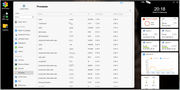
The load is @ 100% but CPU is 4.9% and memory use 5.9%. Modest IO activity. No apps/containers are running. Only performing SMB file sharing. Currently only connected to 3 machines: plex server (currently no streaming, no thumbnail generation, just periodic library scanning), resilio sync client indexing an SMB share and my Windows machine writing a ripped DVD.

I really don't understand why this machine is sluggish. This box has only one job to do: share data over SMB. Currently is does it super poorly.

Image

The process list is sorted descending by CPU usage.

It takes daily snapshots at 3am so any clean up I would assume would happen then and not 16 hours later.

Please help!
User avatar
TMroy
TM Support
Posts: 3060
Joined: 10 Mar 2020, 14:04
China

Re: Another TOS6 super sluggish system

Post by TMroy »

As I have already explained, system sluggish can be caused not only by high CPU and memory usage, but also by disk I/O congestion. Disk I/O congestion may be due to a large amount of disk read/write activity, or it could be that the disk is faulty and responds slowly to system commands, resulting in long queues for disk I/O operations. You need to check if your system has a large number of disk read/write tasks, and also check if there is any abnormal delay in disk command response. You can use the disk benchmark tool provided by TOS to test if the disk performance is abnormal.
To contact our team, please send email to following addresses, remember to replace (at) with @:
Support team: support(at)terra-master.com (for technical support only)
Service team: service(at)terra-master.com (for purchasing, return, replacement, RMA service)
User avatar
mrslother
Posts: 48
Joined: 06 Jul 2023, 04:20
United States of America

Re: Another TOS6 super sluggish system

Post by mrslother »

TMroy wrote: 16 Jan 2025, 18:08 As I have already explained, system sluggish can be caused not only by high CPU and memory usage, but also by disk I/O congestion. Disk I/O congestion may be due to a large amount of disk read/write activity, or it could be that the disk is faulty and responds slowly to system commands, resulting in long queues for disk I/O operations. You need to check if your system has a large number of disk read/write tasks, and also check if there is any abnormal delay in disk command response. You can use the disk benchmark tool provided by TOS to test if the disk performance is abnormal.
I appreciate your previous description, but it was not actionable. This is a new device (1 month old) with minimal activity. Low network IO, etc. What I am looking for is guidance on hhow we review & evaluate all of your recommendations. Something which explains why this would be happening and how to mitigate.

Honestly, my investment in this product has been less than fantastic. I expect the device to do its job and not have to have me handhold, ssh in, run diagnostics, puzzle over lack of documentation, pontificate why something may not be functioning, etc. I paid for a professional device, not a raspberry pi-like hobby board.
If I was running non-sanctioned apps or configuring things in odd ways then I would understand and agree it is on me to diagnose, debug & mitigate. But this is not the case. Out of box these issues are occurring.

Even following your advice, as you can see from my screenshot, I don't see any single process consuming much CPU. There is low CPU/Network io. I would like to understand why there may be high disk i/o and sluggishness.
 
Please advise on what, specifically I need to do to make this system perform as advertised. Which tools to run. How to interpret their results. How to action on those results. Please help me not abandon my Terramaster investments.
User avatar
mrslother
Posts: 48
Joined: 06 Jul 2023, 04:20
United States of America

Re: Another TOS6 super sluggish system

Post by mrslother »

To follow up... in the control panel:
  • Disk overview shows all 4 disks as "good"
  • Control Panel-->Disk-->Disk: shows all 4 disks as "Normal" & 1 NVMe disk as "Normal"
  • Control Panel-->Disk-->Disk Log: does not show anything noteworthy
  • Control Panel-->Disk-->IronWolf Health Management: shows all 4 disks as "Healthy"
  • Control Panel-->Disk-->SMART: I ran a long SMART test but it is not completed yet. It doesn't give any progress or ETA so I have to assume the test has not crashed and it is still in progress. I'll update this with any changes.
Does this help diagnose the sluggishness?
User avatar
TMroy
TM Support
Posts: 3060
Joined: 10 Mar 2020, 14:04
China

Re: Another TOS6 super sluggish system

Post by TMroy »

mrslother wrote: 17 Jan 2025, 02:06 To follow up... in the control panel:
  • Disk overview shows all 4 disks as "good"
  • Control Panel-->Disk-->Disk: shows all 4 disks as "Normal" & 1 NVMe disk as "Normal"
  • Control Panel-->Disk-->Disk Log: does not show anything noteworthy
  • Control Panel-->Disk-->IronWolf Health Management: shows all 4 disks as "Healthy"
  • Control Panel-->Disk-->SMART: I ran a long SMART test but it is not completed yet. It doesn't give any progress or ETA so I have to assume the test has not crashed and it is still in progress. I'll update this with any changes.
Does this help diagnose the sluggishness?
Most of above are not helpful. Please follow the guide to troubleshoot:
1. Check "control panel > system info > resource monitor > disk I/O or network I/O, high? if not, go next step 2.
2. Disk healthy does not mean disk performance is good, check each disk performance, like IOPS, latency, throughput, to make sure disk performance is normal. go to "control panel > storage manager > disk > benchmark" and perform a benchmark test for each disk.
To contact our team, please send email to following addresses, remember to replace (at) with @:
Support team: support(at)terra-master.com (for technical support only)
Service team: service(at)terra-master.com (for purchasing, return, replacement, RMA service)
User avatar
mrslother
Posts: 48
Joined: 06 Jul 2023, 04:20
United States of America

Re: Another TOS6 super sluggish system

Post by mrslother »

Thank you, TMroy, this is helpful.

I did a disk perf benchmark for each disk and they all came out (what I think is) great (average 3600 IOPS, 220 MB/s throughput, 70 ms latency). But my hypercache's NVMe came out as 430 IOPS,26 MBS and 600 ms latency. That isn't right for an m.2 SSD.

I am going to delete the hypercache and rebenchmark the m.2 drive.

Please advise me if this is a reasonable next step. I want to use hypercache for perf but something obviously went wrong with my existing hypercache.

Again, thank you, these actionable steps were really helpful.
User avatar
TMroy
TM Support
Posts: 3060
Joined: 10 Mar 2020, 14:04
China

Re: Another TOS6 super sluggish system

Post by TMroy »

You are welcome!
Yes, please delete the hypercache and test the benchmark again.
To contact our team, please send email to following addresses, remember to replace (at) with @:
Support team: support(at)terra-master.com (for technical support only)
Service team: service(at)terra-master.com (for purchasing, return, replacement, RMA service)
User avatar
mrslother
Posts: 48
Joined: 06 Jul 2023, 04:20
United States of America

Re: Another TOS6 super sluggish system

Post by mrslother »

TMroy wrote: 18 Jan 2025, 14:32 You are welcome!
Yes, please delete the hypercache and test the benchmark again.
That totally helped! But with a caveat...

I disabled SMB and I tried deleting the hypercache and the UI resulted in simply showing a spinning circle icon. No indication of progress or estimate on how long it should take or what it was doing. This continued for tens of minutes. I started to fear the process had crashed and the UI was unaware. At one point all HTTP and SSH stopped working and only pings responded.

But after a couple of hours the NAS became responsive to SSH login attempts & web requests. I enabled SMB and everything looked good, with one exception: the hypercache persisted (it was not removed).

I re-benchmakred the m.2 SSD and it now shows 25,701 IOPS, 1.6GB/s and 9 ms latency.

This is great! Thank you for your directions.

My questions now are:
  • Why did this happen? Why did the Hypercache enter such a state needing me to take action?
  • What can I do to prevent this state in the future?
  • Why was the hypercache not deleted?
  • Should I be concerned that it ignored my delete command?
  • Should I try deleting it again?
Certainly the sluggishness state was not intentional and expected which means that I need to learn how to manage this system. Do you have documentation on proper maintenance and what to expect? I am familiar with linux, but not Terramaster's custom services (TRAID, hypercache, etc).

Cheers!
User avatar
Gremlin
Gold Member
Posts: 1620
Joined: 02 Dec 2022, 22:31
Great Britain

Re: Another TOS6 super sluggish system

Post by Gremlin »

I recently read that hypercache has been modified in latest TOS version so that 'read only' is no longer an option. I wonder if something else has happened to 'prevent' modification/delete.
F5-221 TOS7.0.0777 - 4x4TB (Ironwolf) Traid
F2-424 TOS7.0.0777 - 2x500GB nvme (P3) Traid, 2x6TB HDD (HGST) Traid
F2-221 TOS7.0.0777 - 1x3TB Ext4, 1x4TB Btrfs
F2-425+ TOS7.0.0777 - 2x500GB nvme (P3) Traid, 2x6TB HDD (EXOS) Traid
User avatar
mrslother
Posts: 48
Joined: 06 Jul 2023, 04:20
United States of America

Re: Another TOS6 super sluggish system

Post by mrslother »

Gremlin wrote: 19 Jan 2025, 06:28 I recently read that hypercache has been modified in latest TOS version so that 'read only' is no longer an option. I wonder if something else has happened to 'prevent' modification/delete.
I could live with that ... as long as it behaves; the perf regression I experienced (above) is absolutely unacceptable.
Post Reply

Return to “System Resources”