TMroy wrote: ↑16 Jan 2025, 18:08
As I have already explained, system sluggish can be caused not only by high CPU and memory usage, but also by disk I/O congestion. Disk I/O congestion may be due to a large amount of disk read/write activity, or it could be that the disk is faulty and responds slowly to system commands, resulting in long queues for disk I/O operations. You need to check if your system has a large number of disk read/write tasks, and also check if there is any abnormal delay in disk command response. You can use the disk benchmark tool provided by TOS to test if the disk performance is abnormal.
I appreciate your previous description, but it was not actionable. This is a new device (1 month old) with minimal activity. Low network IO, etc. What I am looking for is guidance on h
how we review & evaluate all of your recommendations. Something which explains why this would be happening and how to mitigate.
Honestly, my investment in this product has been less than fantastic. I expect the device to do its job and not have to have me handhold, ssh in, run diagnostics, puzzle over lack of documentation, pontificate why something may not be functioning, etc. I paid for a professional device, not a raspberry pi-like hobby board.
If I was running non-sanctioned apps or configuring things in odd ways then I would understand and agree it is on me to diagnose, debug & mitigate. But this is not the case. Out of box these issues are occurring.
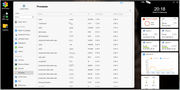
Even following your advice, as you can see from my screenshot, I don't see any single process consuming much CPU. There is low CPU/Network io. I would like to understand why there may be high disk i/o and sluggishness.
Please advise on what, specifically I need to do to make this system perform as advertised. Which tools to run. How to interpret their results. How to action on those results. Please help me not abandon my Terramaster investments.