How to install TrueNAS or other system using an F8 SSD/F8 SSD Plus/424/424 Pro/424 Max?
Posted: 22 Oct 2024, 14:54
When attempting to install TrueNAS on the F8 SSD, I encountered some difficulties. After some research, I finally found an effective method.
Refer to the community solution: https://forums.truenas.com/t/terramaste ... -log/13867
If it is F8 SSD/F8 SSD Plus, before installation, please refer to this post to upgrade the motherboard BIOS and the firmware of the PCIe expansion chip (ASM2086):
viewtopic.php?t=8961
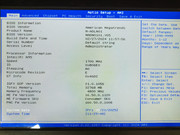
To successfully install TrueNAS, you need to enter the BIOS immediately after booting and make the following adjustments:
F8 SSD, F8 SSD Plus Bios modification method:
1.Security →Secure Boot→ Secure Boot→Disabled
2.Chipset → North Bridge → VT-d→Disabled
3. Boot → TOS Boot First → Disabled, then set the priority boot device in "Boot Option # 1"
F2-424, F4-424, F4-424 Pro Bios modification method:
1.Security →Secure Boot→ Secure Boot→Disabled
2.Chipset → North Bridge → VT-d→Disabled
3. Boot → TOS Boot First → Disabled, then set the priority boot device in "Boot Option # 1"
F4-424 Max, F6-424 Max Bios modification method:
1.Security →Secure Boot→ Secure Boot→Disabled
2.Chipset → North Bridge → VT-d→Disabled
3.Fast → TOS Boot First → Disabled
4. Go to Boot → UEFI NVMe Drive BBS priorities/UEFI Hard Disk Drive BBS priorities/UEFI USB Drive BBS priorities.
Adjust the priority boot devices for each group, and then set the priority boot devices in "Boot Option # 1".
After making these adjustments, the installation proceeded smoothly.
If you encounter similar issues, you might try these settings.
Hope this helps!
Refer to the community solution: https://forums.truenas.com/t/terramaste ... -log/13867
If it is F8 SSD/F8 SSD Plus, before installation, please refer to this post to upgrade the motherboard BIOS and the firmware of the PCIe expansion chip (ASM2086):
viewtopic.php?t=8961
To successfully install TrueNAS, you need to enter the BIOS immediately after booting and make the following adjustments:
F8 SSD, F8 SSD Plus Bios modification method:
1.Security →Secure Boot→ Secure Boot→Disabled
2.Chipset → North Bridge → VT-d→Disabled
3. Boot → TOS Boot First → Disabled, then set the priority boot device in "Boot Option # 1"
F2-424, F4-424, F4-424 Pro Bios modification method:
1.Security →Secure Boot→ Secure Boot→Disabled
2.Chipset → North Bridge → VT-d→Disabled
3. Boot → TOS Boot First → Disabled, then set the priority boot device in "Boot Option # 1"
F4-424 Max, F6-424 Max Bios modification method:
1.Security →Secure Boot→ Secure Boot→Disabled
2.Chipset → North Bridge → VT-d→Disabled
3.Fast → TOS Boot First → Disabled
4. Go to Boot → UEFI NVMe Drive BBS priorities/UEFI Hard Disk Drive BBS priorities/UEFI USB Drive BBS priorities.
Adjust the priority boot devices for each group, and then set the priority boot devices in "Boot Option # 1".
After making these adjustments, the installation proceeded smoothly.
If you encounter similar issues, you might try these settings.
Hope this helps!