SyncThing Not Running after TOS 7 Upgrade
Posted: 28 Sep 2026, 06:12
Hi SyncThing support
I have F2-424 recently upgraded to TOS 7.0.1278.
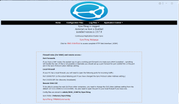
This upgrade caused SyncThing service unable to start. See the screenshot.
I then uninstalled (configuration not removed) and installed the program. The situation remained the same.
I navigated to /usr/local/@APP_CONFIG//SyncThing/SyncThing_start.log.
i saw error below:
27/09/26 17:05:53 Config folder exist at /usr/local/@APP_CONFIG/SyncThing
27/09/26 17:05:53 config symlink doesn't exist, will be created
MODCONFIGPATHHOME=/home/<username>/MOD_CONFIG/SyncThing
MODCONFIGPATH=/usr/local/@APP_CONFIG/SyncThing
MAIN_VOLUME=/Volume2
HOME_VOLUME=/Volume2
DATAPATHFULL=/Volume1/SyncThing
DATAVOL=/Volume1
27/09/26 17:05:53 Sync folder at /Volume1/SyncThing
SyncThing service is not running, will start it now
SUCCESS!
2026-09-27 17:05:53 ERR Failed to ensure directory exists (error="mkdir /usr/local/@APP_CONFIG/SyncThing: permission denied" log.pkg=main)
I ran the command to give SyncThing full access to the affected folder:
chown -R syncthing:users /usr/local/@APP_CONFIG/SyncThing
And it still didnt help.
Hopefully any experts can share your thought here to fix the issue. Thanks!
I have F2-424 recently upgraded to TOS 7.0.1278.
This upgrade caused SyncThing service unable to start. See the screenshot.
I then uninstalled (configuration not removed) and installed the program. The situation remained the same.
I navigated to /usr/local/@APP_CONFIG//SyncThing/SyncThing_start.log.
i saw error below:
27/09/26 17:05:53 Config folder exist at /usr/local/@APP_CONFIG/SyncThing
27/09/26 17:05:53 config symlink doesn't exist, will be created
MODCONFIGPATHHOME=/home/<username>/MOD_CONFIG/SyncThing
MODCONFIGPATH=/usr/local/@APP_CONFIG/SyncThing
MAIN_VOLUME=/Volume2
HOME_VOLUME=/Volume2
DATAPATHFULL=/Volume1/SyncThing
DATAVOL=/Volume1
27/09/26 17:05:53 Sync folder at /Volume1/SyncThing
SyncThing service is not running, will start it now
SUCCESS!
2026-09-27 17:05:53 ERR Failed to ensure directory exists (error="mkdir /usr/local/@APP_CONFIG/SyncThing: permission denied" log.pkg=main)
I ran the command to give SyncThing full access to the affected folder:
chown -R syncthing:users /usr/local/@APP_CONFIG/SyncThing
And it still didnt help.
Hopefully any experts can share your thought here to fix the issue. Thanks!