TOS 7.0.0780 (X86) is Released for Update
Posted: 14 Jul 2026, 11:48
Target Users:
Users currently running TOS 7.0.0746 or later versions.
Note:
If your TOS version is TOS 6, please refer to the TOS 7 update instructions first.
Important: This update is only applicable to TOS 7.0.0746 and newer. Users with older versions must first upgrade to 7.0.0746 before applying this update.
Here, we sincerely thank @Andy2026, @EgorA, @greentower, @Gremlin, @rfbjr, @DCCentR, @petrose, @crisisacting, @Pe6yc, @jayjay, @nitzer71, @chlor12, @joka388, @Metrogeek, @FredMutter, @nikk, @PIK, @Konstantin, @star, @snapsh0t, @Bartman, @quella, @ambul, @sianderson, @drduszek, @Zymphad and others for your sharing and feedback. Your support helped us quickly identify and fix multiple issues.
Update Notes
Bug Fixes:
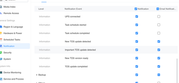
1. Fixed an issue where SMB remote folders might not be automatically mounted after a system update.
2. Fixed an issue where opening the same file multiple times in File Manager would generate multiple players.
3. Fixed an issue where overlapping message notifications might cause display anomalies in certain situations.
4. Fixed an issue where individual icons were not aligned correctly when sorting in the Safari browser.
5. Fixed an issue where some application icons displayed abnormally after an update.
6. Fixed other known issues.
Important Information:
1.Updating the system theoretically will not affect the data on your hard drives, but for safety, please make sure to back up your data in advance.
2.Before updating, ensure that your primary volume (usually volume1) has at least 3GB of available space. Insufficient storage space may cause the update to fail.
3.After the update, the IP address of your TNAS may change. Please use the TNAS PC desktop client to search for and reconnect to the device.
Update Procedure:
1.Go to TOS > Control Panel > General Settings > System > Update, and click "Check for updates."
2.Follow the prompts to update the system.
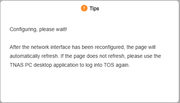
3.After the system update is complete, you may need to refresh your browser.
4.The TNAS IP address may change after the update. If you cannot connect to your TNAS using the previous IP address, use the TNAS PC client to search for the new IP address.
Client Downloads:
1. Download TNAS PC 5.2.540 for Windows OS.
- MD5: AFB7CD77DE2A4F0434D69D52D15959AF
2. Download TNAS PC 5.2.540 for macOS (x86 architecture).
- MD5: 715FEB00FDB06DF4CC9A228622566F70
3. Download TNAS PC 5.2.540 for macOS (ARM architecture).
- MD5: A6954F192DD23AF7374CF2AF20190B6C
4. Download TNAS PC 5.2.540 for Linux.
- MD5: A5B13A2C2C9B0F9FFFCBDF6F3BA9E342
5. Download TNAS mobile for Android:You can also search for "TNAS mobile" in the app store to install.
6. TNAS Mobile for iOS: Please search for "TNAS mobile" in the App Store to install.
Users currently running TOS 7.0.0746 or later versions.
Note:
If your TOS version is TOS 6, please refer to the TOS 7 update instructions first.
Important: This update is only applicable to TOS 7.0.0746 and newer. Users with older versions must first upgrade to 7.0.0746 before applying this update.
Here, we sincerely thank @Andy2026, @EgorA, @greentower, @Gremlin, @rfbjr, @DCCentR, @petrose, @crisisacting, @Pe6yc, @jayjay, @nitzer71, @chlor12, @joka388, @Metrogeek, @FredMutter, @nikk, @PIK, @Konstantin, @star, @snapsh0t, @Bartman, @quella, @ambul, @sianderson, @drduszek, @Zymphad and others for your sharing and feedback. Your support helped us quickly identify and fix multiple issues.
Update Notes
Bug Fixes:
1. Fixed an issue where SMB remote folders might not be automatically mounted after a system update.
2. Fixed an issue where opening the same file multiple times in File Manager would generate multiple players.
3. Fixed an issue where overlapping message notifications might cause display anomalies in certain situations.
4. Fixed an issue where individual icons were not aligned correctly when sorting in the Safari browser.
5. Fixed an issue where some application icons displayed abnormally after an update.
6. Fixed other known issues.
Important Information:
1.Updating the system theoretically will not affect the data on your hard drives, but for safety, please make sure to back up your data in advance.
2.Before updating, ensure that your primary volume (usually volume1) has at least 3GB of available space. Insufficient storage space may cause the update to fail.
3.After the update, the IP address of your TNAS may change. Please use the TNAS PC desktop client to search for and reconnect to the device.
Update Procedure:
1.Go to TOS > Control Panel > General Settings > System > Update, and click "Check for updates."
2.Follow the prompts to update the system.
3.After the system update is complete, you may need to refresh your browser.
4.The TNAS IP address may change after the update. If you cannot connect to your TNAS using the previous IP address, use the TNAS PC client to search for the new IP address.
Client Downloads:
1. Download TNAS PC 5.2.540 for Windows OS.
- MD5: AFB7CD77DE2A4F0434D69D52D15959AF
2. Download TNAS PC 5.2.540 for macOS (x86 architecture).
- MD5: 715FEB00FDB06DF4CC9A228622566F70
3. Download TNAS PC 5.2.540 for macOS (ARM architecture).
- MD5: A6954F192DD23AF7374CF2AF20190B6C
4. Download TNAS PC 5.2.540 for Linux.
- MD5: A5B13A2C2C9B0F9FFFCBDF6F3BA9E342
5. Download TNAS mobile for Android:You can also search for "TNAS mobile" in the app store to install.
6. TNAS Mobile for iOS: Please search for "TNAS mobile" in the App Store to install.