Page 6 of 7
Re: TOS 7.0.0780 (X86) is Released for Update
Posted: 20 Jul 2026, 09:56
by TMzethar
dgmigdot wrote: ↑18 Jul 2026, 03:42
EgorA wrote: ↑15 Jul 2026, 01:50
Zymphad wrote: ↑14 Jul 2026, 22:23
Any plans to update portainer? It is 2.24 from november 2024
Try to run dockhand in docker. It's much better.
docker project:
Code: Select all
services:
  dockhand:
    image: fnsys/dockhand:latest
    container_name: dockhand
    network_mode: bridge
    ports:
      - 8000:3000
    volumes:
      - /Volume1/docker/dockhand:/app/data:rw
      - /var/run/docker.sock:/var/run/docker.sock
    restart: always
Dockhand is installed and running, but I do not see any of my containers or stacks. What could be th problem? thanks in advance!
If your this dockhand relies on network scanning to find other containers, bridge mode might block that. You might want to try host mode instead.
Re: TOS 7.0.0780 (X86) is Released for Update
Posted: 20 Jul 2026, 15:12
by ambul
update TOS 7.0.0780 no problem
Re: TOS 7.0.0780 (X86) is Released for Update
Posted: 22 Jul 2026, 01:16
by Konstantin
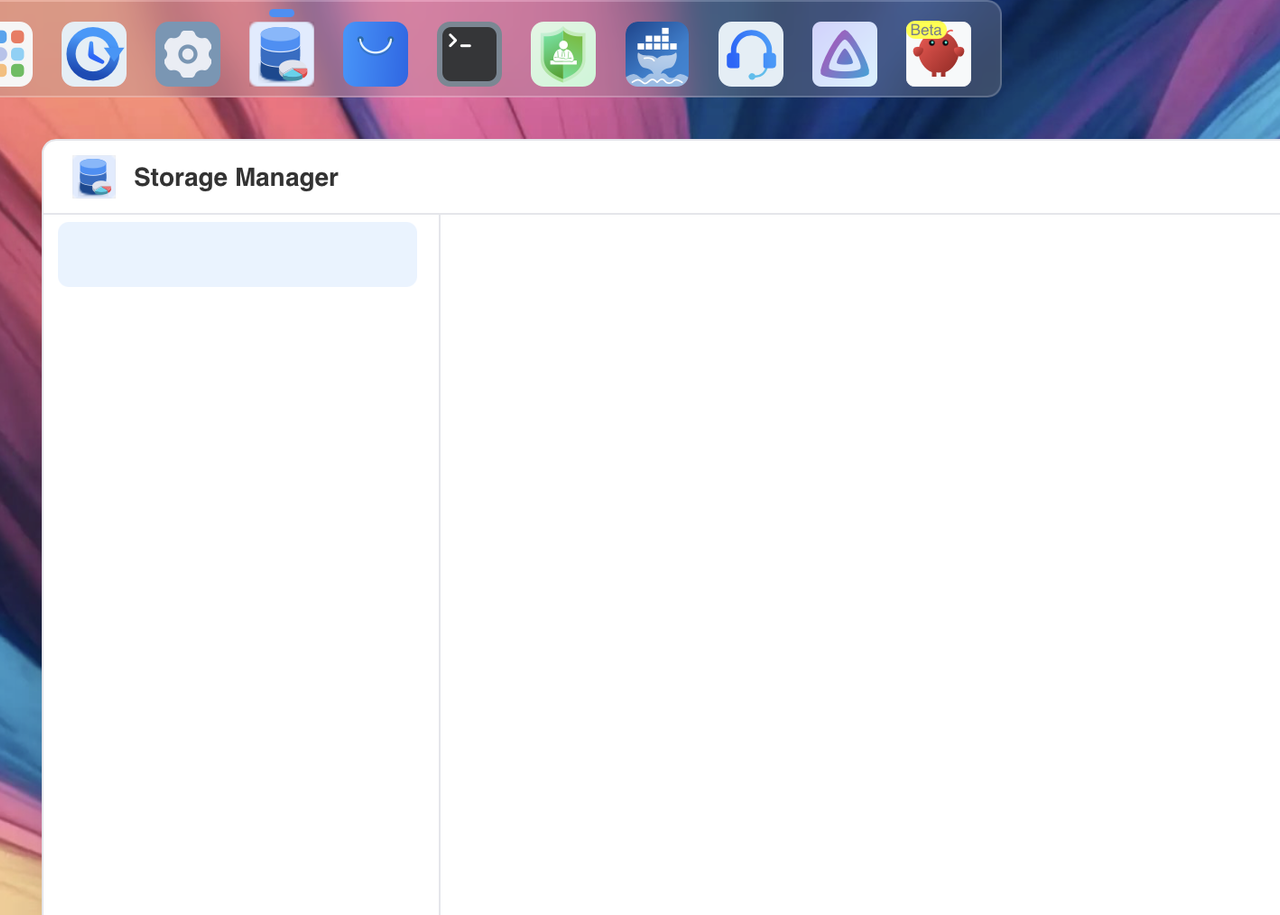
Storage Manager update stuck at 99% after reboot and is completely unusable
https://i.postimg.cc/sfGQc6Fw/Screensho ... -04-02.png
Re: TOS 7.0.0780 (X86) is Released for Update
Posted: 22 Jul 2026, 02:47
by mrk
Same here!

Re: TOS 7.0.0780 (X86) is Released for Update
Posted: 22 Jul 2026, 02:55
by Konstantin
mrk wrote: ↑22 Jul 2026, 02:47
Same here!
I found a way to solve the problem. If you have a backup copy of your system configuration from TOS-7 and that file is saved on your computer, I recommend resetting your system configuration through the same control panel.

Re: TOS 7.0.0780 (X86) is Released for Update
Posted: 22 Jul 2026, 03:17
by mrk
Konstantin wrote: ↑22 Jul 2026, 02:55
mrk wrote: ↑22 Jul 2026, 02:47
Same here!
I found a way to solve the problem. If you have a backup copy of your system configuration from TOS-7 and that file is saved on your computer, I recommend resetting your system configuration through the same control panel.
Thanks! This, together with running
in the terminal, helped me recover from the broken state.
Re: TOS 7.0.0780 (X86) is Released for Update
Posted: 22 Jul 2026, 03:21
by Konstantin
mrk wrote: ↑22 Jul 2026, 03:17
Konstantin wrote: ↑22 Jul 2026, 02:55
mrk wrote: ↑22 Jul 2026, 02:47
Same here!
I found a way to solve the problem. If you have a backup copy of your system configuration from TOS-7 and that file is saved on your computer, I recommend resetting your system configuration through the same control panel.
Thanks! This, together with running
in the terminal, helped me recover from the broken state.
What does this command do in the terminal?
Re: TOS 7.0.0780 (X86) is Released for Update
Posted: 22 Jul 2026, 03:34
by dgmigdot
Zymphad wrote: ↑20 Jul 2026, 01:29
Did you setup the environment?
yes, now I can see all my stacks and containers, many thanks!
the problem I have too often is the docker engine crashes permanently under TOS 7 completely randomly.
Re: TOS 7.0.0780 (X86) is Released for Update
Posted: 22 Jul 2026, 03:35
by dgmigdot
TMzethar wrote: ↑20 Jul 2026, 09:56
If your this dockhand relies on network scanning to find other containers, bridge mode might block that. You might want to try host mode instead.
I seen the containers and stacks after I setted up the environment inside the app. Thanks a lot!
Re: TOS 7.0.0780 (X86) is Released for Update
Posted: 22 Jul 2026, 09:52
by TMzethar
dgmigdot wrote: ↑22 Jul 2026, 03:34
yes, now I can see all my stacks and containers, many thanks!
the problem I have too often is the docker engine crashes permanently under TOS 7 completely randomly.
Glad you got the Docker issue sorted out.
The "docker engine randomly and permanently crashing under TOS 7 completely randomly" is something we take seriously. If it happens again, could you please grab a system report via Support and Help > Report Issues before you shut down the NAS, and email it to us as an attachment for analysis? Just be sure to include the link to this thread and your forum name so we can match it up.