Page 6 of 15
Re: TOS 7.0.0746 Official Release (X86) is Now Available
Posted: 24 Jun 2026, 16:34
by Gremlin
Renzz wrote: ↑24 Jun 2026, 16:15
From 6.0.794.
Wrong update version - you need(ed) 7.0.0747.
Re: TOS 7.0.0746 Official Release (X86) is Now Available
Posted: 24 Jun 2026, 16:35
by MikeZhang
Renzz wrote: ↑24 Jun 2026, 16:15
Please follow this instruction to upgrade:
viewtopic.php?t=10183
Re: TOS 7.0.0746 Official Release (X86) is Now Available
Posted: 24 Jun 2026, 16:42
by MikeZhang
Under Backup app>File system snapshot>snapshot list, you will see "Delete" button
Re: TOS 7.0.0746 Official Release (X86) is Now Available
Posted: 24 Jun 2026, 16:59
by JAW
RyanYang wrote: ↑24 Jun 2026, 14:26
JAW wrote: ↑24 Jun 2026, 00:55
You can update the File Manager from the App Center.
This time I installed the firmware, then started updating all applications.
Unfortunately, I don’t remember exactly what was on the list, but FileManager didn’t seem to be there.
Perhaps you previously updated it manually.
I missed the previous beta update and was waiting for the release.
The latest version was 7.0.0612
Re: TOS 7.0.0746 Official Release (X86) is Now Available
Posted: 24 Jun 2026, 17:03
by ColaChen
Could you check what version your Centralized Backup is on? If it isn’t the newest one, please update it before using.
Re: TOS 7.0.0746 Official Release (X86) is Now Available
Posted: 24 Jun 2026, 17:37
by RyanYang
Our lab investigation found that this issue occurs when the domain group names of LDAP domain users contain uppercase letters. As a temporary workaround, you can either modify the group names, or move the users who need to log in to another group, then leave the domain and rejoin it. We will fix this issue as soon as possible.
Re: TOS 7.0.0746 Official Release (X86) is Now Available
Posted: 24 Jun 2026, 19:06
by Renzz
I followed exactly the same guide you linked amd was upgrading from 6.0.794 using the 7.0.747 file.
I eventually rebooted the system and it seems that the update went through and everything seems to be working except Tailscale giving now Bad Gateway 502 error and no longer working. except that i don't experience any issues but i might reset and start from scratch because I'm unable to fix the Tailscale issue after the update.
Re: TOS 7.0.0746 Official Release (X86) is Now Available
Posted: 24 Jun 2026, 19:38
by Gremlin
Renzz wrote: ↑24 Jun 2026, 19:06
In which case you posted in the wrong thread. Sorry.
Re: TOS 7.0.0746 Official Release (X86) is Now Available
Posted: 24 Jun 2026, 19:43
by Lex
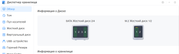
First run disk manger show all empty slots.
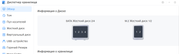
If switch view or close windows and open again, show is normal
Re: TOS 7.0.0746 Official Release (X86) is Now Available
Posted: 24 Jun 2026, 19:47
by RyanYang
JAW wrote: ↑23 Jun 2026, 19:50
You can open the terminal and run the apt update command, then try the update again. We have found that update failures on some TNAS devices may be caused by interruption of the apt command. You can also click the download button next to the app to get the latest version and install it manually.
The command to enter is as follows: