Page 4 of 7
Re: TOS 7.0.0780 (X86) is Released for Update
Posted: 16 Jul 2026, 09:18
by Zymphad
OlRedRooster wrote: ↑16 Jul 2026, 09:07
Zymphad wrote: ↑16 Jul 2026, 08:56
OlRedRooster wrote: ↑16 Jul 2026, 08:28
At all? Or just automatically(like its constantly scanning for changes?) The auto scan stopped working with TOS7, but as long as a manual refresh still works I'll update.
Hard to tell if this is a bug with 780 update or if this is the known bug that was fixed in Jellyfin 1.12 RC.
There is a bug when you make mass changes it leaves ghost directories which prevents addition of new media. That was fixed but it's in the 12.0 RC, it's not stable release.
This bug was introduced by Jellyfin in their 10.11.11 update few weeks ago.
I guess I won't know until either the next TOS7 update is released or when 12.0 goes final, cause looks like Jellyfin crew don't' want to release a hotfix to fix this and rather wait another month/months or whatever for 12.0 final.
Unfortunately, I made my bed with the store version of the app, so I'm at the mercy of TM to fix it. Should've went with Docker, but don't want to mess with it now. Hopefully TM updates their Jellyfin build soon, maybe they're waiting for .12!
100% worth it to launch your own Jellyfin. Jellyfin made some big fixes to transcoding HDR10 HDR tonemapping for example that the TNAS version doesn't have.
12.0 will be a big update, who knows when Terra will update to that, "official" version is a year behind.
I remember for a while the plugins I used stopped functioning with older versions of Jellyfin like Anidb.
That way you don't have to wait for Terra or community maintainers.
Re: TOS 7.0.0780 (X86) is Released for Update
Posted: 16 Jul 2026, 09:28
by Zymphad
Plus the way Terra does their versions is super annoying. Jellyfin is listed as 10.11.15 when that doesn't exist, it's not real. The latest version is 10.11.11. And Terra's actual real version is a year old 10.11.0.
I've no idea why they do this.
Re: TOS 7.0.0780 (X86) is Released for Update
Posted: 16 Jul 2026, 16:26
by Felix
qidi4feet wrote: ↑14 Jul 2026, 15:15
No network adaptors showed anymore, it just shows a
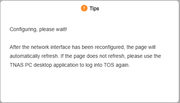
and nothing happens after that, no adaptors showes up , but they are there and i use them but does not see them
According to your description, the network adapters are still physically present and working, but TOS cannot display them in the Control Panel.
This may be related to the network service, driver loading, or system detection issue.
Please open the Terminal application from the TOS desktop and run the following commands:
If you are using a USB network adapter, please also provide:
Please send us the output. We will check whether the system can still detect the network adapters and whether there are any driver-related errors.
Re: TOS 7.0.0780 (X86) is Released for Update
Posted: 16 Jul 2026, 16:32
by Felix
Konstantin wrote: ↑14 Jul 2026, 17:54
Hello, today after the automatic update to this version (.80), one of the two drives in the mirrored RAID array on a supported NVMe drive (a Kingston KC3000) crashed.
I haven't resolved the issue yet. Everything was fine before. The F8 SSD Plus didn't make any noise.
Since one of the NVMe drives in your RAID 1 array is showing as failed after the update, please first check the health status of the drive.
Please go to:
TOS Desktop → Storage Manager → Disk → S.M.A.R.T.
Run a S.M.A.R.T. test on the affected NVMe drive and check whether any hardware errors are reported.
- If the drive shows abnormal results or errors, we recommend replacing the drive.
- If the S.M.A.R.T. result is normal, you can try repairing the RAID array:
Go to:
Storage Manager → Storage Pool
and add the NVMe drive back into the RAID 1 array.
Please provide the S.M.A.R.T. test result and RAID status if the issue continues, and we will further check it.
Re: TOS 7.0.0780 (X86) is Released for Update
Posted: 16 Jul 2026, 16:59
by Felix
sianderson wrote: ↑14 Jul 2026, 21:13
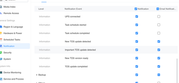
how often does TOS check for new updates? i have mine set to email me but so far i haven’t received an email to tell me a new version is available
after the installation i do get the email from both my NAS's to tell me its installed / rebooted etc so i know its set up correctly to email me
Thank you for your feedback.
The TOS update check is triggered when you log in to the TOS desktop or after the NAS restarts and you log in again.
Once TOS detects that a new version is available, the system will send the update notification email according to your notification settings.
However, if you select the option to keep the login session active, reopening the TOS page does not require entering your username and password again. In this case, the login process is not triggered, so the update check may not run and the notification email will not be sent.
You can try logging out of TOS completely and logging in again, or restart the NAS and log in again, then check whether the update notification is received.
Re: TOS 7.0.0780 (X86) is Released for Update
Posted: 16 Jul 2026, 17:56
by Hendrik
My F4-424Max no update in neither system settings nor on the website "downloads" section... how long is this going to take ?
Re: TOS 7.0.0780 (X86) is Released for Update
Posted: 16 Jul 2026, 18:12
by Felix
Hendrik wrote: ↑16 Jul 2026, 17:56
My F4-424Max no update in neither system settings nor on the website "downloads" section... how long is this going to take ?
You can manually update to 7.0.0747 by following the instructions at
viewtopic.php?t=10183, and then check for updates to upgrade to 7.0.0780. Alternatively, you can wait until next week, when we will push the relevant update to your device.
Re: TOS 7.0.0780 (X86) is Released for Update
Posted: 16 Jul 2026, 19:14
by sianderson
Felix wrote: ↑16 Jul 2026, 16:59
sianderson wrote: ↑14 Jul 2026, 21:13
how often does TOS check for new updates? i have mine set to email me but so far i haven’t received an email to tell me a new version is available
after the installation i do get the email from both my NAS's to tell me its installed / rebooted etc so i know its set up correctly to email me
Thank you for your feedback.
The TOS update check is triggered when you log in to the TOS desktop or after the NAS restarts and you log in again.
Once TOS detects that a new version is available, the system will send the update notification email according to your notification settings.
However, if you select the option to keep the login session active, reopening the TOS page does not require entering your username and password again. In this case, the login process is not triggered, so the update check may not run and the notification email will not be sent.
You can try logging out of TOS completely and logging in again, or restart the NAS and log in again, then check whether the update notification is received.
surely this is completely missing the point, i would expect an email to let me know there is an update WITHOUT me logging in whatsoever?
if i have to login to the desktop why on earth would i want an email notification? the idea of an email notification is to let me know that i need to login and do the update, not the other way around
Re: TOS 7.0.0780 (X86) is Released for Update
Posted: 16 Jul 2026, 19:26
by Gremlin
Or wait for the update notice on the forum

Re: TOS 7.0.0780 (X86) is Released for Update
Posted: 16 Jul 2026, 22:09
by apvm
sianderson wrote: ↑15 Jul 2026, 22:22
apvm wrote: ↑15 Jul 2026, 07:15
sianderson wrote: ↑14 Jul 2026, 21:13
how often does TOS check for new updates? i have mine set to email me but so far i haven’t received an email to tell me a new version is available
after the installation i do get the email from both my NAS's to tell me its installed / rebooted etc so i know its set up correctly to email me
I have the F4-424 and Terramaster did send me an email about the update. BTW, I see you have the D4-320, is the fan loud on yours, mine is pretty loud and wondering why, it was not loud at all until three days ago and I only bought it in early June.
hmm im still waiting for any kind of emails about 780 update a bit strange, i will try turning off the notifications and on again

i havent updated to 780 to give a chance for an email to come through
i must say i dont notice any kind of noise from the D4-320, but it is in a comms cabinet with the other 3 NAS's so plenty of fans working, i use it as a backup so i would imagine the drives are in hibernation mode until just gone midnight when it does the back up and then drop off again so it shouldnt really be generating much heat to kick in the fans but definitely nothing i would say ooh thats a fan working overtime etc
i guess it could be a vibration from the drives? or the overall ambient temperature causing them to work a bit harder i guess
I can't remember if they asked me for my email when I set it up, I know they automatically registered my F4-424 warrenty when I sign into their website, maybe you should sign in to your account and see what email address you gave them. Anyway it is not a big deal, when you log into your Nas, notification will pop up and tell you to update.
Too bad, England lost, personally I think it was manager's fault, sent a defender to replace one the forwarder, hoping to keep 1:0 for the rest of 20 minutes, imo, he should not do that unless it was 2:0 or more, lost the chance to become campinion again after 60 years.