Page 4 of 7
Re: TOS 7.0.0567 Beta (X86) is Released for Update
Posted: 09 May 2026, 17:24
by Felix
Shadeofspirit wrote: ↑09 May 2026, 02:49
Also, I had noticed that on tos6 some applications were installed but doesn't save settings; some applications were not installed, but after installing they got old settings. Docker manager was not installed, but after install all containers and projects are up and running. Even VM manager is installed (but can not start). In topic mentioned above some other users have the same issue but not working way to resolve the issue.
Since application data resides in Volumes, system reinstallation preserves user data. Therefore, some application configurations will remain the same as before. However, some applications may have different versions in TOS7 compared to TOS6, potentially causing configuration issues. Manually uninstalling the application and selecting "Delete configuration file" will resolve this.
Re: TOS 7.0.0567 Beta (X86) is Released for Update
Posted: 09 May 2026, 17:26
by Felix
samius wrote: ↑09 May 2026, 16:58
After update, docker engine cant start. All containers lost. How to roll back to a previous version?
The upgrade test in the laboratory did not find this problem. Please provide relevant error screenshots or log files, which can be sent to our support email address.
Re: TOS 7.0.0567 Beta (X86) is Released for Update
Posted: 09 May 2026, 17:27
by Felix
Gremlin wrote: ↑08 May 2026, 23:18
Felix wrote: ↑08 May 2026, 14:40
Did you refresh the page by right-clicking the TOS desktop and pressing F5 to restore it?
Beware client who uses mouse left handed


(and a track-ball, at that.)
But, essentially, yes. xxx-click on desktop and click on refresh in dialogue (not the physical F5 key in this instance). I have tried both with "mixed" results.
Once the icons/nav bar reappear all goes normally.
We are aware of the issues and will optimize them in future versions.
Re: TOS 7.0.0567 Beta (X86) is Released for Update
Posted: 09 May 2026, 20:11
by Shadeofspirit
I had added 2 log files related to updats
the first one (May 7th) from tos7.*.* -> tos 7.0.0567 (it leads to re-initialization of the NAS and rollback to tos 6.0.794
the second (may 8th) from tos 6.0.794 -> tos 7.0.0517
https://limewire.com/d/TDelu#LQ5t7rhRNb
I was able to find the old update package 7.0.0299 (used for previous update from tos6 to tos7) - it also put nas to the initialization mode and rolled back to 6.0.794
Log file of the failed update:
https://limewire.com/d/VGgS8#zhGdiNwlLF
Re: TOS 7.0.0567 Beta (X86) is Released for Update
Posted: 10 May 2026, 01:21
by OttO1916
Both F2-221 and F5-221 updated to 7.0.0567 - as always - with any issues.
Re: TOS 7.0.0567 Beta (X86) is Released for Update
Posted: 10 May 2026, 11:10
by TMzethar
Shadeofspirit wrote: ↑09 May 2026, 20:11
I had added 2 log files related to updats
the first one (May 7th) from tos7.*.* -> tos 7.0.0567 (it leads to re-initialization of the NAS and rollback to tos 6.0.794
the second (may 8th) from tos 6.0.794 -> tos 7.0.0517
https://limewire.com/d/TDelu#LQ5t7rhRNb
I was able to find the old update package 7.0.0299 (used for previous update from tos6 to tos7) - it also put nas to the initialization mode and rolled back to 6.0.794
Log file of the failed update:
https://limewire.com/d/VGgS8#zhGdiNwlLF
Hi, we will analyze the log information you provide.
Also, please check if the md5 value of the. bz2 package is correct. Please also check the Smart value of each disk to see if there are any abnormalities such as bad sectors.
Re: TOS 7.0.0567 Beta (X86) is Released for Update
Posted: 10 May 2026, 11:27
by TMzethar
Shadeofspirit wrote: ↑09 May 2026, 20:11
I had added 2 log files related to updats
the first one (May 7th) from tos7.*.* -> tos 7.0.0567 (it leads to re-initialization of the NAS and rollback to tos 6.0.794
the second (may 8th) from tos 6.0.794 -> tos 7.0.0517
https://limewire.com/d/TDelu#LQ5t7rhRNb
I was able to find the old update package 7.0.0299 (used for previous update from tos6 to tos7) - it also put nas to the initialization mode and rolled back to 6.0.794
Log file of the failed update:
https://limewire.com/d/VGgS8#zhGdiNwlLF
What TNAS model are you using and what is its BIOS version?
If you have previously modified the boot sequence of the BIOS, please make adjustments before updating to ensure that the TOS system drive has a higher priority than other boot devices such as internal USB drives. If not done this way, the system may directly enter the installation interface after the update.
Alternatively, you can simply remove the internal USB flash drive and reconnect it when needed in the future.
Re: TOS 7.0.0567 Beta (X86) is Released for Update
Posted: 10 May 2026, 23:14
by AlanMarch
Hi
Just updated my F8plus. The unit got stuck in reboot loop. Following instructions I found after a search on the problem, in the bios I:
Disabled northbridge Vtd
Disabled secure boot
Disabled load TOS first
Unit booted successfully and worked OK.
Reverting the bios to its original settings caused the reboot problem to return.
My question is what needs to be done to allow the bios to be set to its correct original settings?
TIA
Re: TOS 7.0.0567 Beta (X86) is Released for Update
Posted: 11 May 2026, 01:27
by Shadeofspirit
hi, i had checked md5 and everything is correct.
I have F2-425 plus NAS.
I believe, the boot order is default - i didn't change bios settings.
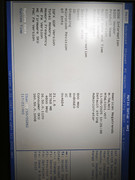
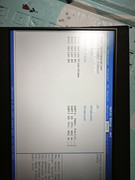
BIOS version: MTWL0101.V07
Re: TOS 7.0.0567 Beta (X86) is Released for Update
Posted: 11 May 2026, 02:46
by samius
Felix wrote: ↑09 May 2026, 17:26
I reinstalled the system. I don't see the problem with Docker engine anymore.