Page 3 of 8
Re: TOS 6.0.507 (X86) is Released for Update
Posted: 01 Oct 2024, 09:29
by jpeckinp
jpeckinp wrote: ↑01 Oct 2024, 07:15
Well permissions are sticking for Plex now after about 10 tries it stayed read/write enabled. Now if I could just get Plex itself to enable and open. Tried uninstall and older versions no luck.
Ended up deleting the directory and re-installing and it worked.
Re: TOS 6.0.507 (X86) is Released for Update
Posted: 01 Oct 2024, 13:24
by jpeckinp
So when I updated to .500 I had to go through the initializing of the system again, it included my nvme drives in the storage pool on its own. Since I don't have a large data base I decided to do a wipe and do a fresh installation and keep my nvme drives for either the system drive or hyper cache.
I loaded the bootloader and installed TOS on the nvmes. What version it installed I don't know, once it finished the system won't do a full boot up anymore. The PC app won't find the NAS either.
Any ideas?
Re: TOS 6.0.507 (X86) is Released for Update
Posted: 01 Oct 2024, 15:31
by Lex
adminsanek wrote: ↑01 Oct 2024, 03:05
when launching Apache 24, this message appears, what could be wrong, start is the user root
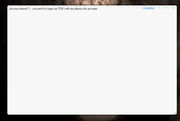
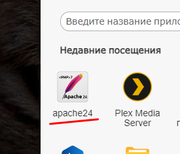
It`s error in packet from external app. Apache mast be work. I have same problem on GitBucket. But i can connect through web. WEB form incorrect detect user. You can delete this check in file.
I comment line.
Code: Select all
/ access control - limit acces to the admin account^M
if ( ! ( ( isset($_SESSION['kod_user']['role']) && $_SESSION['kod_user']['role'] === 'root'      ) ||^M
         !( isset($_SESSION['muser'])    && $_SESSION['muser']    === 'admin' ) ) )^M
{^M
//    die("(Access denied !) - you need to login on TOS with an admin role account");^M
}^M
?>^M
Re: TOS 6.0.507 (X86) is Released for Update
Posted: 01 Oct 2024, 21:07
by gito
Where can I find the .bz2 or .ins files to manual update?
Since 6.0.460.00033 there are no downloadable updates.
Re: TOS 6.0.507 (X86) is Released for Update
Posted: 01 Oct 2024, 23:14
by ColaChen
Excuse me, what disks are there on your device respectively? In addition to nvme, is there still an HDD disk?
Re: TOS 6.0.507 (X86) is Released for Update
Posted: 01 Oct 2024, 23:15
by ColaChen
gito wrote: ↑01 Oct 2024, 21:07
Go to TOS > Control Panel > General Settings > System > Update, and click "Check for updates."
Re: TOS 6.0.507 (X86) is Released for Update
Posted: 02 Oct 2024, 03:08
by jpeckinp
TMcola wrote: ↑01 Oct 2024, 23:14
Excuse me, what disks are there on your device respectively? In addition to nvme, is there still an HDD disk?
I have 4 HDD's that I had pulled out to allow for the system to install on the NVME. All 4 had been erased but not reformatted. Even if I put them back in since they are clean it won't boot.
I know I need to hook up my monitor and see if there are any errors, but I ran out of time last night so I'll do it tonight.
Re: TOS 6.0.507 (X86) is Released for Update
Posted: 02 Oct 2024, 04:41
by tanktarta
Being
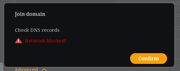
unable to join my own Samba based domain at all since 6.0.507, I decided to try and join another domain I have access to over a VPN. This one is a Microsoft domain (Server 2019 I think). This does not work either, giving me the attached error, and no further obvious clues in log files. Again, in both cases other computers on the network have no problem joining the domain (a mixture of Windows, Linux and Mac clients). It is only TOS having the issue.
Can anyone out there confirm if they are able to join any domain at all? Does anyone know exactly what this error means?
Re: TOS 6.0.507 (X86) is Released for Update
Posted: 02 Oct 2024, 05:22
by Gremlin
I did post a report about the TNAS SMB workgroup not being correctly advertised on my network - it uses the default "WORKGROUP" regardless of setting. Maybe these situations are related somehow. (I don't know)
Re: TOS 6.0.507 (X86) is Released for Update
Posted: 02 Oct 2024, 06:46
by jpeckinp
jpeckinp wrote: ↑02 Oct 2024, 03:08
TMcola wrote: ↑01 Oct 2024, 23:14
Excuse me, what disks are there on your device respectively? In addition to nvme, is there still an HDD disk?
I have 4 HDD's that I had pulled out to allow for the system to install on the NVME. All 4 had been erased but not reformatted. Even if I put them back in since they are clean it won't boot.
I know I need to hook up my monitor and see if there are any errors, but I ran out of time last night so I'll do it tonight.
I removed the nvme drives and it booted so I just installed on the HDD's and will use the nvme for hyper cache.