Page 3 of 7
Re: TOS 7.0.0567 Beta (X86) is Released for Update
Posted: 08 May 2026, 23:18
by Gremlin
Felix wrote: ↑08 May 2026, 14:40
Did you refresh the page by right-clicking the TOS desktop and pressing F5 to restore it?
Beware client who uses mouse left handed


(and a track-ball, at that.)
But, essentially, yes. xxx-click on desktop and click on refresh in dialogue (not the physical F5 key in this instance). I have tried both with "mixed" results.
Once the icons/nav bar reappear all goes normally.
Re: TOS 7.0.0567 Beta (X86) is Released for Update
Posted: 08 May 2026, 23:22
by rfbjr
Felix wrote: ↑08 May 2026, 22:45
rfbjr wrote: ↑07 May 2026, 19:00
Thank you for your feedback!
We have confirmed that the issue exists and have submitted it to our product team. The issue will be addressed in a future version.

Re: TOS 7.0.0567 Beta (X86) is Released for Update
Posted: 09 May 2026, 00:11
by Shadeofspirit
After unsuccessful update i tried to re-init the NAS (F2-425 plus). It automatically installed tos 6.0.794
All apps, settings, etc. were wiped (expected) but all information was kept as is.
After that i tried to manually update to tos7. No luck - after the each attempt, in browser there is init page.
I was trying both ways to provide an update package: upload from PC and nas itself.
So, i'm confused.
on init page there 2 options: automatic and manual. for manual process i was not able to find ins files neither for bootloader, nor tos7 itself
Re: TOS 7.0.0567 Beta (X86) is Released for Update
Posted: 09 May 2026, 01:35
by Gremlin
To move onto TOS7 you would need the initial update package as provided to beta testers. v7.0.0229 iirc - or maybe earlier. Or hunt around the TOS7 threads where you might find an errant installation package link provided for other users that got into difficulties.
Re: TOS 7.0.0567 Beta (X86) is Released for Update
Posted: 09 May 2026, 01:40
by Shadeofspirit
It's rather strange. Initially I was able to move from 6 to 7 using update from post
viewtopic.php?t=9437
Re: TOS 7.0.0567 Beta (X86) is Released for Update
Posted: 09 May 2026, 02:49
by Shadeofspirit
Also, I had noticed that on tos6 some applications were installed but doesn't save settings; some applications were not installed, but after installing they got old settings. Docker manager was not installed, but after install all containers and projects are up and running. Even VM manager is installed (but can not start). In topic mentioned above some other users have the same issue but not working way to resolve the issue.
Re: TOS 7.0.0567 Beta (X86) is Released for Update
Posted: 09 May 2026, 14:22
by Felix
Shadeofspirit wrote: ↑09 May 2026, 00:11
After unsuccessful update i tried to re-init the NAS (F2-425 plus). It automatically installed tos 6.0.794
All apps, settings, etc. were wiped (expected) but all information was kept as is.
After that i tried to manually update to tos7. No luck - after the each attempt, in browser there is init page.
I was trying both ways to provide an update package: upload from PC and nas itself.
So, i'm confused.
on init page there 2 options: automatic and manual. for manual process i was not able to find ins files neither for bootloader, nor tos7 itself
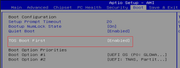
Please follow these steps to check and configure your BIOS settings:
Connecting Peripherals and Entering BIOS: Connect the NAS to a monitor via an HDMI cable and connect a USB keyboard. After powering on the device, press the Del key repeatedly when the Power-On Self-Test (When the TERRAMASTER logo is displayed) screen appears to enter the BIOS setup interface.
Navigating to the Boot Menu: Once in the BIOS, use the keyboard arrow keys to navigate to the BOOT tab.
Confirming Boot Settings: Locate the TOS Boot First option and ensure its status is set to Enabled. Finally, press F4 to save and exit.
Re: TOS 7.0.0567 Beta (X86) is Released for Update
Posted: 09 May 2026, 15:01
by Felix
Shadeofspirit wrote: ↑08 May 2026, 19:26
Felix wrote: ↑08 May 2026, 14:29
Hi, thanks for the response.
SSH was enabled but it does not work now.
Also, i had tried to connect monitor and keyboard, but, for some reason, i could not login - 'Login incorrect' (i had checked in password manager my password). Is there any kind of special user used for local access?
is there any way, for example, re-install but keep existing data (there are about 2Tb of data)
The overall config is 32GB Ram, 2*8TB HDD(in traid)
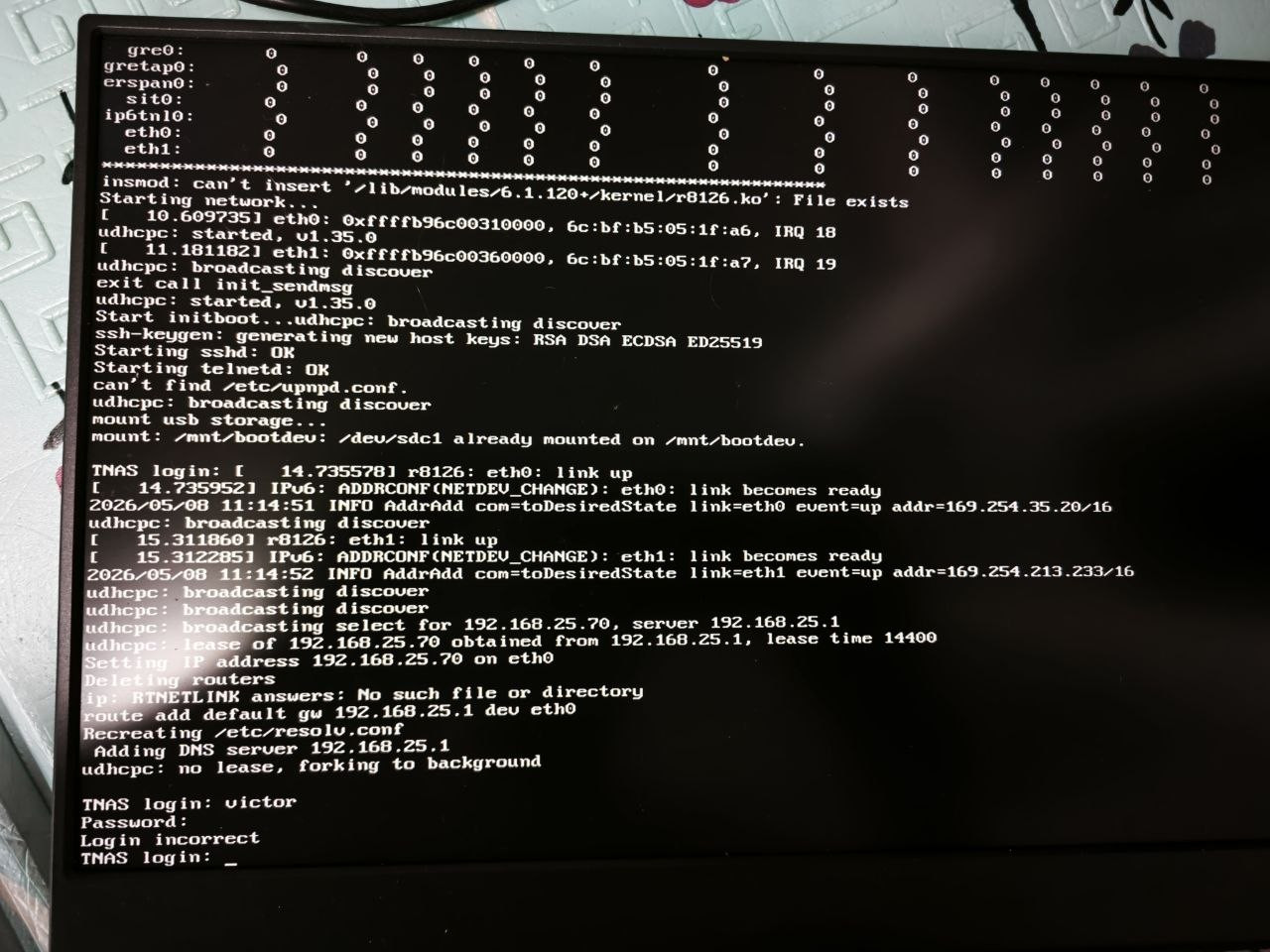
Local access requires the first account you created on your NAS. Please check your password and confirm that you are accessing the TOS system, possibly the bootloader system. A TOS welcome message will appear if you are successfully logged in.

Re: TOS 7.0.0567 Beta (X86) is Released for Update
Posted: 09 May 2026, 15:17
by E1bel
Dear support team
After updating my f2-425 plus system from the latest TOS 7 os realease to the latest one prompted by the os system, I got the following BIOS issue.
I check the BIOS is correctly set "TOS Boot First" = Enabled. I changed it to disabled and enabled again. Restarting several times, but the issue persists.
I´m also executed the Tos Daemon.service and nginx.service restart and reboot, but it still not working
How can I fix this issue?
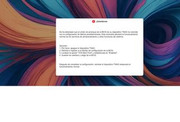
My system setup is:
1st nvme: as OS system
2nd nvme: as BRTFS for data
2x HDD as RAID 1
Checking the latest logs from the upgrade executed, i found that the upgrade process has modified the boot setup using the HDD RAID 1 disks.
If I removed the HDDs and reboot, system boot and GUI process loads properly, but once hdd's are inserted and rebooting. Systems boots fails again:
Re: TOS 7.0.0567 Beta (X86) is Released for Update
Posted: 09 May 2026, 16:58
by samius
After update, docker engine cant start. All containers lost. How to roll back to a previous version?
