Page 2 of 2
Re: TOS7 - Check for new version not working
Posted: 05 Feb 2026, 02:54
by Puccio71
Just updated from 0392 to 0403, check worked but "Download & Updated" button did (not) work as before:
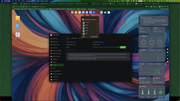
EDIT: Looks like after reboot
tnas.local isn't reachable anymore and I have to use IP address.
Re: TOS7 - Check for new version not working
Posted: 05 Feb 2026, 06:19
by TMzethar
Please go to Control Panel - Network - General to check if the Device name has changed?
If the Device name is 123, please access it using
http://123.local:8181
Re: TOS7 - Check for new version not working
Posted: 05 Feb 2026, 06:51
by Puccio71
TMzethar wrote: ↑05 Feb 2026, 06:19
Please go to Control Panel - Network - General to check if the Device name has changed?
If the Device name is 123, please access it using
http://123.local:8181
Device Name was
TNAS, changed to
tnas, so I can save changes, and it worked.
Now I put it back to
TNAS and it is still working.
Re: TOS7 - Check for new version not working
Posted: 18 Feb 2026, 03:30
by Trident
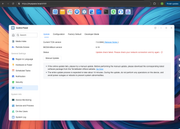
Same problem here.
Re: TOS7 - Check for new version not working
Posted: 19 Feb 2026, 09:22
by TMjack
We take this issue very seriously and will resolve it as soon as possible.
Re: TOS7 - Check for new version not working
Posted: 20 Feb 2026, 23:55
by VKS23
Здравствуйте!
Когда у вас ожидается новый релиз TOS7 старше 403 версии с исправлением работы с виртуальными машинами?
Re: TOS7 - Check for new version not working
Posted: 21 Feb 2026, 09:36
by GevinKe
VKS23 wrote: ↑20 Feb 2026, 23:55
We are scheduled to release a new version next week. To help us provide a more accurate solution, could you please provide a detailed description of the issue you encountered?
Alternatively, you may post your feedback directly under the 'Version Update' thread, which will help us consolidate and follow up on all reports more efficiently.
viewtopic.php?t=9727