[Help] No Access F6-424Max After TOS 6.0.750 Update – Not Detected on Network
-
crisisacting

- Silver Member
- Posts: 531
- Joined: 20 Jan 2022, 16:42
Re: [Help] No Access F6-424Max After TOS 6.0.750 Update – Not Detected on Network
At this point, use the live chat off Terra-Master.com, point them to this thread or explain the situation to them & see if there's assistance they can provide, via a remote session onto a PC within the same network environment as the TNAS.
-
terroradagio

- Posts: 13
- Joined: 22 Feb 2025, 05:24


Re: [Help] No Access F6-424Max After TOS 6.0.750 Update – Not Detected on Network
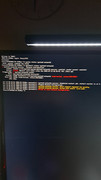
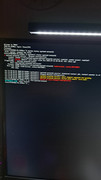
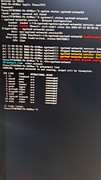
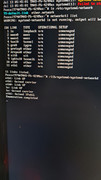
Right now, I’ve connected a keyboard directly to my F6-424 NAS, but I can’t even log in.
It seems impossible to enter the login and password — I’m not sure if it’s because the keyboard is in QWERTY (i'm french) layout or if there’s another issue.
Is the live chat on the official website working for you right now?
Are there specific opening hours?
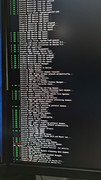
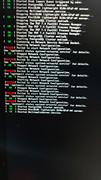
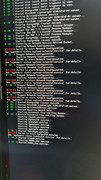
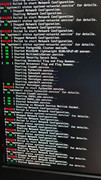
It seems impossible to enter the login and password — I’m not sure if it’s because the keyboard is in QWERTY (i'm french) layout or if there’s another issue.
Is the live chat on the official website working for you right now?
Are there specific opening hours?


Re: [Help] No Access F6-424Max After TOS 6.0.750 Update – Not Detected on Network
I had the same issues as described in the first post, and reinstalling the OS was the only option as I couldn't access my F4-424 Max NAS. All my data is intact and my docker images are still opperating since enabling docker after the install.
I used Method B in the following link viewtopic.php?t=423
But I have issues with Portainer not opening, and my NVME mirror Volume 2 is missing from File Manager though it's there in the OS and showing in Volume Manager.
So if anyone comes across these issues and fixes them, could you post your solution.
Thanks In Advance.
I used Method B in the following link viewtopic.php?t=423
But I have issues with Portainer not opening, and my NVME mirror Volume 2 is missing from File Manager though it's there in the OS and showing in Volume Manager.
So if anyone comes across these issues and fixes them, could you post your solution.
Thanks In Advance.
Re: [Help] No Access F6-424Max After TOS 6.0.750 Update – Not Detected on Network
I've fixed Portainer by removing the old Portainer Agent in Docker Engine, then uninstalling and reinstalling the application using App Center. After that I had to install the new Portainer Agent and my existing envoirnment showed up and is fine. All that's left now is getting my Volume 2 to show up in File Manager, though all my docker images and docker volume data is running on that Volume its not showing.
-
crisisacting
- Silver Member
- Posts: 531
- Joined: 20 Jan 2022, 16:42
Re: [Help] No Access F6-424Max After TOS 6.0.750 Update – Not Detected on Network
Thank youcrisisacting wrote: ↑13 Jul 2025, 09:36 As they are a Mainland Chinese corporation, their hours follow their one timezone there.
They are available right now, at the time of this post.


Re: [Help] No Access F6-424Max After TOS 6.0.750 Update – Not Detected on Network
Thanks for contacting TerraMaster!
If possible, connect the HDMI cable, restart the NAS, then log in via HDMI and execute the command: /lib/systemd/systemd-networkd. If you cannot log in via HDMI, you can reinstall the system using Method B in this link: viewtopic.php?t=423
Re: [Help] No Access F6-424Max After TOS 6.0.750 Update – Not Detected on Network
I already spent over 1 hour and 30 minutes on the live chat entering command lines, only to end up with the same conclusion: that I have to use Method B to reinstall the system.ColaChen wrote: ↑13 Jul 2025, 11:29Thanks for contacting TerraMaster!
If possible, connect the HDMI cable, restart the NAS, then log in via HDMI and execute the command: /lib/systemd/systemd-networkd. If you cannot log in via HDMI, you can reinstall the system using Method B in this link: viewtopic.php?t=423
The problem is, this method feels very uncertain — it works for some users, but not for others.
I didn’t buy into a lottery system when I chose TerraMaster. I understand that zero risk doesn’t exist in tech, but this update really pushes the limits — it's hard to believe such instability comes from an official firmware release.

Re: [Help] No Access F6-424Max After TOS 6.0.750 Update – Not Detected on Network
To contact our team, please send email to following addresses, remember to replace (at) with @
Technical team: support(at)terra-master.com(for technical support)
Service team: service(at)terra-master.com(for purchasing, return, replacement, RMA service)
Technical team: support(at)terra-master.com(for technical support)
Service team: service(at)terra-master.com(for purchasing, return, replacement, RMA service)