TOS 7.0.1298 (x86) Official Release Update


Re: TOS 7.0.1298 (x86) Official Release Update
Looks like my D4-320 will not goto sleep, is it possible that I flash it back to 1278?
F4-424
Two D4-320
Two D4-320


Re: TOS 7.0.1298 (x86) Official Release Update
System downgrade is not supported.
Regarding the D4-320 sleep issue, DAS sleep mode is primarily determined by host disk I/O activity. Please check the following:
- Hard Drive Sleep Settings: Ensure that disk hibernation is enabled under Control Panel > Hardware & Power > Disk Sleep.
- Background Disk Activity: Check whether background tasks, services, or applications (such as media indexing, system logs, or containers) are actively reading or writing to the D4-320, as continuous I/O will prevent the drives from entering sleep mode.
To contact our team, please send email to following addresses, remember to replace (at) with @
Technical team: support(at)terra-master.com(for technical support)
Service team: service(at)terra-master.com(for purchasing, return, replacement, RMA service)
Technical team: support(at)terra-master.com(for technical support)
Service team: service(at)terra-master.com(for purchasing, return, replacement, RMA service)
Re: TOS 7.0.1298 (x86) Official Release Update
Thanks, I turned the F4-424 off and turn it back on after 1 minute, both D4-320 sleep after 30 minutes, looks fine now. BTW, thanks for the about no turn back to 1278, I'll delete the file to avoid making mistake.EriChan wrote: ↑Yesterday, 19:27System downgrade is not supported.
Regarding the D4-320 sleep issue, DAS sleep mode is primarily determined by host disk I/O activity. Please check the following:
- Hard Drive Sleep Settings: Ensure that disk hibernation is enabled under Control Panel > Hardware & Power > Disk Sleep.
Looking forward to your feedback!
- Background Disk Activity: Check whether background tasks, services, or applications (such as media indexing, system logs, or containers) are actively reading or writing to the D4-320, as continuous I/O will prevent the drives from entering sleep mode.
F4-424
Two D4-320
Two D4-320


Re: TOS 7.0.1298 (x86) Official Release Update
Both F5-221 and F2-221 updated from 7.0.1278 without any issues
F5-221 - TOS7.0.1298 - 5x4TB TRAID - 1x4TB Single USB - 2x4TB HwRAID1 USB
F2-221 - TOS7.0.1298 - 2x3TB JBOD - 1x4TB Single USB
F2-221 - TOS7.0.1298 - 2x3TB JBOD - 1x4TB Single USB


Re: TOS 7.0.1298 (x86) Official Release Update
What did happen with forum topics? I do not see recent topics in "Update Notice" channel. For example I see topic "TOS 7.0.1298 (x86) Official Release Update" on "Board index", I see there that it is a part of "Update Notice" channel. But when I go to "Update Notice" channel I do not see this topic. It is accessible for me via search and with direct link from "Board index" - but it is invisible inside "Update Notice". I see this behaviour for a few recent releases. The latest topic that I can see in "Update Notice" - "TOS 7.0.1105 (x86) Official Release Update".


Re: TOS 7.0.1298 (x86) Official Release Update
How do I remove 541 gigabytes of junk? It accumulates after a firmware update.
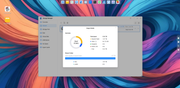
F8 SSD Plus MADN0301. V02 TOS 7.0.1298

Re: TOS 7.0.1298 (x86) Official Release Update
See if this helps: viewtopic.php?t=10672
F5-221 TOS7.0.1278 - 4x4TB (Ironwolf) Traid
F2-424 TOS7.0.1278 - 2x500GB nvme (P3) Traid, 2x6TB HDD (HGST) Traid
F2-221 TOS7.0.1278 - 1x3TB Ext4, 1x4TB Btrfs
F2-425+ TOS7.0.1278 - 2x500GB nvme (P3) Traid, 2x6TB HDD (EXOS) Traid
F2-424 TOS7.0.1278 - 2x500GB nvme (P3) Traid, 2x6TB HDD (HGST) Traid
F2-221 TOS7.0.1278 - 1x3TB Ext4, 1x4TB Btrfs
F2-425+ TOS7.0.1278 - 2x500GB nvme (P3) Traid, 2x6TB HDD (EXOS) Traid
-
sianderson

- Silver Member
- Posts: 453
- Joined: 02 Aug 2020, 03:42

Re: TOS 7.0.1298 (x86) Official Release Update
Updated both my units no issues observed
F2-424 TOS 7.0.1298
F2-423 TOS 7.0.1298
F2-210 TOS 4.2.44
D4-320
C/O
F4-424 TOS 6.0.794
F2-423 TOS 7.0.1298
F2-210 TOS 4.2.44
D4-320
C/O
F4-424 TOS 6.0.794