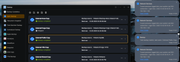
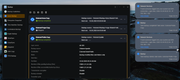
I got my main OpenClaw NAS talking to two other Openclaw NAS devices.
Summarize: Told Openclaw to run a rsync task on the remote NAS (remote to the main openclaw NAS). It worked.
One minor thing, the rysnc task like didn't not show the job running, the notification messages did. Also when the task finished, the rsync detail did show the most recent execution timestamp.
EDIT: I'm not saying that is a bug, it is the nature of running something remotely I guess, why would you then be on that remote machine anyway.
F6-424 & F4-425 Plus at 7.0.1298
F4-424 Pro (x2) at 7.0.1298
D4-320 (Offline until I can afford more HDDs)
Good news: nothing is broken with your setup — rsync tasks created by OpenClaw are fully registered and show in the Backup Center exactly like ones made through the UI. We verified this: when a task is created via the same API the web UI uses (POST /v2/rsync/create), it appears in the task list immediately. Why you couldn't see it running: the task list page only fetches status once when the page is opened — it doesn't poll. So when the transfer was kicked off from outside the browser, the page you already had open never refreshed, and kept showing the old status. The notifications did appear because those are pushed, while the task list is pulled just once. Once you reopened/refreshed the page, it re-fetched the state and showed the updated last-run timestamp — which matches what you saw. We've filed this as a UI improvement: add polling to the rsync task list so externally-triggered runs are visible in real time.
To contact our team, please send email to following addresses, remember to replace (at) with @
Technical team: support(at)terra-master.com (for technical support)
Service team: service(at)terra-master.com (for purchasing, return, replacement, RMA service)