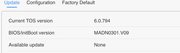
Thank you for sharing the detailed drive configuration and PCIe switch info. To help us accurately investigate what triggers the crash under TOS 6, could you please help collect the diagnostic and debug logs for our team?
Here are the steps to follow:
1. Enable Debug Mode & Generate System Report
- Go to TOS Web UI > Technical Support (Support & Help) > Issue Feedback.
- Generate and download the System Report, and make sure to check/enable Debug Mode.
2. Capture Logs When the Issue Occurs
Once the crash/reboot issue reoccurs:
1. Restart the device first.
2. Return to the same menu to download the Debug Logs.
3. Send both the Debug Logs and the System Report to our technical support email: support(at)terra-master.com.
Note the Timestamp: If possible, please note the date and approximate time when the crash happened. Having the exact timestamp will greatly assist our engineers in locating the corresponding events in the logs.
3. Note Regarding Browser Downloads
- The Debug log package consists of three files: kern.log, syslog, and atop_log.
- Due to these file extensions/formats, some web browsers may flag or block them. If you find any of these files missing after downloading, please check your browser's download manager/history to unblock, allow, and keep the download.
Once our engineers receive your logs, we will analyze them and provide you with a solution. Thank you for your cooperation!
To contact our team, please send email to following addresses, remember to replace (at) with @
Technical team: support(at)terra-master.com(for technical support)
Service team: service(at)terra-master.com(for purchasing, return, replacement, RMA service)