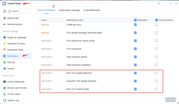
Thank you for your detailed feedback. Here is the latest update regarding the items on your checklist:
Disk sleep: This has been resolved in the upcoming version, which is scheduled for release next week.
DST/Summertime log display: This issue has been acknowledged and will be fixed in a subsequent release.
Scheduled shutdown log: This is a known issue that has been logged as a feature request. However, there is no immediate timeline for this implementation at the moment.
Media index status display: After evaluation, there are no plans to optimize this behavior for the time being.
IPv6 network status: This will be optimized and improved in a future release.
Thank you again for helping us improve the TOS. Your feedback is highly appreciated!
To contact our team, please send email to following addresses, remember to replace (at) with @
I wanted to update my firmware via the mobile app, but it failed for some reason. When I got home this evening, I couldn't access the interface anymore. I tried everything, but nothing worked. Can I download the firmware and update it to the NAS using a USB drive? Or how should I proceed to solve my problem? Also, will my data be deleted? It seems like the old version is still installed, and I can log in via the terminal, but not with the mobile or PC TNAS app. It seems like the web interface is missing or not loading correctly. What can I do?
sianderson wrote: ↑01 Jul 2026, 17:23
is it possible that the nas drives can ping an email out as soon as they detect a new version available? it would solve the problem of me having to check the forums to see if there is one
Thank you for your advice, we will put it into our list and demand discussion internally.
To contact our team, please send email to following addresses, remember to replace (at) with @:
Support team: support(at)terra-master.com (for technical support only)
Service team: service(at)terra-master.com (for purchasing, return, replacement, RMA service)
Just a heads up for now:
All three of my devices (noted in signature) just before, on the web logon screen, I couldn't type in logon information.
Had to just refresh the page, then logon worked correctly. I turned debug mode on all of them and then logged off.
Will see if it happens again.
F6-424 & F4-425 Plus at 7.0.1341
F4-424 Pro (x2) at 7.0.1341
D4-320 (Offline until I can afford more HDDs)
I have an F4-423 with the latest TOS7 installed to NVME , boots fine no issue but the connected D5-300C (connected with official terramaster cable) boots up but doesn't show its starage pool (storage pool 2) , it instead shows corrupted pool. I can get chatgpt to mount it and it shows fine but when I reboot it dissapears and goes back to saying corrupted pool (it isn't) the storage pool on the f4-423 can be accessed fine. is this a TOS7 bug ?
Do the applications you installed depend on PHP? If they do, please install PHP manually from the App Center, as the latest TOS 7 no longer ships with a PHP environment by default.
Hello
Issue with e-mail test and notifications.
Smtp local server
On my t6-423 ,the email test is with failed message and i don't receive test email.
On my f2-221 the e-mail test is with successfull message but i dont receive any test email