

Hello, I have an F5-422 in RAID 5 with 5 x 8TB drives.
After a file transfer, the system crashed. I restarted it, but the NAS wasn't visible.
I removed the drives, restarted, and reinserted them. My system is now initializing.
How can I install ToS without losing my RAID configuration (by the way, my fifth drive is now at risk)!
I followed the procedure using the custom option, but I get a message saying that all four drives will be erased. Can you help me?
[Help] F5-422 crash system


Re: [Help] F5-422 crash system
When reinstalling the system, did you insert four or five hard drives?
If you used four hard drives, the initialization process will prompt you to delete data due to an incomplete RAID array.
We can help you resolve this issue remotely.
Please find the online customer service link in the bottom right corner of our official website to schedule a remote appointment.
If you used four hard drives, the initialization process will prompt you to delete data due to an incomplete RAID array.
We can help you resolve this issue remotely.
Please find the online customer service link in the bottom right corner of our official website to schedule a remote appointment.
To contact our team, please send email to following addresses, remember to replace (at) with @
Technical team: support(at)terra-master.com(for technical support)
Service team: service(at)terra-master.com(for purchasing, return, replacement, RMA service)
Technical team: support(at)terra-master.com(for technical support)
Service team: service(at)terra-master.com(for purchasing, return, replacement, RMA service)
Re: [Help] F5-422 crash system
Hello, thank you for your help. I tried with 4 and 5, but the procedure is the same.
Even though my 5th one is at risk, I still have to insert it, right?


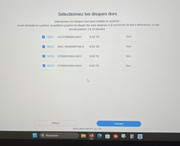
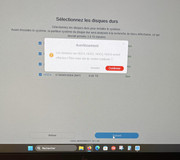
Even though my 5th one is at risk, I still have to insert it, right?
Re: [Help] F5-422 crash system
My screen is in French. Should I still continue when it tells me the disks will be erased? Will my RAID 5 remain intact, or am I forced to lose everything?

Re: [Help] F5-422 crash system
Please visit www.terra-master.com online chat to book remote session so we can check for you remotely, schedule is still available before 5PM UTC+8
To contact our team, please send email to following addresses, remember to replace (at) with @
Technical team: support(at)terra-master.com(for technical support)
Service team: service(at)terra-master.com(for purchasing, return, replacement, RMA service)
Technical team: support(at)terra-master.com(for technical support)
Service team: service(at)terra-master.com(for purchasing, return, replacement, RMA service)