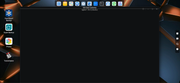
Hi. We have made multiple attempts, but we have not yet found a similar situation.
Is this limited to a specific container, or does this apply to all containers?
Hi. We have made multiple attempts, but we have not yet found a similar situation.
I don't know of any NAS OS that will do this. If you just want to hide a folder from other users then simply remove it from the browse list by ticking the box for 'Hide this folder in Network Neighborhood'. If that's not enough then use Permissions to block access.
There are a lot of folders that are added automatically and should never be visible on the network.snapsh0t wrote: ↑09 Feb 2026, 15:33I don't know of any NAS OS that will do this. If you just want to hide a folder from other users then simply remove it from the browse list by ticking the box for 'Hide this folder in Network Neighborhood'. If that's not enough then use Permissions to block access.
You're right. Not all containers cause such error. One of it with the image of "linuxserver-resilio-sync" which has an error with the folder permissions.
We did not observe the sidebar settings issue you mentioned. Could you provide a screenshot?vozerov wrote: ↑10 Feb 2026, 15:08 For several versions in a row, I have observed an error in saving the sidebar settings. When the system is restarted, the configured appearance of the displayed blocks and their location often disappears.
In the USB Copy application, I found errors when backing up to an external drive. There are always 8 files that the system cannot copy when copying Volume1 completely, and regardless of the selected mode, incremental mode or mirror mode, The system does not properly analyze what is on the external drive and simply copies new data to the external drive, while not deleting the data that was deleted from us from the external drive. In fact, both modes of operation are no different from each other.