The latest Jellyfin update is to avoid port conflicts with Emby. Additionally, after establishing a remote connection via the TNAS PC app, you can play Jellyfin videos smoothly when connecting through a virtual IP.
For such initial attempts at changes, we hope to hear more of your thoughts and feedback.
To contact our team, please send email to following addresses, remember to replace (at) with @:
Technical team: support(at)terra-master.com (for technical support)
Service team: service(at)terra-master.com (for purchasing, return, replacement, RMA service)
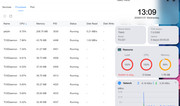
The issue with completely stalling the device is not sorted.
Th attached situation happened after I tried to login through the TNAS app for Android.
There are about 40 TOSDemon tasks clogging the CPU & memory.
Everything's fine, the decision to install Jellyfin in Nginx is a good one. Сan also use the old port, whichever is more convenient. Need only recover right port (8096) so you don't lose access through Nginx.
Everything's fine, the decision to install Jellyfin in Nginx is a good one. Сan also use the old port, whichever is more convenient. Need only recover right port (8096) so you don't lose access through Nginx.
I'm having a problem with the web server: "Forbidden. You don't have permission to access this resource."
I don't know which version this problem started with, but the web server worked fine in TOS 6.
You can find port in control panel - services and process - port. 8096 - standart port for jellyfin. But now, shortcut from desktop and shortcut in top panel send to diferent places. One leads to Nginx, the other leads in the direction of the Jellyfin app itself.
PeteBest wrote: ↑21 Jan 2026, 21:17
The issue with completely stalling the device is not sorted.
Th attached situation happened after I tried to login through the TNAS app for Android.
There are about 40 TOSDemon tasks clogging the CPU & memory.
Based on the information you provided in previous topics and here, it is likely a performance issue (F2-221). I notice that you have Jellyfin enabled, which is a resource-intensive application. Perhaps you could temporarily disable it and observe the load situation when using the TNAS mobile app.
To contact our team, please send email to following addresses, remember to replace (at) with @:
Technical team: support(at)terra-master.com (for technical support)
Service team: service(at)terra-master.com (for purchasing, return, replacement, RMA service)
Try adding RAM. Both my 221 models run 10GB total, but I don't run similar software.
{I used appropriate Crucial 8GB sticks - CT102464BF160B DDR3 1600 MHz CL11 Laptop Memory, Multicolor, 8 GB from Amazon - but they may not be available today - I didn't check.}
samius wrote: ↑22 Jan 2026, 18:32
I'm having a problem with the web server: "Forbidden. You don't have permission to access this resource."
I don't know which version this problem started with, but the web server worked fine in TOS 6.
Hi.
Regarding the issue you mentioned, you can try going to Control Panel - Application Settings to access the user permissions for WebServer. If the problem persists, we hope you can provide a screenshot to help us locate and troubleshoot the issue.
To contact our team, please send email to following addresses, remember to replace (at) with @:
Technical team: support(at)terra-master.com (for technical support)
Service team: service(at)terra-master.com (for purchasing, return, replacement, RMA service)
Hello! I'm having problems updating from 7.0.0299. I'm getting the message "Update check failed. Please check your network connection and try again.". The NAS has an internet connection and everything else is working as intended.