Hi.
We have checked the relevant configuration and information based on the latest information you provided. The initial guess is that there may be an anomaly with a certain HDD or controller, but we are still unable to locate the specific anomaly location. You can consider scheduling a time via the official website's Live Chat, and we will arrange an engineer to help you with a remote check.
To contact our team, please send email to following addresses, remember to replace (at) with @:
Technical team: support(at)terra-master.com (for technical support)
Service team: service(at)terra-master.com (for purchasing, return, replacement, RMA service)
Ok will do, need to figure out timing.
Now I left off the unit last night and just brought it up before. Clean no issues, go figure.
Also just FYI the nas has 4 20tb Iron wolf Pro drives
I did generate another system report, not sure if you have the onedrive link I upload the files to?
F6-424 & F4-425 Plus at 7.0.1298
F4-424 Pro (x2) at 7.0.1298
D4-320 (Offline until I can afford more HDDs)
Yeah, like nothing else has been weird with my issue. I did check NIC1 is DHCP but I did manually assign the IP for NIC2. Maybe at boot the logic does check the MAC address before assigning an IP, defaulting to the one already assigned to that MAC. Sounds good anyway.
F6-424 & F4-425 Plus at 7.0.1298
F4-424 Pro (x2) at 7.0.1298
D4-320 (Offline until I can afford more HDDs)
rfbjr wrote: ↑21 Jan 2026, 19:46
I did generate another system report, not sure if you have the onedrive link I upload the files to?
We have not yet found the system report you mentioned. Could you please tell us when and through what method you sent it to us? We suggest you attach the URL of this forum post.
To contact our team, please send email to following addresses, remember to replace (at) with @:
Technical team: support(at)terra-master.com (for technical support)
Service team: service(at)terra-master.com (for purchasing, return, replacement, RMA service)
content = After 392 applied but forced power off after the install of 392, since the webgui never came back.
logfile = TOS_SystemReport_20260120_165541.zip
The log files in between where I rebooted the NAS and checked the processes, seem to get worse each time.
content = Clean boot no issues, seems that way (System is still up and running w/o issues, don't plan on restarting)
logfile = TOS_SystemReport_20260121_062010.zip
F6-424 & F4-425 Plus at 7.0.1298
F4-424 Pro (x2) at 7.0.1298
D4-320 (Offline until I can afford more HDDs)
rfbjr wrote: ↑21 Jan 2026, 06:11
One note and I think it did the same with v364 when I generated a system report I only saw for a sec that 5 min count down screen, it just jumped to ok to download. But the file is still being generated, so if you wait the 5min, then you can download.
About to reboot with it at 392, stay tuned
We have not yet encountered this issue in the latest version.
You are not the only customer facing this problem, and we will continue to monitor it.
Meanwhile, we plan to implement some optimization measures to reduce the likelihood of such issues occurring.
To contact our team, please send email to following addresses, remember to replace (at) with @:
Technical team: support(at)terra-master.com (for technical support)
Service team: service(at)terra-master.com (for purchasing, return, replacement, RMA service)
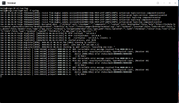
I have similar issues with webgui. After reinstalling TOS 7.0.0485 and TOS 7.0.0500 gui stops at loading and access not possible this is very annoying since fresh reinstall does nothing after second or third login problem comes back. SMB, Plex, Roon work and system seams to be active. Is it tos 7 problem? How to fix it?




 (screenshot)
 I did check NIC1 is DHCP but I did manually assign the IP for NIC2. Maybe at boot the logic does check the MAC address before assigning an IP, defaulting to the one already assigned to that MAC. Sounds good anyway.
