

No real issues installing. This is a very good looking OS.
Two issues post install, one mentioned in the notes, one not. I had to recreate and spin-up an instance of pihole in a Docker container. The other was that the connection to my NUT server wasn't automatically enabled. All the settings were in place, literally just clicked the box and it was going again.
Looking forward to testing out the new VM app.
TOS 7 Beta Is Available for Testing


Re: TOS 7 Beta Is Available for Testing
Hello! Thank you very much for your feedback. We have successfully reproduced the issue you reported. Our technical team has begun working on a fix, and this issue will be resolved in a future version update.

Re: TOS 7 Beta Is Available for Testing
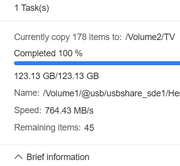
Much smoother and responsive than 6.
My UPS is recognized and it is working.
My UPS is recognized and it is working.
Current System:
F4-424 Pro
40TB storage.
TOS- 7.0.0746
F4-424 Pro
40TB storage.
TOS- 7.0.0746

Re: TOS 7 Beta Is Available for Testing
All F4-423 products can be upgraded to TOS7. However, if your TOS system is currently installed or planned to be installed on an M.2 NVMe SSD, please adjust the BIOS boot order and follow the guide to update. Before upgrading to TOS 7, you need to upgrade to 6.0.794.Trident wrote: ↑15 Dec 2025, 23:48 Hello,
I am the owner of a TerraMaster F4-423. I am currently using it with Linux, but I became interested in the new TOS 7 option.
I tried to verify my BIOS version to check whether it is compatible with TOS 7. I ran the following command:
sudo dmidecode -s bios-version
The output was:
Version: 5.19
There is no MAPL0304 string, which is strange. According to some research, 5.19 appears to be a Linux kernel version, not a BIOS version.
I also checked directly in the BIOS/UEFI setup, but surprisingly the screen does not show a BIOS version field at all.
Does anyone know:
how to correctly verify the BIOS version on this model?
or how to confirm TOS 7 compatibility in this situation?
Any guidance would be appreciated. Thank you.
To contact our team, please send email to following addresses, remember to replace (at) with @
Technical team: support(at)terra-master.com(for technical support)
Service team: service(at)terra-master.com(for purchasing, return, replacement, RMA service)
Technical team: support(at)terra-master.com(for technical support)
Service team: service(at)terra-master.com(for purchasing, return, replacement, RMA service)
-
epicwomble

- Posts: 6
- Joined: 09 Apr 2025, 18:42

Re: TOS 7 Beta Is Available for Testing
Running it now on a F8 SSD Plus
Have a few issues:
1) Port 8989 seems to be open, can confirm this by running sudo ss -tuln at the cmd line, and its linked to 127.0.0.1. This is impacting a docker container starting called Sonarr. This was working fine in TOS 6.0. I have disabled almost everything I can think of, but it's still there.
2) Volume1\Homes\Username is no longer shared, meaning I can no longer connect via a SMB share to my home directory to upload files and photos.
Have a few issues:
1) Port 8989 seems to be open, can confirm this by running sudo ss -tuln at the cmd line, and its linked to 127.0.0.1. This is impacting a docker container starting called Sonarr. This was working fine in TOS 6.0. I have disabled almost everything I can think of, but it's still there.
2) Volume1\Homes\Username is no longer shared, meaning I can no longer connect via a SMB share to my home directory to upload files and photos.


Re: TOS 7 Beta Is Available for Testing
Hi Terramaster,
f4-424 pro
tos6 6.0.794
bios MADN0101.V05
after successfully upgrade to 7.0 lots of applications dont work: plex, qbittorrent, komga, immich... so I rollback to tos6
will wait for stable version of tos7
f4-424 pro
tos6 6.0.794
bios MADN0101.V05
after successfully upgrade to 7.0 lots of applications dont work: plex, qbittorrent, komga, immich... so I rollback to tos6
will wait for stable version of tos7


Re: TOS 7 Beta Is Available for Testing
F4-424 Pro.
Can you, please, add the option to select the LAN port for which Open vSwitch should be enabled? Instead of enabling it for all ports.
I also can't get the internet to work for VMs. Has anyone figured it out?
Can you, please, add the option to select the LAN port for which Open vSwitch should be enabled? Instead of enabling it for all ports.
I also can't get the internet to work for VMs. Has anyone figured it out?
F4-424 Pro
-
storageninja
- Posts: 70
- Joined: 06 Aug 2025, 14:32

Re: TOS 7 Beta Is Available for Testing
Looks like some problem with host and i can't select an interface:


Code: Select all
dccentr@TNAS:~# ovs-vsctl show
6feb0a03-1c4a-4fa1-93ad-9157583c26ab
    Bridge PN8ad9c6f
        Port PN8ad9c6f
            Interface PN8ad9c6f
                type: internal
    Bridge ovs_eth1
        Port eth1
            Interface eth1
        Port ovs_eth1
            Interface ovs_eth1
                type: internal
    Bridge ovs_eth0
        Port ovs_eth0
            Interface ovs_eth0
                type: internal
        Port eth0
            Interface eth0
    ovs_version: "2.17.9"
F4-424 Pro
-
storageninja
- Posts: 70
- Joined: 06 Aug 2025, 14:32
Re: TOS 7 Beta Is Available for Testing
Try with VLANID 1DCCentR wrote: ↑16 Dec 2025, 17:48Looks like some problem with host and i can't select an interface:
dccentr@TNAS:~# ovs-vsctl show
6feb0a03-1c4a-4fa1-93ad-9157583c26ab
Bridge PN8ad9c6f
Port PN8ad9c6f
Interface PN8ad9c6f
type: internal
Bridge ovs_eth1
Port eth1
Interface eth1
Port ovs_eth1
Interface ovs_eth1
type: internal
Bridge ovs_eth0
Port ovs_eth0
Interface ovs_eth0
type: internal
Port eth0
Interface eth0
ovs_version: "2.17.9"
And you ovs-vsctl-show contains only internal LAN's which make sense they can not reach eternal device/internet.