[Help] TOS 6.0.750 Cannot Access (WARNING: DO NOT UPDATE)
-
terroradagio

- Posts: 13
- Joined: 22 Feb 2025, 05:24

[Help] TOS 6.0.750 Cannot Access (WARNING: DO NOT UPDATE)
You guys pushed out an update that is now making the NAS totally unavailable and there is zero help here.
Last edited by terroradagio on 12 Jul 2025, 12:00, edited 1 time in total.
-
terroradagio
- Posts: 13
- Joined: 22 Feb 2025, 05:24
Re: [Help] TOS 6.0.750 Cannot Access
Tried both ethernet ports.
TOTALLY BROKEN
TOTALLY BROKEN
Last edited by terroradagio on 12 Jul 2025, 11:50, edited 1 time in total.
-
terroradagio
- Posts: 13
- Joined: 22 Feb 2025, 05:24
Re: [Help] TOS 6.0.750 Cannot Access
DO NOT UPDATE.
From what I can see this update has broken IP system of the NAS. After you upgrade it will not know whatever IP you had before (dynamic or static).
I was able to get my NAS To show up in TNAS App, however, it shows as IP of 169x which is TOTALLY WRONG. If you try to update this address in TNAS it will not work.
Currently support has no solution and is advising STEP B here:
viewtopic.php?t=423
This is an absurd problem and solution. Also, STEP B risks data loss. Unacceptable.
This update should be pulled from release. And better solution should be provided who already updated.
From what I can see this update has broken IP system of the NAS. After you upgrade it will not know whatever IP you had before (dynamic or static).
I was able to get my NAS To show up in TNAS App, however, it shows as IP of 169x which is TOTALLY WRONG. If you try to update this address in TNAS it will not work.
Currently support has no solution and is advising STEP B here:
viewtopic.php?t=423
This is an absurd problem and solution. Also, STEP B risks data loss. Unacceptable.
This update should be pulled from release. And better solution should be provided who already updated.
-
FredMutter

- Posts: 94
- Joined: 17 Jan 2025, 20:11

Re: [Help] TOS 6.0.750 Cannot Access (WARNING: DO NOT UPDATE)
My update worked perfectly (same IP address given by the router)
Model: F2-424 with TOS 7.0.1105 - currently changing every month  - Bios V08
you can discuss with me in French, German and English
- Bios V08you can discuss with me in French, German and English
-
terroradagio
- Posts: 13
- Joined: 22 Feb 2025, 05:24
Re: [Help] TOS 6.0.750 Cannot Access (WARNING: DO NOT UPDATE)
I tried STEP B and I was greeted with a nice volume corrupted message. Do Not attempt.
Looks like I am restoring from a back up from a while ago. What a joke.
Looks like I am restoring from a back up from a while ago. What a joke.

Re: [Help] TOS 6.0.750 Cannot Access (WARNING: DO NOT UPDATE)
We sincerely apologize for the inconvenience caused. Based on the issue you described, we recommend scheduling a remote session with an engineer via our official website's online chat to further check whether the volume is damaged.
To contact our team, please send email to following addresses, remember to replace (at) with @:
Technical team: support(at)terra-master.com(for technical support)
Service team: service(at)terra-master.com(for purchasing, return, replacement, RMA service)
Technical team: support(at)terra-master.com(for technical support)
Service team: service(at)terra-master.com(for purchasing, return, replacement, RMA service)
-
sianderson

- Silver Member
- Posts: 453
- Joined: 02 Aug 2020, 03:42

Re: [Help] TOS 6.0.750 Cannot Access (WARNING: DO NOT UPDATE)
it did take two attempts for me, initial request to update said it was unzipping and then didnt seem to do anything so i went back in and requested to update it again which it then promptly said it was unzipping and then installing the update
but it did it and my NAS drive is online so im happy with with the update here
but it did it and my NAS drive is online so im happy with with the update here
F2-424 TOS 7.0.1298
F2-423 TOS 7.0.1298
F2-210 TOS 4.2.44
D4-320
C/O
F4-424 TOS 6.0.794
F2-423 TOS 7.0.1298
F2-210 TOS 4.2.44
D4-320
C/O
F4-424 TOS 6.0.794

Re: [Help] TOS 6.0.750 Cannot Access
Yes, same here — I’m getting exactly the same result. Thanks, TOS update…terroradagio wrote: ↑12 Jul 2025, 11:49 DO NOT UPDATE.
From what I can see this update has broken IP system of the NAS. After you upgrade it will not know whatever IP you had before (dynamic or static).
I was able to get my NAS To show up in TNAS App, however, it shows as IP of 169x which is TOTALLY WRONG. If you try to update this address in TNAS it will not work.

Right now, I’ve connected a keyboard directly to my F6-424 NAS, but I can’t even log in.
It seems impossible to enter the login and password — I’m not sure if it’s because the keyboard is in QWERTY (i'm french) layout or if there’s another issue.
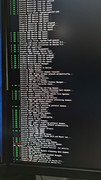
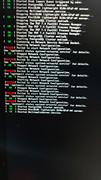
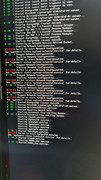
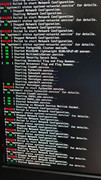
Is the live chat on the official website working for you right now?
Are there specific opening hours?
-
terroradagio
- Posts: 13
- Joined: 22 Feb 2025, 05:24
Re: [Help] TOS 6.0.750 Cannot Access (WARNING: DO NOT UPDATE)
There is no proper solution from support. If you got hit with this problem - you better hope you have a backup of your data as you are starting over.
I guess future updates cannot be trusted by this company anymore. Do a recent backup before ANY system upgrade.
I guess future updates cannot be trusted by this company anymore. Do a recent backup before ANY system upgrade.

Re: [Help] TOS 6.0.750 Cannot Access (WARNING: DO NOT UPDATE)
I had the network issue after installing the update, and reinstalling the OS was the only option as I couldn't access my F4-424 Max NAS. All my data is intact and my docker images are still opperating since enabling docker after the install.
I used Method B in the following link viewtopic.php?t=423
But I have issues with Portainer not opening, and my NVME mirror Volume 2 is missing from File Manager though it's there in the OS and showing in Volume Manager.
So if anyone comes across these issues and fixes them, could you post your solution.
Thanks In Advance.
I used Method B in the following link viewtopic.php?t=423
But I have issues with Portainer not opening, and my NVME mirror Volume 2 is missing from File Manager though it's there in the OS and showing in Volume Manager.
So if anyone comes across these issues and fixes them, could you post your solution.
Thanks In Advance.