

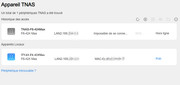
Unable to connect remotely
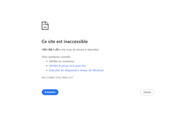
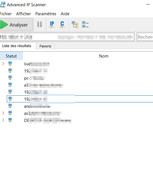
no detection of the NAS on IP SCANNER
Hello,TMeric wrote: ↑11 Jul 2025, 11:03Hello, may I ask which version you upgraded from to TOS6.0.750? Are you able to search for your NAS device using the TNAS PC application? It’s possible that the IP address changed after the update. If the issue persists, you can try connecting a monitor via HDMI and send us a photo of the displayed content to help with the analysis. If there are no errors on the current display, you can also try restarting the NAS and recording a video of the output on the monitor with your phone, then send it to our technical support email: [email protected].
Regarding this issue, we require your configuration details for further analysis:
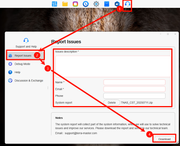
Hello,To facilitate efficient resolution of this issue, please follow these steps to provide the relevant log files:
Thanks I will do, in the meantime last night after I discovered the error during the boot and within the log:TMvalen wrote: ↑11 Jul 2025, 14:03Hello,To facilitate efficient resolution of this issue, please follow these steps to provide the relevant log files:
Navigate to:
Support and Help → Report Issues → Complete basic information → Download
Email the downloaded files to our support team for technical analysis.
To contact our team, please send email to following addresses. "(at)" = "@"
Technical team: support(at)terra-master.com
Service team: service(at)terra-master.com
CAN be used to update previous Beta release to bring it to Official release status. (Trying to update Beta to (say) version .694 was not a good experience
 ) Wording of release note could have been better imo.
I used to have the same "mindset".


