

Target Users:
Users currently running TOS 6.0.500 or later versions.
Notice:
We have received reports of network connectivity issues from several users after this update. We sincerely apologize for the inconvenience.
We have paused the update rollout and are urgently investigating the cause. A fix will be released as soon as possible.
Note:
1. If your TOS version does not meet the requirements, please first check the update conditions for TOS 6.0.530.
2. This update package is applicable to TOS 6 beta version.
3. Due to security fixes for file sharing vulnerabilities, all previously created sharing links will be invalidated after this update. To ensure uninterrupted service, please update your TNAS Mobile and TNAS PC applications.
Here, we sincerely thank user mmalchuk,OttO1916,ieatcandles,scout71,Lusky1971,gladiator1138 ,12digit,Gremlin and others, for their sharing and feedback. It is your support that has enabled us to quickly identify and resolve some issues.
Update Notes
Bugs fixed:
1. Fixed the issue that OpenVPN configuration files couldn't properly resolve domain names.
2. Fixed the issue that L2TP/IPSec VPN connections failed to establish.
3. Fixed the issue that large system configuration files couldn't be uploaded.
4. Fixed the issue that exporting over 2,000 users caused timeouts.
5. Fixed the issue that scheduled tasks failed to enable WebDAV service.
6. Fixed the issue that regular users might fail to bookmark files.
7. Fixed several security vulnerabilities.
8. Fixed other known minor issues.
What's new:
1. Added system disk migration functionality.
2. Updated system network management tools.
3. Added login verification for accessing certain applications.
4. Updated TNAS.online with faster remote connections and more stable access.
5. Added compatibility for rack-mounted TNAS devices (U12-722 Series Products).
Important Information:
1.Updating the system theoretically will not affect the data on your hard drives, but for safety, please make sure to back up your data in advance.
2.Before updating, ensure that your primary volume (usually volume1) has at least 3GB of available space. Insufficient storage space may cause the update to fail.
3.After the update, the IP address of your TNAS may change. Please use the TNAS PC desktop client to search for and reconnect to the device.
Update Procedure:
1.Go to TOS > Control Panel > General Settings > System > Update, and click "Check for updates."
2.Follow the prompts to update the system.
3.After the system update is complete, you may need to refresh your browser.
4.The TNAS IP address may change after the update. If you cannot connect to your TNAS using the previous IP address, use the TNAS PC client to search for the new IP address.
Other Software Downloads:
Download TNAS PC 5.2.300 for Windows OS:
https://download3.terra-master.com/Apps ... .2.300.exe
Download TNAS PC 5.2.288 for macOS (x86 and ARM architecture):
https://download3.terra-master.com/Apps ... .2.288.pkg
Download TNAS PC 5.2.288 for macOS (ARM architecture):
https://download3.terra-master.com/Apps ... .2.288.pkg
Download TNAS Mobile 3.4.023 for Android:
https://download2.terra-master.com/TNAS ... .4.023.apk
TNAS Mobile for iOS: Download from the iOS App Store.
TOS 6.0.750 (X86) is Released for Update
TOS 6.0.750 (X86) is Released for Update
To contact our team, please send email to following addresses, remember to replace (at) with @
Technical team: support(at)terra-master.com (for technical support)
Service team: service(at)terra-master.com (for purchasing, return, replacement)
Technical team: support(at)terra-master.com (for technical support)
Service team: service(at)terra-master.com (for purchasing, return, replacement)


Re: TOS 6.0.750 (X86) is Released for Update
Hi. Some time ago I installed 6.0.688, later installed an 6.0.694 over it.
Found out that I wasn't supposed to do that - my bad.
Can I just upgrade to 6.0.750 now, or do I have to do a clean install?
Found out that I wasn't supposed to do that - my bad.
Can I just upgrade to 6.0.750 now, or do I have to do a clean install?


Re: TOS 6.0.750 (X86) is Released for Update
This update package is applicable to the TOS 6 beta version, but since you have installed 6.0.688 and upgraded to 6.0.694, it is recommended to reinstall 6.0.750.
To contact our team, please send email to following addresses, remember to replace (at) with @
Technical team: support(at)terra-master.com(for technical support)
Service team: service(at)terra-master.com(for purchasing, return, replacement, RMA service)
Technical team: support(at)terra-master.com(for technical support)
Service team: service(at)terra-master.com(for purchasing, return, replacement, RMA service)


Re: TOS 6.0.750 (X86) is Released for Update
Please define in subj that it is Beta version. Something like "TOS 6.0.750 (X86) is Released for Update (Beta)" should be enough so everybody will see what you'd like to release. Currently it is not clear enough from the first view. Thank you!
Re: TOS 6.0.750 (X86) is Released for Update
Version 6.0.750 is a stable release system. The second point in the note mentions that it is applicable for beta systems.
To contact our team, please send email to following addresses, remember to replace (at) with @
Technical team: support(at)terra-master.com(for technical support)
Service team: service(at)terra-master.com(for purchasing, return, replacement, RMA service)
Technical team: support(at)terra-master.com(for technical support)
Service team: service(at)terra-master.com(for purchasing, return, replacement, RMA service)
-
monkeyboy72

- Posts: 23
- Joined: 22 Jul 2023, 21:29

Re: TOS 6.0.750 (X86) is Released for Update
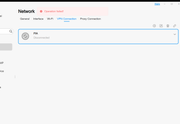
Been looking forward to this update to finally get the VPN working, actually for the first time ever got through the 'Create A VPN Connection' and onto the next stage, thought yes finally going to get this working then when clicked 'Connect' got the 'Operation Failed' message that I used to see previously, so still no VPN for me.

Re: TOS 6.0.750 (X86) is Released for Update
Hi everybody. In the first time, excuse me because my English is very bad. I´m from Spain.
I have a F2-424 and updated to version .750 and from that moment I can not reactivate the remote connection through TNAS.online or any other service like FTP, WebDAV or obviously connect with the mobile application. I set up the network manually and it doesn’t work either, and I don’t want to have to reinstall the system. Can the problem be solved in some other way? If you have to reinstall the system, is it necessary to extract all the information? I have about 2TB stored and I do not have another support right now to take out an external copy...
Attached an image with the error I get, something like that is not connected to Internet...

Thank you very much.
A greeting.
I have a F2-424 and updated to version .750 and from that moment I can not reactivate the remote connection through TNAS.online or any other service like FTP, WebDAV or obviously connect with the mobile application. I set up the network manually and it doesn’t work either, and I don’t want to have to reinstall the system. Can the problem be solved in some other way? If you have to reinstall the system, is it necessary to extract all the information? I have about 2TB stored and I do not have another support right now to take out an external copy...
Attached an image with the error I get, something like that is not connected to Internet...
Thank you very much.
A greeting.
F2-424 (6.0.783) & F2-210 (Stopped)


Re: TOS 6.0.750 (X86) is Released for Update
Hi, I remotely upgraded my F4-424 PRO to .750 and after a reboot I cannot reach it anymore. Unfortunately it's far from where I am now, I will check later the issue. In the meantime, do you have encountered any similar issues?
Regards.
Regards.
Last edited by rvescovi on 10 Jul 2025, 23:19, edited 1 time in total.


Re: TOS 6.0.750 (X86) is Released for Update
F2-223 updated fine.
F4-223 after the post install, disk activity has started been going 1.5 hrs so far, still going.
Once it quiets down, I'll reboot it again. I think it's the Hyper Cache. If the disk activity starts up again, i'll wait until idle then delete the hyper cache, reboot then re-create the cache. Final test will be another reboot after all that. Since this only seems to happen after a release update, testing is limited. (If another post of mine shows up, sorry I thought I posted this earlier but don't see it)
F4-223 after the post install, disk activity has started been going 1.5 hrs so far, still going.
Once it quiets down, I'll reboot it again. I think it's the Hyper Cache. If the disk activity starts up again, i'll wait until idle then delete the hyper cache, reboot then re-create the cache. Final test will be another reboot after all that. Since this only seems to happen after a release update, testing is limited. (If another post of mine shows up, sorry I thought I posted this earlier but don't see it)
F6-424 & F4-425 Plus at 7.0.1341
F4-424 Pro (x2) at 7.0.1341
D4-320 (Offline until I can afford more HDDs)
F4-424 Pro (x2) at 7.0.1341
D4-320 (Offline until I can afford more HDDs)