Your F5-221 seems like it may be from the same batch as this other forum member's:
[Discussion] Networking issues again F221 - Tos6
-
crisisacting

- Silver Member
- Posts: 531
- Joined: 20 Jan 2022, 16:42


Re: Networking issues again F221 - Tos6
This issue does not related to error "direct firmware load for rtl .... failed".Gremlin wrote: ↑19 Feb 2025, 18:41 Tests continue (badly so far)
Tried a reboot with both nics connected to switch. Yet again system booted but with only default (169.x.x.y) IP address. Looking at the switch it appeared that (nominal) LAN 2 was the first to "attempt communication". After shutdown via console, Lan1 appears to be maintaining comms - presumably for WOL function.
WOL function operates single lan connected.
>>Noted on monitor in passing: "direct firmware load for rtl .... failed"<<
Even with just single nic connection reverts to default 169.x.x.y IP
Disconnect cable, reconnect cable, defined IP address is recovered. (LAN1, 2.5Gbe)
The issue you are encountering may be caused by two possible reasons. One, the networking manager program events lost; Two, network card hardware does not function properly. At present, we are uncertain as to which cause it might be. Please observe if this issue repeat.
To contact our team, please send email to following addresses, remember to replace (at) with @:
Support team: support(at)terra-master.com (for technical support only)
Service team: service(at)terra-master.com (for purchasing, return, replacement, RMA service)
Support team: support(at)terra-master.com (for technical support only)
Service team: service(at)terra-master.com (for purchasing, return, replacement, RMA service)


Re: Networking issues again F221 - Tos6
After a little more investigation .....
I have now set up all my 2.5Gbe switches. I have given all my NAS fixed IP addresses. I am running all on SMB3. SMB1 is removed from Windows machines. I have a LACP link on 2 channels to outbuilding. Nas devices are using TOS alb links only at the moment. (LACP may be an issue as on 2 devices the nic channels are not identical wrt speed as observed)
None of this may be significant, but it is working (for now!)
What I believe I have found is some bug in the DHCP server function of the ISP rebranded Linksys router provided by the ISP.
I had set up initially a DHCP pool running from x.y.z.30 to x.y.z.129 (ie a block of 100 addresses). It was intended that x.y.z.1 - x.y.z.29 would be for fixed switches and/or server devices. as would the higher end > x.y.z.130 also be for server devices. {Yes, these are arbitrary numbers that were derived historically over several years }
}
It appears that the router (x.y.z.1) will recognise anything in the DHCP pool OR in the block > x.y.z.130. It does not recognise and/or report in 'attached client' list anything in the block below the dhcp pool. Hence some confusion on my part. This router also does not observe 'edits' to the dhcp pool reservations. These are allowed in the interface but having 'deleted' a reservation previously set up for one nas, the reserved address returns after a short time - even though the nas now has a fixed ip in the block 'above' the dhcp pool. Hence that particular nas appears (at face value) to have 2 ip addresses for each nic (with the same MAC). Waiting for either the dhcp leases to expire or a reboot to see what happens next.
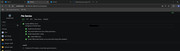
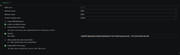
As far as specific SMB settings, these are as per attached (but always subject to change):
Three NAS are all visible in Windows Explorer and can be accessed (depending on permissions).
I have now set up all my 2.5Gbe switches. I have given all my NAS fixed IP addresses. I am running all on SMB3. SMB1 is removed from Windows machines. I have a LACP link on 2 channels to outbuilding. Nas devices are using TOS alb links only at the moment. (LACP may be an issue as on 2 devices the nic channels are not identical wrt speed as observed)
None of this may be significant, but it is working (for now!)
What I believe I have found is some bug in the DHCP server function of the ISP rebranded Linksys router provided by the ISP.
I had set up initially a DHCP pool running from x.y.z.30 to x.y.z.129 (ie a block of 100 addresses). It was intended that x.y.z.1 - x.y.z.29 would be for fixed switches and/or server devices. as would the higher end > x.y.z.130 also be for server devices. {Yes, these are arbitrary numbers that were derived historically over several years
}It appears that the router (x.y.z.1) will recognise anything in the DHCP pool OR in the block > x.y.z.130. It does not recognise and/or report in 'attached client' list anything in the block below the dhcp pool. Hence some confusion on my part. This router also does not observe 'edits' to the dhcp pool reservations. These are allowed in the interface but having 'deleted' a reservation previously set up for one nas, the reserved address returns after a short time - even though the nas now has a fixed ip in the block 'above' the dhcp pool. Hence that particular nas appears (at face value) to have 2 ip addresses for each nic (with the same MAC). Waiting for either the dhcp leases to expire or a reboot to see what happens next.
As far as specific SMB settings, these are as per attached (but always subject to change):
Three NAS are all visible in Windows Explorer and can be accessed (depending on permissions).
F5-221 TOS7.0.1278 - 4x4TB (Ironwolf) Traid
F2-424 TOS7.0.1278 - 2x500GB nvme (P3) Traid, 2x6TB HDD (HGST) Traid
F2-221 TOS7.0.1278 - 1x3TB Ext4, 1x4TB Btrfs
F2-425+ TOS7.0.1278 - 2x500GB nvme (P3) Traid, 2x6TB HDD (EXOS) Traid
F2-424 TOS7.0.1278 - 2x500GB nvme (P3) Traid, 2x6TB HDD (HGST) Traid
F2-221 TOS7.0.1278 - 1x3TB Ext4, 1x4TB Btrfs
F2-425+ TOS7.0.1278 - 2x500GB nvme (P3) Traid, 2x6TB HDD (EXOS) Traid
Re: Networking issues again F221 - Tos6
ps: If anyone wants to know more about the relevant settings for SMB service, I can recommend the Synology Knowledge Base articles for DSM.
F5-221 TOS7.0.1278 - 4x4TB (Ironwolf) Traid
F2-424 TOS7.0.1278 - 2x500GB nvme (P3) Traid, 2x6TB HDD (HGST) Traid
F2-221 TOS7.0.1278 - 1x3TB Ext4, 1x4TB Btrfs
F2-425+ TOS7.0.1278 - 2x500GB nvme (P3) Traid, 2x6TB HDD (EXOS) Traid
F2-424 TOS7.0.1278 - 2x500GB nvme (P3) Traid, 2x6TB HDD (HGST) Traid
F2-221 TOS7.0.1278 - 1x3TB Ext4, 1x4TB Btrfs
F2-425+ TOS7.0.1278 - 2x500GB nvme (P3) Traid, 2x6TB HDD (EXOS) Traid
Re: [Discussion] Networking issues again F221 - Tos6
Anyway, back to the original topic.
After everything was (apparently) sorted, This morning neither of my nas running TOS6.1 performed scheduled startup. (They both shut down ok last night).
This behaviour is getting bizarre.
{Does not look like latest update has anything on this issue, but you never know.)
After everything was (apparently) sorted, This morning neither of my nas running TOS6.1 performed scheduled startup. (They both shut down ok last night).
This behaviour is getting bizarre.
{Does not look like latest update has anything on this issue, but you never know.)
F5-221 TOS7.0.1278 - 4x4TB (Ironwolf) Traid
F2-424 TOS7.0.1278 - 2x500GB nvme (P3) Traid, 2x6TB HDD (HGST) Traid
F2-221 TOS7.0.1278 - 1x3TB Ext4, 1x4TB Btrfs
F2-425+ TOS7.0.1278 - 2x500GB nvme (P3) Traid, 2x6TB HDD (EXOS) Traid
F2-424 TOS7.0.1278 - 2x500GB nvme (P3) Traid, 2x6TB HDD (HGST) Traid
F2-221 TOS7.0.1278 - 1x3TB Ext4, 1x4TB Btrfs
F2-425+ TOS7.0.1278 - 2x500GB nvme (P3) Traid, 2x6TB HDD (EXOS) Traid
Re: Networking issues again F221 - Tos6
F5-221 TOS7.0.1278 - 4x4TB (Ironwolf) Traid
F2-424 TOS7.0.1278 - 2x500GB nvme (P3) Traid, 2x6TB HDD (HGST) Traid
F2-221 TOS7.0.1278 - 1x3TB Ext4, 1x4TB Btrfs
F2-425+ TOS7.0.1278 - 2x500GB nvme (P3) Traid, 2x6TB HDD (EXOS) Traid
F2-424 TOS7.0.1278 - 2x500GB nvme (P3) Traid, 2x6TB HDD (HGST) Traid
F2-221 TOS7.0.1278 - 1x3TB Ext4, 1x4TB Btrfs
F2-425+ TOS7.0.1278 - 2x500GB nvme (P3) Traid, 2x6TB HDD (EXOS) Traid