

My updated F2-221 running 6.0.610. Running fine for a few days. Auto-boot this morning as expected, but no access. Both lan ports have reverted to 'default' ip address (ie not picked up dhcp) for some reason. Both lan connections are via a Powerline connection for now but no obvious problem with that as another nas is also running one lan connection over same powerline without issue.
Have been able to login via monitor and tried reboot without success. All leds green. Currently shutdown via cli but suspect I will have to reinstall (again!).
The one significant error noticed was "Failed to start TNAS online environment" (sic)
Will investigate further later. I am waiting on some new network switches to arrive that will eliminate the powerline route.
[Discussion] Networking issues again F221 - Tos6
[Discussion] Networking issues again F221 - Tos6
F5-221 TOS7.0.1278 - 4x4TB (Ironwolf) Traid
F2-424 TOS7.0.1278 - 2x500GB nvme (P3) Traid, 2x6TB HDD (HGST) Traid
F2-221 TOS7.0.1278 - 1x3TB Ext4, 1x4TB Btrfs
F2-425+ TOS7.0.1278 - 2x500GB nvme (P3) Traid, 2x6TB HDD (EXOS) Traid
F2-424 TOS7.0.1278 - 2x500GB nvme (P3) Traid, 2x6TB HDD (HGST) Traid
F2-221 TOS7.0.1278 - 1x3TB Ext4, 1x4TB Btrfs
F2-425+ TOS7.0.1278 - 2x500GB nvme (P3) Traid, 2x6TB HDD (EXOS) Traid

Re: Networking issues again F221 - Tos6
Please use the TNAS PC application to search for your NAS. Can it be found?Gremlin wrote: ↑18 Feb 2025, 19:56 My updated F2-221 running 6.0.610. Running fine for a few days. Auto-boot this morning as expected, but no access. Both lan ports have reverted to 'default' ip address (ie not picked up dhcp) for some reason. Both lan connections are via a Powerline connection for now but no obvious problem with that as another nas is also running one lan connection over same powerline without issue.
Have been able to login via monitor and tried reboot without success. All leds green. Currently shutdown via cli but suspect I will have to reinstall (again!).
The one significant error noticed was "Failed to start TNAS online environment" (sic)
Will investigate further later. I am waiting on some new network switches to arrive that will eliminate the powerline route.
To contact our team, please send email to following addresses, remember to replace (at) with @:
Technical team: support(at)terra-master.com(for technical support)
Service team: service(at)terra-master.com(for purchasing, return, replacement, RMA service)
Technical team: support(at)terra-master.com(for technical support)
Service team: service(at)terra-master.com(for purchasing, return, replacement, RMA service)
Re: Networking issues again F221 - Tos6
It was present, but unreachable as the IP address set by the nic was the 169.254.0.1 & .2 'defaults'. What I cannot determine at present was why nas did not receive an ip (both lan ports set to dhcp, with ip mandated by router to match local lan). This seems to be a fairly frequent occurence with these nas and usually requires a reinstall to fix the os.
F5-221 TOS7.0.1278 - 4x4TB (Ironwolf) Traid
F2-424 TOS7.0.1278 - 2x500GB nvme (P3) Traid, 2x6TB HDD (HGST) Traid
F2-221 TOS7.0.1278 - 1x3TB Ext4, 1x4TB Btrfs
F2-425+ TOS7.0.1278 - 2x500GB nvme (P3) Traid, 2x6TB HDD (EXOS) Traid
F2-424 TOS7.0.1278 - 2x500GB nvme (P3) Traid, 2x6TB HDD (HGST) Traid
F2-221 TOS7.0.1278 - 1x3TB Ext4, 1x4TB Btrfs
F2-425+ TOS7.0.1278 - 2x500GB nvme (P3) Traid, 2x6TB HDD (EXOS) Traid


Re: Networking issues again F221 - Tos6
you do not need to reinstall the OS right now before trying some solutions. Try to reboot your tans again if it can obtain new ip from dhcp, or remove the LAN cable from your F2-221 without power off, and then plug it in again.
your tnas device fails to obtain dhcp ip could be because two reasons, one, it fails to send the request to dhcp server. two, it send the request, but does not obtain offer from dhcp server. Both reasons are related to the networking environment or connection.
To contact our team, please send email to following addresses, remember to replace (at) with @:
Support team: support(at)terra-master.com (for technical support only)
Service team: service(at)terra-master.com (for purchasing, return, replacement, RMA service)
Support team: support(at)terra-master.com (for technical support only)
Service team: service(at)terra-master.com (for purchasing, return, replacement, RMA service)
Re: Networking issues again F221 - Tos6
Thanks for the post. My thoughts exactly, but not sure why either of those 2 events might occur. I had already tried 'manipulating' wires/ports/connections but everything bar the nas was working. Yesterday received some new switches. and set one up temporarily to test functions and check performance. This mornings nas auto-boot appears to be a success - although only one lan connected. Odd thing is the new switch is still running over the same powerline to router, so that is obviously still working aas it should.
Edit: added 2nd lan:
Now I'm really confused: My F2-221 with supposedly 2x1GB lan nics is seeing 2.5Gbe on Lan1 and 1Gbe on lan2 (Balanced ALB) with 3500 Mbps bandwidth. (The switch is 8x2.5Gbe) - The switch has, as before, a (limited)1Gbe connection to network. (And, it's not the cables.)
F5-221 TOS7.0.1278 - 4x4TB (Ironwolf) Traid
F2-424 TOS7.0.1278 - 2x500GB nvme (P3) Traid, 2x6TB HDD (HGST) Traid
F2-221 TOS7.0.1278 - 1x3TB Ext4, 1x4TB Btrfs
F2-425+ TOS7.0.1278 - 2x500GB nvme (P3) Traid, 2x6TB HDD (EXOS) Traid
F2-424 TOS7.0.1278 - 2x500GB nvme (P3) Traid, 2x6TB HDD (HGST) Traid
F2-221 TOS7.0.1278 - 1x3TB Ext4, 1x4TB Btrfs
F2-425+ TOS7.0.1278 - 2x500GB nvme (P3) Traid, 2x6TB HDD (EXOS) Traid
Re: Networking issues again F221 - Tos6
Tests continue (badly so far)
Tried a reboot with both nics connected to switch. Yet again system booted but with only default (169.x.x.y) IP address. Looking at the switch it appeared that (nominal) LAN 2 was the first to "attempt communication". After shutdown via console, Lan1 appears to be maintaining comms - presumably for WOL function.
WOL function operates single lan connected.
>>Noted on monitor in passing: "direct firmware load for rtl .... failed"<<
Even with just single nic connection reverts to default 169.x.x.y IP
Disconnect cable, reconnect cable, defined IP address is recovered. (LAN1, 2.5Gbe)
Tried a reboot with both nics connected to switch. Yet again system booted but with only default (169.x.x.y) IP address. Looking at the switch it appeared that (nominal) LAN 2 was the first to "attempt communication". After shutdown via console, Lan1 appears to be maintaining comms - presumably for WOL function.
WOL function operates single lan connected.
>>Noted on monitor in passing: "direct firmware load for rtl .... failed"<<
Even with just single nic connection reverts to default 169.x.x.y IP
Disconnect cable, reconnect cable, defined IP address is recovered. (LAN1, 2.5Gbe)
F5-221 TOS7.0.1278 - 4x4TB (Ironwolf) Traid
F2-424 TOS7.0.1278 - 2x500GB nvme (P3) Traid, 2x6TB HDD (HGST) Traid
F2-221 TOS7.0.1278 - 1x3TB Ext4, 1x4TB Btrfs
F2-425+ TOS7.0.1278 - 2x500GB nvme (P3) Traid, 2x6TB HDD (EXOS) Traid
F2-424 TOS7.0.1278 - 2x500GB nvme (P3) Traid, 2x6TB HDD (HGST) Traid
F2-221 TOS7.0.1278 - 1x3TB Ext4, 1x4TB Btrfs
F2-425+ TOS7.0.1278 - 2x500GB nvme (P3) Traid, 2x6TB HDD (EXOS) Traid

Re: Networking issues again F221 - Tos6
Hello, you mentioned observing 2.5Gbe on the LAN1 port. I'd like to confirm if you have inserted a USB 2.5G network adapter. Also, in the event of encountering such a situation, trying to restart the router or switch might prove helpful. Have you attempted this method?
To contact our team, please send email to following addresses, remember to replace (at) with @
Technical team: support(at)terra-master.com (for technical support)
Service team: service(at)terra-master.com (for purchasing, return, replacement, RMA service)
Technical team: support(at)terra-master.com (for technical support)
Service team: service(at)terra-master.com (for purchasing, return, replacement, RMA service)
Re: Networking issues again F221 - Tos6
When I say LAN1, I mean the LAN 1 port as labelled on the nas. Alternatively eth0 as reported by ifconfig, etc. The only usb device connected is a (wired) keyboard. Of course, I cannot speak to what may have transpired with this device in someone else's hands. I do know it was used for non-tos o/s and it had no usb drive when received (expected). As I had to partly dismantle to fit usb flash drive, I can say with a fair degree of certainty that there are no obvious modifications to the motherboard.
Code: Select all
me@NAS-T2:/# lspci | grep -i ethernet
02:00.0 Ethernet controller: Realtek Semiconductor Co., Ltd. RTL8125 2.5GbE Controller (rev 05)
Code: Select all
me@NAS-T2:/# ifconfig
bond0: flags=5187<UP,BROADCAST,RUNNING,MASTER,MULTICAST>  mtu 1500
        inet 192.168.155.91  netmask 255.255.255.0  broadcast 192.168.155.255
        inet6 fe80::4265:ed9e:962c:67e0  prefixlen 64  scopeid 0x20<link>
        ether 6c:bf:b5:02:74:85  txqueuelen 1000  (Ethernet)
        RX packets 2823  bytes 474513 (474.5 KB)
        RX errors 0  dropped 0  overruns 0  frame 0
        TX packets 3859  bytes 3204642 (3.2 MB)
        TX errors 0  dropped 0 overruns 0  carrier 0  collisions 0

eth0: flags=6211<UP,BROADCAST,RUNNING,SLAVE,MULTICAST>  mtu 1500
        ether 6c:bf:b5:02:74:85  txqueuelen 1000  (Ethernet)
        RX packets 6927  bytes 1092423 (1.0 MB)
        RX errors 0  dropped 410  overruns 0  frame 0
        TX packets 5350  bytes 3851019 (3.8 MB)
        TX errors 0  dropped 0 overruns 0  carrier 0  collisions 0

eth1: flags=6211<UP,BROADCAST,RUNNING,SLAVE,MULTICAST>  mtu 1500
        ether 6c:bf:b5:02:74:86  txqueuelen 1000  (Ethernet)
        RX packets 6074  bytes 867394 (867.3 KB)
        RX errors 0  dropped 0  overruns 0  frame 0
        TX packets 4592  bytes 3232228 (3.2 MB)
        TX errors 0  dropped 0 overruns 0  carrier 0  collisions 0

lo: flags=73<UP,LOOPBACK,RUNNING>  mtu 65536
        inet 127.0.0.1  netmask 255.0.0.0
        inet6 ::1  prefixlen 128  scopeid 0x10<host>
        loop  txqueuelen 1000  (Local Loopback)
        RX packets 32007  bytes 16075565 (16.0 MB)
        RX errors 0  dropped 0  overruns 0  frame 0
        TX packets 32007  bytes 16075565 (16.0 MB)
        TX errors 0  dropped 0 overruns 0  carrier 0  collisions 0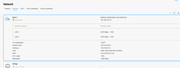
As you can see controller is reporting as RTL8125 2.5Gbe family.
So, why only one port at 2.5Gbe?

Given observed peak transfer speeds are of the order of 199MB/s I have every reason to believe the lan1/eth0 port is working at 2.5GBe. (2.5Gbe PC -> LACP switch > (Trunk) > LACP switch > NAS alb bond to basic switch ports)
F5-221 TOS7.0.1278 - 4x4TB (Ironwolf) Traid
F2-424 TOS7.0.1278 - 2x500GB nvme (P3) Traid, 2x6TB HDD (HGST) Traid
F2-221 TOS7.0.1278 - 1x3TB Ext4, 1x4TB Btrfs
F2-425+ TOS7.0.1278 - 2x500GB nvme (P3) Traid, 2x6TB HDD (EXOS) Traid
F2-424 TOS7.0.1278 - 2x500GB nvme (P3) Traid, 2x6TB HDD (HGST) Traid
F2-221 TOS7.0.1278 - 1x3TB Ext4, 1x4TB Btrfs
F2-425+ TOS7.0.1278 - 2x500GB nvme (P3) Traid, 2x6TB HDD (EXOS) Traid

Re: Networking issues again F221 - Tos6
It has been confirmed that very few products or batches of the F2-221 use a network card with a larger bandwidth. This should be the result of production material adjustments, but should not affect normal use.
To contact our team, please send email to following addresses, remember to replace (at) with @:
Technical team: support(at)terra-master.com (for technical support)
Service team: service(at)terra-master.com (for purchasing, return, replacement, RMA service)
Technical team: support(at)terra-master.com (for technical support)
Service team: service(at)terra-master.com (for purchasing, return, replacement, RMA service)
Re: Networking issues again F221 - Tos6
FYI for anyone interested, my F5-221 running TOS5.1.145 also connects to 2.5Gbe switch at 2.5Gbe on Lan 1 and 1Gbe on Lan 2. (Different switches, different cables.) Any ideas on how LAN 2 might be "Upgraded" 
Still also looking for ideas as to why (apparently) Fixed IP addreses + alb-bond scenario seems to fail to register nic's. {more experiments later, enough networking for one day.}
Still also looking for ideas as to why (apparently) Fixed IP addreses + alb-bond scenario seems to fail to register nic's. {more experiments later, enough networking for one day.}
F5-221 TOS7.0.1278 - 4x4TB (Ironwolf) Traid
F2-424 TOS7.0.1278 - 2x500GB nvme (P3) Traid, 2x6TB HDD (HGST) Traid
F2-221 TOS7.0.1278 - 1x3TB Ext4, 1x4TB Btrfs
F2-425+ TOS7.0.1278 - 2x500GB nvme (P3) Traid, 2x6TB HDD (EXOS) Traid
F2-424 TOS7.0.1278 - 2x500GB nvme (P3) Traid, 2x6TB HDD (HGST) Traid
F2-221 TOS7.0.1278 - 1x3TB Ext4, 1x4TB Btrfs
F2-425+ TOS7.0.1278 - 2x500GB nvme (P3) Traid, 2x6TB HDD (EXOS) Traid