F6-424 Max New Setup

RAID, Volume, storage pool, hard drive, USB, SSD cache and iSCSI LUN
Locked
User avatar
terraix
Posts: 9
Joined: 05 Jan 2025, 21:35
Germany

F6-424 Max New Setup

Post by terraix »

Hello,

I am in the process of setting up my F6-424 Max I received yesterday.
The answer I got via the support mail address was not useful, so I try to get help here.

I installed two NVMe disks (1TB) and used them as system drive in a Raid1.

There are about 920GB left on each disk. I want to create a storage pool with this empty storage.
The system won't let me do this. I can't create a new pool.

How can I do this or does it mean I have wasted 90% of disk capacity because I have chosen the wrong disks as system drives?
Linux can easily create a volume on these partitions.

I want to use the empty space for hyper caching.
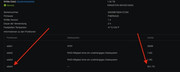
Image

Thanks

Thorsten
User avatar
terraix
Posts: 9
Joined: 05 Jan 2025, 21:35
Germany

Re: F6-424 Max New Setup

Post by terraix »

After further digging into this forum I found the reason for not getting where I want:

viewtopic.php?t=6941

Last topic:

2. Not a System Disk (TOS 6 Only)
Ensure that the SSD is not designated as a system disk. System disks are labeled with the "System Disk" tag (blue) next to their names.

I started fro scratch with the installation and added a hyper cache now.

I can't mark this post as resolved.
User avatar
spleenrun
Posts: 39
Joined: 09 Jan 2025, 22:03
France

Re: F6-424 Max New Setup

Post by spleenrun »

Hello
Thanks for your feedback.
So you installed the system on your hard drives to keep the hypercache on your SSDs.
I have a few questions:
From a system speed point of view, is it better to do your installation, or to put the system on 1 SSD and keep the second SSD for the hypercache?
From a reliability point of view, is it better to put the system on the hard drives to have redundancy (e.g. R1) in case of losing an HDD?

Sincerely

You have my request here
viewtopic.php?t=7186
User avatar
terraix
Posts: 9
Joined: 05 Jan 2025, 21:35
Germany

Re: F6-424 Max New Setup

Post by terraix »

Hi,

there are probably dozens of ways to set this up and run it fine depending on your use case.

I decided, for now, on the following setup of my system. The HW configuration is similar to yours.

TOS:

I installed it on my two NVMe's in a RAID1 mode. I want to avoid restores from backups in case of a single disk installation.
The hard drives can spin down and save energy if nothing is going on and the system should respond fast if I need from the NVMe's.

I want to run docker containers as well, and I assume they should be faster from SSDs compared to magnetic drives.

I still have two drive bays empty. If the system is really two slow in this setup I might use one of them for an 2.5 SSD and us it as read cache, writing I will definitely won't cache.

I have to resolve one caveat though:
When you install this way the /homes end up on the NVMe's which I want to change. If a used puts a lot of stuff on his home dir the SSDs can get exhausted fast.

Unfortunately the Linux features of TOS are very limited. This is definitely a low point of the product.
Changing fstab doesn't work and TOS doesn't provide a way to change it, so far.

viewtopic.php?t=7197


Cheers

Thorsten
User avatar
spleenrun
Posts: 39
Joined: 09 Jan 2025, 22:03
France

Re: F6-424 Max New Setup

Post by spleenrun »

Thank you for this very detailed response. I think I will use your method, hoping not to use up my SSD resources too quickly.
Sincerely
Spleen
Locked

Return to “Storage”