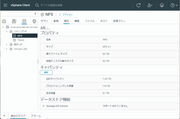
I set up NFS on F8 Plus but was unable to connect.

SMB, NFS, FTP, web file manager and Rsync server.
Locked
User avatar
syuheimurata
Posts: 5
Joined: 05 Dec 2024, 16:06
Japan

I set up NFS on F8 Plus but was unable to connect.

Post by syuheimurata »

TerrraMaster F8 Plus
TOS 6.0.555-00166

I have configured NFS on the F8 Plus.
Image
Image

I tried to connect from ESXi but was unable to connect.
I installed NFS Client on Windows and tried to access it, but got an error saying there was no path.

When I contacted TerraMaster's support, I was told that it was a firmware issue and I couldn't connect.
I bought this product to use NFS, so I'm looking for some kind of workaround.
Is there any way to avoid this?
User avatar
syuheimurata
Posts: 5
Joined: 05 Dec 2024, 16:06
Japan

Re: I set up NFS on F8 Plus but was unable to connect.

Post by syuheimurata »

syuheimurata wrote: 07 Dec 2024, 10:25 TerrraMaster F8 Plus
TOS 6.0.555-00166

I have configured NFS on the F8 Plus.
https://photos.app.goo.gl/fR22y1oDZaJMAb6e7
https://photos.app.goo.gl/SXHmxQULDCTRcZo87

I tried to connect from ESXi but was unable to connect.
I installed NFS Client on Windows and tried to access it, but got an error saying there was no path.

When I contacted TerraMaster's support, I was told that it was a firmware issue and I couldn't connect.
I bought this product to use NFS, so I'm looking for some kind of workaround.
Is there any way to avoid this?

User avatar
RyanYang
TM Support
Posts: 1141
Joined: 01 Dec 2020, 11:50
China

Re: I set up NFS on F8 Plus but was unable to connect.

Post by RyanYang »

You might have encountered a known issue in TOS. As a temporary solution, you can try the method described here: viewtopic.php?p=40886#p40886.
This issue will be fixed in the next version. What actions did you take before encountering this problem?
To contact our team, please send email to following addresses, remember to replace (at) with @
Technical team: support(at)terra-master.com (for technical support)
Service team: service(at)terra-master.com (for purchasing, return, replacement)
User avatar
syuheimurata
Posts: 5
Joined: 05 Dec 2024, 16:06
Japan

Re: I set up NFS on F8 Plus but was unable to connect.

Post by syuheimurata »

I'm not sure what specific input items to enter.
What ID is "folder_id from share"?

syuhei_murata@TNAS-F8:~# tersql -sql "delete from acl_host where folder_id not in (select folder_id from share)"
syuhei_murata@TNAS-F8:~#
User avatar
Gremlin
Gold Member
Posts: 1631
Joined: 02 Dec 2022, 22:31
Great Britain

Re: I set up NFS on F8 Plus but was unable to connect.

Post by Gremlin »

Its a structured query language (sql) command for a database. You enter it literally as shown (and as done it seems).
F5-221 TOS7.0.0777 - 4x4TB (Ironwolf) Traid
F2-424 TOS7.0.0777 - 2x500GB nvme (P3) Traid, 2x6TB HDD (HGST) Traid
F2-221 TOS7.0.0777 - 1x3TB Ext4, 1x4TB Btrfs
F2-425+ TOS7.0.0777 - 2x500GB nvme (P3) Traid, 2x6TB HDD (EXOS) Traid
User avatar
syuheimurata
Posts: 5
Joined: 05 Dec 2024, 16:06
Japan

Re: I set up NFS on F8 Plus but was unable to connect.

Post by syuheimurata »

Thank you very much.
I appreciate it very much.

After running the command as is, I restarted the NFS service and was able to connect successfully.
Image
Locked

Return to “File Services”