Instructions for Adding HDDs to RAID

Hard Drive, volume, storage pool, RAID
User avatar
wenuam
Posts: 14
Joined: 02 Oct 2024, 18:38
France

Re: Instructions for Adding HDDs to RAID

Post by wenuam »

Gremlin wrote: 05 Oct 2024, 07:42 Do you have more than 1 lan connection?
One only
Gremlin wrote: 05 Oct 2024, 07:42 The 'forking' seems to appear to allow TNAS PC (or mobile) to make a connection.
Yet is not visible anymore
Gremlin wrote: 05 Oct 2024, 07:42 I believe you said you had 'formatted' the drives. How exactly did you achieve this? Generally I have found that a plain format is insufficient. I use a 3rd party partitioning manager (on windows) and (a) delete all partitions; (b) change partitioning type (MBR -> GPT or vice versa); (c) change partitioning type again. This seems to ensure that TOS 'leftovers' are cleared out.
Removed all partitions using 'diskmgmt.msc' on Windows, no quick format or else, the partition table being scrubbed no "leftover" shall be found.
Gremlin wrote: 05 Oct 2024, 07:42 Have you actually looked at the contents of your drives? I suspect that at least one has retained TOS os data and is trying to re-establish coherence.
Nope, drives should be considered at their "factory default" state once you removed the partitions, only filled with "random" data.
Gremlin wrote: 05 Oct 2024, 07:42 Just some thoughts.
Thank for you thoughts.
User avatar
wenuam
Posts: 14
Joined: 02 Oct 2024, 18:38
France

Re: Instructions for Adding HDDs to RAID

Post by wenuam »

TMzethar wrote: 05 Oct 2024, 11:21 Regarding the issue you mentioned about not being able to successfully delete volumes and storage pools, there may be hidden processes that are continuously occupying volumes.
Indeed there are 'mdo_raid5' and 'md0_reshape' processes running continuously, "synchronizing" 24/7 the first 7 HDs :
Image
TMzethar wrote: 05 Oct 2024, 11:21 Please refer to this to find out and deactivate them:
viewtopic.php?t=5955
Will try that as soon as I can get access to the WEB interface again.
TMzethar wrote: 05 Oct 2024, 11:21 Despite your attempts at a number of unrelated maneuvers, judging by the contents of the display, you have successfully turned on the USB boot system. Please use the TNAS PC search or type TNAS.local/ into your browser to find it.
TNAS PC do not find it, the DHCP leased address is unresponsive, TNAS.local doesn't work.

Please note that the NAS is on a subnetwork not connected to the internet, Bonjour/Avahi doesn't apply there (firewall rules to prevent discovery/scanning).

Regards.
User avatar
Gremlin
Gold Member
Posts: 1392
Joined: 02 Dec 2022, 22:31
Great Britain

Re: Instructions for Adding HDDs to RAID

Post by Gremlin »

Which Firewall rules?
F5-221 TOS6.0.794 - 4x4TB Traid (TNAS UPS Server :?: Broken :?: )
F2-424 TOS7.0.0392 {BETA} - 2x500GB nvme (P3) Traid, 2x6T HDD Traid
F2-221 TOS7.0.0364 - 1x3TB Ext4, 1x4TB Ext4 [Test system]
Gremlin is in 'Listening' mode
User avatar
wenuam
Posts: 14
Joined: 02 Oct 2024, 18:38
France

Re: Instructions for Adding HDDs to RAID

Post by wenuam »

Gremlin wrote: 05 Oct 2024, 15:48 Which Firewall rules?
Blocking udp ports 5353 and 53791.
User avatar
wenuam
Posts: 14
Joined: 02 Oct 2024, 18:38
France

Re: Instructions for Adding HDDs to RAID

Post by wenuam »

Ok, a little update.

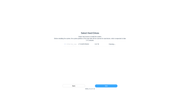
As neither 192.168.2.100 nor 'tnas.local' was working, I relaxed temporarily the firewall rules and allowed udp ports 5353 and 53791.

I tried again 192.168.2.100 (not working) and 'tnas.local' which was indeed working :

Image
Image

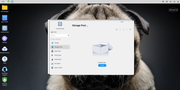
Got through the installation procedure flawlessly with NO DISK inserted yet, BUT the SSD cache :

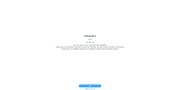
Image
Image
Image
Image
Image
Image

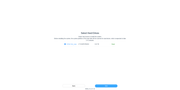
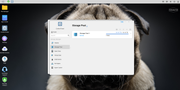
Not wanting to use the SSD as storage, I inserted HD1 (been "formatted" on Windows) :
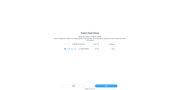
Image
Image

Deselected the SSD :

Image

Installed TOS :

Image
Image
Image
Image

Reboot, strangely 'tnas.local' doesn't work anymore, but now 192.168.2.100 does, go figure.

Set the user/pass :
Image
Image

Created a first storage as "JBOD" because going to remove it anyway to then create one with all the 9 HDs from the HMI :
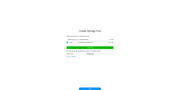
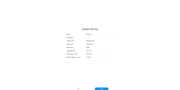
Image
Image
Image
Image
Image

Looking good so far :

Image

BAAAM, bootloop, I'm sent back to user/pass :
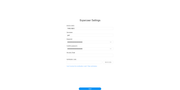
Image
Image
Image
Image
Image
Image

Crossing fingers and toes :

Image
Image

Yeah Baby :

Image
Image
Image
Image
Image

Let's delete the volume FIRST and THEN the storage pool :
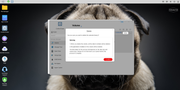
Image
Image
Image
Image
Image
Image
Image
Image

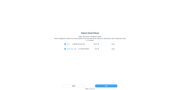
Now let's add all the HDs one-by-one :
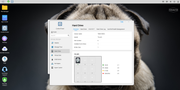
Image
Image
Image
Image
Image
Image
Image
Image
Image

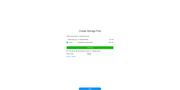
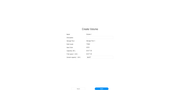
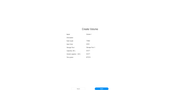
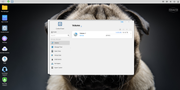
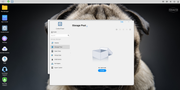
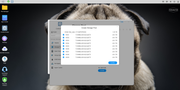
The NAS doesn't look like synchronizing anything, seems good, let's create a storage pool with ONLY the HDs :
Image
Image
Image
Image
Image

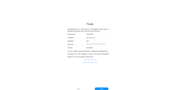
Fi-na-lly, what a journey to get there, now the NAS will work for about 30h...

What remain to be done is the volume creation, yet how to set it to TRAID+ (aka TM's RAID6) instead of TRAID (aka TM's RAID 5) ?

Regards
User avatar
Gremlin
Gold Member
Posts: 1392
Joined: 02 Dec 2022, 22:31
Great Britain

Re: Instructions for Adding HDDs to RAID

Post by Gremlin »

Apart from the fact that my tnas devices (5.1.145 & 6.0.507) do not listen on those ports (I have Bonjour disabled, in any case, as I don't need that), I do know that turning on the NAS firewall under 5.1 could have unexpected (and undesired) effects. 'As Delivered' the firewall was set to 'Allow All Inbound/Outbound'. Adding a single rule could result in 'Deny All Inbound/Outbound plus/except "that rule"'. Since I don't rely on the nas firewall I have not looked at any changes that may have been made in Tos6 (Official).
If you are
on a subnetwork not connected to the internet
why do you need to prevent discovery? Do you have malicious actors on your private network? :?
F5-221 TOS6.0.794 - 4x4TB Traid (TNAS UPS Server :?: Broken :?: )
F2-424 TOS7.0.0392 {BETA} - 2x500GB nvme (P3) Traid, 2x6T HDD Traid
F2-221 TOS7.0.0364 - 1x3TB Ext4, 1x4TB Ext4 [Test system]
Gremlin is in 'Listening' mode
User avatar
Gremlin
Gold Member
Posts: 1392
Joined: 02 Dec 2022, 22:31
Great Britain

Re: Instructions for Adding HDDs to RAID

Post by Gremlin »

Looks to me like you have installed tos5.1.145 on the HDD. Regardless, with 5.1.145 the OS will still be installed on all the drives but you may have (had) mismatched versions on the ssd and hdd. Even if you remove storage pools/volumes later, the OS mirrored raid will still remain on the drives. {Only later, with a clean install of TOS 6, will you be really (Theoretically?) be able to restrict the OS installation to selected drives (and in the Beta, even that was debatable!)}. Plus any update from Tos5.1 to Tos6 will still retain the multi-drive os mirror.

{For reference: I found with the 6 Beta os, I was still getting the os applied to 'other' drives but that only 2 would be "active". If I removed an "active" drive, one of the 'other' drives would be included in the os array and be made active, the os mirror would then be rebuilt but there was no certainty as to which version of the array would be used as the 'master copy' - I suspect it was the HDD as the fist choice. This meant that changes that had been made before the removal may not have been retained after the os array was rebuilt. I have not checked this more recently as I removed both my nvme drives as they could not be updated yet and I don't have that many drive slots available ;) }

YMMV
F5-221 TOS6.0.794 - 4x4TB Traid (TNAS UPS Server :?: Broken :?: )
F2-424 TOS7.0.0392 {BETA} - 2x500GB nvme (P3) Traid, 2x6T HDD Traid
F2-221 TOS7.0.0364 - 1x3TB Ext4, 1x4TB Ext4 [Test system]
Gremlin is in 'Listening' mode
User avatar
wenuam
Posts: 14
Joined: 02 Oct 2024, 18:38
France

Re: Instructions for Adding HDDs to RAID

Post by wenuam »

Gremlin wrote: 05 Oct 2024, 18:50 If you are
on a subnetwork not connected to the internet
why do you need to prevent discovery? Do you have malicious actors on your private network? :?
You never know about insider jobs...
Gremlin wrote: 05 Oct 2024, 19:47 Looks to me like you have installed tos5.1.145 on the HDD [...] the OS mirrored raid will still remain on the drives. {Only later, with a clean install of TOS 6, will you be really (Theoretically?) be able to restrict the OS installation to selected drives (and in the Beta, even that was debatable!)}. Plus any update from Tos5.1 to Tos6 will still retain the multi-drive os mirror.
Until TOS 6 is stable, I won't using it in my production environment.

I find kinda strange that the NAS seems unable to ensure consistency of the TOS version installed on the drives.

Still, any hint how to get TRAID+ once the storage pool is done ?
User avatar
TMzethar
TM Support
Posts: 2574
Joined: 27 Oct 2020, 16:43

Re: Instructions for Adding HDDs to RAID

Post by TMzethar »

wenuam wrote: 05 Oct 2024, 20:16
Glad you made it this far. Do you have more slots available? Migrating to TRAID+ in TOS6 requires one more disk.
To contact our team, please send email to following addresses, remember to replace (at) with @:
Technical team: support(at)terra-master.com (for technical support)
Service team: service(at)terra-master.com (for purchasing, return, replacement, RMA service)
User avatar
Gremlin
Gold Member
Posts: 1392
Joined: 02 Dec 2022, 22:31
Great Britain

Re: Instructions for Adding HDDs to RAID

Post by Gremlin »

wenuam wrote: 05 Oct 2024, 20:16 Still, any hint how to get TRAID+ once the storage pool is done ?
As per @TMzethar - Traid+ is not available in Tos5.1, only Tos6 (post Beta I think).
F5-221 TOS6.0.794 - 4x4TB Traid (TNAS UPS Server :?: Broken :?: )
F2-424 TOS7.0.0392 {BETA} - 2x500GB nvme (P3) Traid, 2x6T HDD Traid
F2-221 TOS7.0.0364 - 1x3TB Ext4, 1x4TB Ext4 [Test system]
Gremlin is in 'Listening' mode
Post Reply

Return to “Storage”