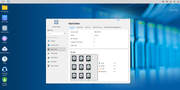
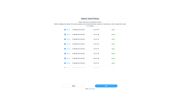
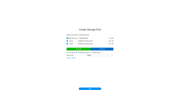
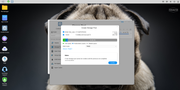
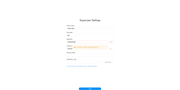
Ok, I'm getting nowhere as the 7 HDs are always working at 100% 24/7 without generating a storage pool.
I tried to reset CMOS, thinking that the settings was stored somewhere :
viewtopic.php?p=30798#p30798
From there, no network connection to the NAS possible anymore, while it worked well before.
I attached a HDMI screen and a USB keyboard to explore the BIOS settings, nothing quite fancy to be found.
As the BIOS looked old (2022) I followed the steps here to update it to 2023 :
viewtopic.php?t=4238
After BIOS flash, reboot, no beep, I thought I bricked the NAS :
viewtopic.php?p=33509
Just had to wait 2 minutes for the AMI logo to appear again (it's surprisingly long the first time after a BIOS update).
I then set the product ID to "000-T9423-NT140-0001" (it's a T9-423).
Reboot, enter BIOS settings, restore defaults, save and exit.
After reboot on the USB init disk, I was stuck at "udhcpc: no lease, forking to background" just like here :
viewtopic.php?p=36854
So I got the idea that it was the USB init disk that was faulty, so I reflashed it :
viewtopic.php?f=76&t=3684
No much luck, still "udhcpc: no lease, forking to background", so I tried a different approach :
viewtopic.php?t=6433
Yet to write the IMG file, I used the Passmark's ImageUSB from :
https://www.osforensics.com/tools/write-usb-images.html
Yet still blocked at "udhcpc: no lease, forking to background" despite a lease having been granted (192.168.2.100) :
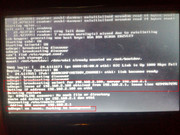
I'm stuck, with 1 HD or not, the WEB interface isn't accessible anymore, despite working before.
Hope it helps to narrow down the issue.