Why Do Operations Such as Repairing the File System, Expanding Volumes, Adding or Removing SSD Cache Fail?

Hard Drive, volume, storage pool, RAID
User avatar
TMzethar
TM Support
Posts: 2574
Joined: 27 Oct 2020, 16:43

Why Do Operations Such as Repairing the File System, Expanding Volumes, Adding or Removing SSD Cache Fail?

Post by TMzethar »

Operation Guide

Applicable Models:
All TNAS models

Applicable Versions:
All TOS versions

Problem Description:
When attempting to repair the file system, expand the volume, add or delete SSD cache(TOS 5), the operation may fail due to the volume being occupied by other processes.

Solution:
Please follow the steps below to check and close the services that may occupy the volume:

Step 1: Disable File Services
Go to TOS > Control Panel > File Service and disable all file services.

Step 2: Disable Media Indexing Service
Go to TOS > Control Panel > Media Indexing and disable the media indexing service.

Step 3: Stop the Docker Containers
If you have Docker installed, please open the Docker application, check and disable all running containers.

Step 4: Check APP Center and Stop the APPs
Go to TOS > App Center > Installed > App Settings, check and disable all the apps you have installed.

SSH/Telnet Connection Operation:
The next steps require SSH/Telnet connection to the TNAS for operation. Please refer to the connection method at:
viewtopic.php?t=2350

Step 5: Stop the Thumbnail Generation Program for File Management (TOS 5.x/6.x)
If you have recently written a large number of image files, file management may occupy the volume due to thumbnail generation. Please execute the following commands to close the thumbnail generation program:

Code: Select all

killall thumbnailSearch
killall thumbnailDaemon
Step 6: Stop Others Potential Occupations
Execute the following commands to close other potential unknown occupations:
TOS 4.x:

Code: Select all

fuser -mk /mnt/md0
TOS 5.x/6.x:

Code: Select all

fuser -mk /Volume1
Step 7: Abnormal Occupation of TOS Web and Database (TOS 5.x/6.x)
Usually, the TOS web and database do not occupy the volume. If you have completed the previous steps but the volume is still occupied, please try restarting the TNAS to release the occupation.

After Completion:
After disabling the above services, you should be able to successfully perform operations such as repairing the file system, expanding the volume, adding and deleting SSD cache. After completing the required operations, please remember to restart your TNAS to restore previously deactivated services and features.
To contact our team, please send email to following addresses, remember to replace (at) with @:
Technical team: support(at)terra-master.com (for technical support)
Service team: service(at)terra-master.com (for purchasing, return, replacement, RMA service)
User avatar
MrVanz
Posts: 6
Joined: 10 May 2024, 22:06
Italy

Re: Why Do Operations Such as Repairing the File System, Expanding Volumes, Adding or Removing SSD Cache Fail?

Post by MrVanz »

Hi TMzethar, this link is a problem for me, it point to a Chinese language thread, can you send me a link for English?

Thank you

https://forum.terra-master.com/cn/viewtopic.php?t=1511
TerraMaster F4-424 Pro
TOS 6.0.794-01324
4x WD RED PRO 16Tb (TRAID - BTRFS)
1x WD Black SN770 1Tb (Hyper Cache)
UPS Power Walker VI CSW 1500VA 900W
User avatar
TMzethar
TM Support
Posts: 2574
Joined: 27 Oct 2020, 16:43

Re: Why Do Operations Such as Repairing the File System, Expanding Volumes, Adding or Removing SSD Cache Fail?

Post by TMzethar »

MrVanz wrote: 04 Jul 2024, 18:02
Sorry, this is a mistake. Now it has been replaced with the English version.
To contact our team, please send email to following addresses, remember to replace (at) with @:
Technical team: support(at)terra-master.com (for technical support)
Service team: service(at)terra-master.com (for purchasing, return, replacement, RMA service)
User avatar
las68
Posts: 40
Joined: 14 Oct 2022, 13:52
Russia

Re: Why Do Operations Such as Repairing the File System, Expanding Volumes, Adding or Removing SSD Cache Fail?

Post by las68 »

After doing

Code: Select all

fuser -mk /Volume1
system closed ssh connection and stops responding at all (web console stops too).

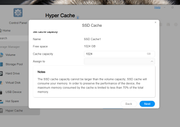
I'm trying to add NVME 960Gb Samsung EVO as SSD Cache and failed at step "assigned to" . This field is not filled and I cannot get any step further.
Image

any ideas?
User avatar
las68
Posts: 40
Joined: 14 Oct 2022, 13:52
Russia

Re: Why Do Operations Such as Repairing the File System, Expanding Volumes, Adding or Removing SSD Cache Fail?

Post by las68 »

P.S. And more. I lost all the data on TRAID following this instruction. BE VERY CAREFUL DOING THIS.

las68 wrote: 10 Sep 2024, 13:05 After doing

Code: Select all

fuser -mk /Volume1
system closed ssh connection and stops responding at all (web console stops too).

I'm trying to add NVME 960Gb Samsung EVO as SSD Cache and failed at step "assigned to" . This field is not filled and I cannot get any step further.
Image

any ideas?
User avatar
las68
Posts: 40
Joined: 14 Oct 2022, 13:52
Russia

Re: Why Do Operations Such as Repairing the File System, Expanding Volumes, Adding or Removing SSD Cache Fail?

Post by las68 »

A Question for Terramaster team. Why this script does format all the RAID instead of formatting only specified hyper cache SSD drive?

Why your product is so raw?
User avatar
TMzethar
TM Support
Posts: 2574
Joined: 27 Oct 2020, 16:43

Re: Why Do Operations Such as Repairing the File System, Expanding Volumes, Adding or Removing SSD Cache Fail?

Post by TMzethar »

las68 wrote: 10 Sep 2024, 14:55
This command simply shuts down the process that is occupying the mount point, and has nothing to do with your RAID.
If your RAID stops for other unknown reasons, you can still reassemble it by restarting TNAS if your RAID is normal.

If your SSH connection drops after typing this command, it may be because you were in the directory associated with the mount point, or your SSH connection software may have automatically taken over the mount point directory.
You can switch to the “/” directory before executing, or try another SSH connection tool.
To contact our team, please send email to following addresses, remember to replace (at) with @:
Technical team: support(at)terra-master.com (for technical support)
Service team: service(at)terra-master.com (for purchasing, return, replacement, RMA service)
User avatar
las68
Posts: 40
Joined: 14 Oct 2022, 13:52
Russia

Re: Why Do Operations Such as Repairing the File System, Expanding Volumes, Adding or Removing SSD Cache Fail?

Post by las68 »

TMzethar wrote: 10 Sep 2024, 19:34
las68 wrote: 10 Sep 2024, 14:55
This command simply shuts down the process that is occupying the mount point, and has nothing to do with your RAID.
If your RAID stops for other unknown reasons, you can still reassemble it by restarting TNAS if your RAID is normal.

If your SSH connection drops after typing this command, it may be because you were in the directory associated with the mount point, or your SSH connection software may have automatically taken over the mount point directory.
You can switch to the “/” directory before executing, or try another SSH connection tool.
I was in "/" directory, you know. SSH session won't depend on mount point, just on SSH server process.

This is not an answer why when adding that SSD cache by your "solution", my main TRAID was destroyed. We lost 26 Tb of backups, just trying to install cache and speed up this dead horse.

Also this is not an answer why your product still has so many catastrophic bugs, and looks like Network Attached Sh*t.

Yesterday I started case to your tech support. None responded. Nobody cares.
User avatar
TMzethar
TM Support
Posts: 2574
Joined: 27 Oct 2020, 16:43

Re: Why Do Operations Such as Repairing the File System, Expanding Volumes, Adding or Removing SSD Cache Fail?

Post by TMzethar »

las68 wrote: 11 Sep 2024, 09:14
There is no record of similar inquiries from the technical support mailbox or the customer service window.
Please contact the technical support mailbox again with your forum ID and a link to this thread in the email.
Your RAID may be inactive for some other unknown reason, perhaps you can try a simple reboot to restore activity. When you reboot TNAS, the system will automatically make your existing RAID active.
At the same time, please generate and download the log report in TOS > Technical Support > Report Issues, and then send it to us for inspection.(Large files may not be delivered, so it is recommended to generate a share link.)
To contact our team, please send email to following addresses, remember to replace (at) with @:
Technical team: support(at)terra-master.com (for technical support)
Service team: service(at)terra-master.com (for purchasing, return, replacement, RMA service)
User avatar
las68
Posts: 40
Joined: 14 Oct 2022, 13:52
Russia

Re: Why Do Operations Such as Repairing the File System, Expanding Volumes, Adding or Removing SSD Cache Fail?

Post by las68 »

I filled up form on technical support request icon, and occasionally it requires to download logs, put it on some cloud drive and send a link to TS. Pretty confusing,heh.
Well, forget it. We had already had TNAS unsolved problems in the past. Nothing new.

They DID NOT solved that case:

From: <removed>
Sent: Tuesday, February 27, 2024 8:49 AM
To: <removed>
Cc: <removed>; <removed>
Subject: RE: Fwd: RE: Re: after upgrade to 5.1.123 TNAS cannot join MS domain

Hi,

Sorry, due to various reasons, we are unable to provide you with a perfect solution at the moment.
We are trying to find a solution to the special problem you have encountered.

Best regards

Clem

Technical Support Team

TerraMaster global technical support

TerraMaster—Data Storage Master


We even gave a remote access for them. Many days passed, but I really have not to know that to do with all that.

OK, try to reinstall from the scratch by .ins packet with latest TOS 5 under your guide from this site. Remove all the disks, install on fresh one, then reinsert old ones. OK, we have got new TOS 5, MS AD looks functional, data are exist.

Installation of hypercache looks good idea. A lot of posts about use of NVME disks, why not to try?
Install NVME at motherboard M.2 slot, then doing step by step under your "solution":
at 'fuser -mk /Volume1' ssh session abruptly broken, and web interface stops working. Nothing looks caution, at first glance.

Well, rebooting NAS. web interface works, but new NVME disk cache cannot be assigned to a volume. THERE ARE NO VOLUMES on device and nowhere to assign. TRAID config was wiped out for unknown reason!

I was very embarrassed by such catastrophic results of this "small beginning". Repetitive reloads there not helpful. All the bunch of disks looked clean and virgin.

And when I had already almost decided to wipe it all out and make another clean install, I put two of Intel SSD in front bays, and occasionally install new disk instead of raid disk. Wow, at reload TNAS beeps, indicating degradation of RAID. And voila, It tries rebuild and not succeed due to smaller capacity of new HDD, but it restores original config. I reinstall old member of TRAID back in place, at new reboot I saw the data on volume and set up SSD cache.

I told everyone of our IT stuff "Never touch this piece of bad designed *stuff*, neither try to update it nor to install something inside. It is buggy and it works for unknown reason and fails for Moon's phase. Unpredictable and useless" . Next year I would try to replace it on some more reliable.

That's all, folks!
Post Reply

Return to “Storage”