Thanks for your answer.
I agree that all shared folder should be at the same hierarchical level.
My model is the F6-424 Max and the TOS version is 6.0.794-01324
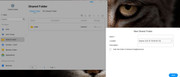
After my first screenshot in my first post, I type in the name of new folder I want to create "Julien". Then, I clic on "Next" blue button and it gives me error message in red that you can see on top of the screenshot.
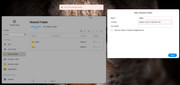
The very first time, it creates me that Folder under public, not at the same level.
My understanding is (not sure, though): it try to create it again under public, and as it exist, I have that red error message.
But as we agree, that should not be the behaviour. It should create the folder on the same hierarchical level than public, not below.
As requested, please find the file manager screenshot.
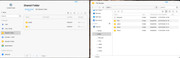
Another interesting point as I took time to play and understand the interface as I'm coming from Synology. So, I try to create a folder name x and when creating, I clic on the box "Hide this folder in Network Neighborhood", and then it went through and create it properly on the same hierarchical level than public. I was able to reproduce it with other new folder with that box ticked.