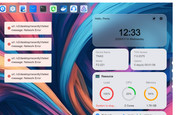
TOS 7.0.0375 Beta (X86) is Released for Update
Posted: 13 Jan 2026, 10:30
Target Users:
Users currently running TOS 7.0.0299 beta or later versions.
Note:
If your TOS version is TOS 6, please refer to the TOS 7 beta update instructions first
Here, we sincerely thank user @Gremlin,@rfbjr, @Lex, @brianj2k, @jpeckinp, @Seton, @samius, @OttO1916 and others, for their sharing and feedback. It is your support that has enabled us to quickly identify and resolve some issues.
Update Notes
Bugs fixed:
1. Fixed an issue where accessing TOS via HTTPS would cause the update system to display an "Operation failed" error.
2. Fixed an issue where clicking the confirm button when editing a volume without modifying the storage quota configuration would trigger an abnormal pop-up window.
3. Fixed an issue where removing two member disks from the same group in a RAID10 array might not trigger the buzzer alarm or display any notification message.
4. Fixed an issue where resetting the system configuration after creating a bond would cause OVS to fail to return to the default disabled state.
5. Fixed an issue where the language loading on the File Manage page would be abnormal under slow network conditions.
6. Fixed an issue where the File Manage desktop application icon did not match the desktop icon.
7. Fixed an issue where permissions could not be properly edited when an LDAP domain user had the same name as a system user.
8. Fixed an issue where incorrect information was displayed when editing shared folders on a paginated interface.
9. Fixed other known issues.
What is new:
1. Added support for mounting remote folders via 115, Aliyun Drive, and S3 protocol.
2. Optimized the text display effect on the resource dashboard.
3. Optimized the template information when importing users.
Important Information:
1.Updating the system theoretically will not affect the data on your hard drives, but for safety, please make sure to back up your data in advance.
2.Before updating, ensure that your primary volume (usually volume1) has at least 3GB of available space. Insufficient storage space may cause the update to fail.
3.After the update, the IP address of your TNAS may change. Please use the TNAS PC desktop client to search for and reconnect to the device.
Update Procedure:
1.Go to TOS > Control Panel > General Settings > System > Update, and click "Check for updates."
2.Follow the prompts to update the system.
3.After the system update is complete, you may need to refresh your browser.
4.The TNAS IP address may change after the update. If you cannot connect to your TNAS using the previous IP address, use the TNAS PC client to search for the new IP address.
Client Downloads:
1. Download TNAS PC 5.2.506 for Windows OS.
2. Download TNAS PC 5.2.506 for macOS (x86 and ARM architectures).
3. Download TNAS PC 5.2.506 for macOS (ARM architecture).
4. Download TNAS PC for Linux.
5. Download TNAS Mobile 3.X for Android.
6. For iOS, experience TNAS Mobile 3.X via: https://testflight.apple.com/join/wFWYABJS.
Users currently running TOS 7.0.0299 beta or later versions.
Note:
If your TOS version is TOS 6, please refer to the TOS 7 beta update instructions first
Here, we sincerely thank user @Gremlin,@rfbjr, @Lex, @brianj2k, @jpeckinp, @Seton, @samius, @OttO1916 and others, for their sharing and feedback. It is your support that has enabled us to quickly identify and resolve some issues.
Update Notes
Bugs fixed:
1. Fixed an issue where accessing TOS via HTTPS would cause the update system to display an "Operation failed" error.
2. Fixed an issue where clicking the confirm button when editing a volume without modifying the storage quota configuration would trigger an abnormal pop-up window.
3. Fixed an issue where removing two member disks from the same group in a RAID10 array might not trigger the buzzer alarm or display any notification message.
4. Fixed an issue where resetting the system configuration after creating a bond would cause OVS to fail to return to the default disabled state.
5. Fixed an issue where the language loading on the File Manage page would be abnormal under slow network conditions.
6. Fixed an issue where the File Manage desktop application icon did not match the desktop icon.
7. Fixed an issue where permissions could not be properly edited when an LDAP domain user had the same name as a system user.
8. Fixed an issue where incorrect information was displayed when editing shared folders on a paginated interface.
9. Fixed other known issues.
What is new:
1. Added support for mounting remote folders via 115, Aliyun Drive, and S3 protocol.
2. Optimized the text display effect on the resource dashboard.
3. Optimized the template information when importing users.
Important Information:
1.Updating the system theoretically will not affect the data on your hard drives, but for safety, please make sure to back up your data in advance.
2.Before updating, ensure that your primary volume (usually volume1) has at least 3GB of available space. Insufficient storage space may cause the update to fail.
3.After the update, the IP address of your TNAS may change. Please use the TNAS PC desktop client to search for and reconnect to the device.
Update Procedure:
1.Go to TOS > Control Panel > General Settings > System > Update, and click "Check for updates."
2.Follow the prompts to update the system.
3.After the system update is complete, you may need to refresh your browser.
4.The TNAS IP address may change after the update. If you cannot connect to your TNAS using the previous IP address, use the TNAS PC client to search for the new IP address.
Client Downloads:
1. Download TNAS PC 5.2.506 for Windows OS.
2. Download TNAS PC 5.2.506 for macOS (x86 and ARM architectures).
3. Download TNAS PC 5.2.506 for macOS (ARM architecture).
4. Download TNAS PC for Linux.
5. Download TNAS Mobile 3.X for Android.
6. For iOS, experience TNAS Mobile 3.X via: https://testflight.apple.com/join/wFWYABJS.