[Help] Web interface and Windows app not working
Posted: 06 Nov 2025, 23:55
I recently updated my f6-424 to the latest TOS version 6, after checking the settings page from the web interface. Yesterday the web interface stopped working entirely. I also can't seem to log in to the Windows desktop app, although I haven't tried doing so since getting the NAS in June.
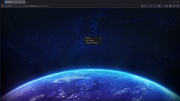
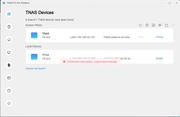
The web interface page appears to initially load, but will not populate with anything useful. The desktop app gives me an error and never logs in.
I'm not sure what to do. I've searched the forums and read that restarting nginx might help, but I don't think I have ssh enabled on my NAS. That's not something I thought I would ever use. Is there anything I can do to fix this?
I can still access SMB shares from Windows, and qBittorrent still functions, but I can't actually use the web interface for any reason at this point. I have rebooted the NAS by momentarily pressing the power button, letting it power off and then powering it back on, but to no avail. The issue still persists between restarts.
The web interface page appears to initially load, but will not populate with anything useful. The desktop app gives me an error and never logs in.
I'm not sure what to do. I've searched the forums and read that restarting nginx might help, but I don't think I have ssh enabled on my NAS. That's not something I thought I would ever use. Is there anything I can do to fix this?
I can still access SMB shares from Windows, and qBittorrent still functions, but I can't actually use the web interface for any reason at this point. I have rebooted the NAS by momentarily pressing the power button, letting it power off and then powering it back on, but to no avail. The issue still persists between restarts.