[Help] Illegal request / “genuine software” error in TNAS Mobile v2.4.20 with TOS 4.2.40

Engage in discussions, seek assistance, and report issues related to client applications, including: TNAS PC for Windows and macOS, TNAS mobile for iOS and Android, as well as smart TV applications and clients.
Post Reply
User avatar
TerraUserFr12
Posts: 3
Joined: 03 Nov 2025, 23:47
France

[Help] Illegal request / “genuine software” error in TNAS Mobile v2.4.20 with TOS 4.2.40

Post by TerraUserFr12 »

Hello everyone,

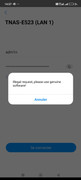
I am using a TerraMaster NAS model F5-421 running TOS version 4.2.40. On my Android device I have installed the TNAS Mobile app version v2.4.20. Recently, when attempting to connect remotely and also locally in LAN, I receive the following message:
"Illegal request, please use genuine software"

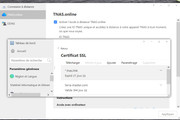
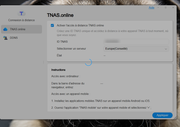
I also noticed that the SSL certificate for the tnas.link domain has been expired for about 21 days. Despite this, I can still access my NAS remotely via tnas.online from a computer browser, but the TNAS Mobile app fails to connect.

From what I understand, the certificate renewal for tnas.link cannot be done manually on TOS 4.2.40 since this version does not include any option to manage or renew SSL certificates for TNAS domains. The certificate is handled entirely by TerraMaster servers, not by the NAS itself.

I would like to know if this expired certificate affects remote access or authentication, and whether there is a compatible TNAS Mobile version for TOS 4.2.40 or any workaround that avoids upgrading to TOS 5.x.

Any feedback or guidance would be greatly appreciated.

Best regards,

Image

Image
User avatar
TMzethar
TM Support
Posts: 2815
Joined: 27 Oct 2020, 16:43

Re: [Help] Illegal request / “genuine software” error in TNAS Mobile v2.4.20 with TOS 4.2.40

Post by TMzethar »

Certain internal network protocols in the old TNAS mobile app and old TOS4 may cause issues with remote access to TNAS.online. Updating the tnas.link certificate does not resolve this.
Due to the outdated versions of the app and TOS4, we are currently unable to determine the exact cause.
We recommend switching to a more stable DDNS solution for remote access. You can configure DDNS on your TNAS device and then establish a connection in the mobile application using the assigned DDNS domain name.
viewtopic.php?t=433

If you plan to upgrade TOS to TOS5, please refer to:
viewtopic.php?f=28&t=3358
At that time, you will need to use the new version of the TNAS mobile app to support it.
If you wish to retain the partition format and data, please only use TOS 5.0.176 and never update it.
If you can back up your data and do not mind losing the partitions and their data, you may first delete the partitions of all disks via PC or a hard drive enclosure, then install TOS 5 to create partitions in the TOS 5 system format so you can use the latest TOS5. (Please note again that this operation will result in data loss).
To contact our team, please send email to following addresses, remember to replace (at) with @:
Technical team: support(at)terra-master.com (for technical support)
Service team: service(at)terra-master.com (for purchasing, return, replacement, RMA service)
User avatar
TerraUserFr12
Posts: 3
Joined: 03 Nov 2025, 23:47
France

Re: [Help] Illegal request / “genuine software” error in TNAS Mobile v2.4.20 with TOS 4.2.40

Post by TerraUserFr12 »

I’m not looking for direct remote access via DDNS or port‑forwarding.

I was perfectly happy using TNAS.online’s indirect connection, since it allows remote access without exposing the NAS to the internet — no open ports or public IP access. Switching to DDNS with port forwarding would defeat that purpose.

I have already upgraded to TOS 5.0.176 to test this, but I quickly downgraded because TNAS.online kept loading endlessly during activation, and I would lose access. Changing regions or troubleshooting didn’t help. Multiple factors may cause this (connectivity, DNS, or TOS bugs), but the indirect connection remains the safer and more reliable option for me.

DDNS significantly changes the security model.

Image
Post Reply

Return to “Mobile Apps and Desktop Clients”