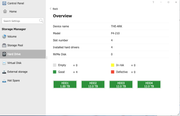
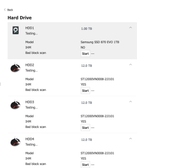
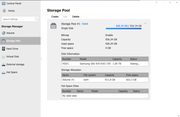
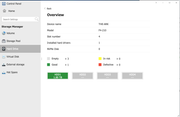
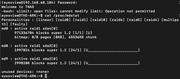
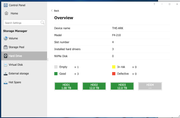
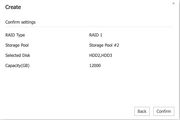
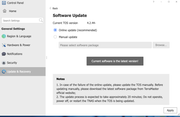
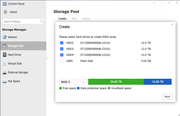
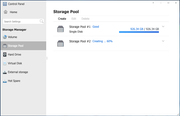
- Installed the TOS only on the SSD 1TB installed alone. This allowed us past the Hard Drive Check for it passed and let us finish install on the SSD. It was used to install "Docker","Plex" and other software for Media Center use in the future. This create "Storage Pool 1" inside the TOS.Then after this we restarted and loaded back in the 3 HDDs. The TOS saw the HDDs and in the Harddrive Overview actually showed them as "Good". Then if we went to create a new Storage Pool (Storage Pool#2) it allowed me to see the HDDs and combine them in RAID 05. It would then start - eventually move to 60% where it then froze. After some time and checking in with a ssh command in terminal and connecting to the NAS I checked with the RAID building status it showed no RAID 05 was being initialized or building. So to break down what I have tried to do so far:
1. Initial Setup via TOS GUI
• Attempted RAID 5 creation using Storage Pool wizard.
• Setup progresses but gets stuck permanently at 60% completion, even after extended wait times.
• Repeated attempts after reboots result in same behavior.
2. Manual Setup via Terminal (mdadm)
• Booted with only the SSD to avoid conflicts, reinstalled TOS successfully.
• Inserted the 3 HDDs post-OS install and attempted to manually build the RAID 5 array via terminal using mdadm.
• Drives recognized as /dev/sdc, /dev/sdd, and /dev/sde, each ~10.9TB.
Commands used (mdadm --create /dev/md0 --level=5 --raid-devices=3 /dev/sdc /dev/sdd /dev/sde)
• Array appeared to begin syncing, but no clean way to integrate back into TOS’s Storage Pool or File System menus.
• After reboot or TOS refresh, array was not recognized, or drive status would revert to “Uninitialized”.
3. Mixed File System & Mounting Errors
• TOS either failed to mount the md0 array or failed to recognize it for use in volume creation.
• “Create Volume” options in TOS would be grayed out or return errors despite the md0 array showing in CLI.
4. Attempted Reset (Most Recent)
• Performed full reset by booting with SSD only.
• Reinstalled TOS from scratch.
• Reintroduced HDDs, but any RAID configuration via GUI leads again to indefinite progress or failure.
Current Status:
• TOS reinstalled cleanly on SSD.
• All 3 HDDs are visible and healthy individually.
• RAID 5 creation via GUI still fails at 60%.
• Manual mdadm creation does not persist or integrate cleanly into TOS.
• System appears stuck between software RAID and GUI-level management.
Additional Technical Findings and Observations:
1. Drive Health and Compatibility
• All 3 x 12TB HDDs pass SMART diagnostics and are recognized correctly in TOS and via terminal (fdisk, lsblk, smartctl).
• Drive models are identical and not flagged as incompatible on TerraMaster’s supported drive list.
• No physical or electrical issues (drives spin up, visible in BIOS and TOS).
2. No Pre-existing RAID Metadata
• Verified that no old RAID metadata remained on drives (mdadm --zero-superblock) before re-attempting any RAID creation, ruling out conflicts from previously failed arrays.
3. RAID Initialization in CLI
• Manual mdadm array does start syncing and shows clean /proc/mdstat output.
• However, even after successful sync, TOS does not integrate the array into its Storage Pool or Volume system.
4. TOS GUI Bugs or Limits
• TOS GUI appears to hang indefinitely at 60%, regardless of drive order or clean vs. dirty setup.
• Even after full resets and reformatting, the issue persists — implying it may be a firmware or software bug.
• We’ve tried clean installs of TOS both online and via USB-based recovery.
5. Filesystem Creation Issues
• After CLI RAID build, attempts to create a Btrfs or Ext4 file system (mkfs) and mount the array manually sometimes work at CLI level, but do not persist across reboots or register within TOS GUI.
6. Logs
• dmesg and /var/log/messages show standard RAID assembly and sync activity — no I/O or kernel panics.
• No obvious hardware-level errors reported.
WHAT I NEED! - Looking for exact recommended steps or firmware-level fixes to properly initiate and complete RAID 5 setup for our 3-drive configuration, ensuring full integration with TOS.
• The core issue seems to be between TOS and RAID integration: CLI RAID setup works, but GUI/TOS refuses to acknowledge or use it.
• GUI-based setup consistently fails at the same point, suggesting a possible firmware bug or TOS version-specific RAID bug.
• The goal is to have the 3 x 12TB drives in a RAID 5 array fully managed through TOS, not just via terminal.
TYPES OF HDDS - Seagate IronWolf ST12000VN0008 12 TB Hard Drive - 3.5" Internal - SATA (SATA/600) (ST12000VN0008)
TERRAMASTER - TerraMaster F4-210 4-Bay NAS 1GB RAM Quad Core Network Attached Storage Media Server Personal Private Cloud (Diskless)