Is My F6-424 BIOS intentionally blocking access to the Internal USB Port?
Posted: 14 Feb 2025, 01:59
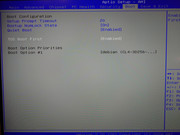
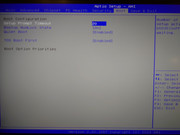
It looks like my F6-424 BIOS detects a drive connected to the internal USB port only during the first boot. After that, whatever is connected to this port is no longer recognized by the BIOS, even though the option in BIOS->Boot->TOS Boot First is ENABLED all the time.
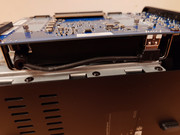
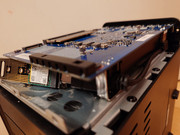
I have my TrueNAS system installed on this port, and it boots normally after installation.
However, if I power off the NAS and turn it back on, the BIOS no longer sees anything in this port
To make the drive visible again in BIOS->Boot, I have to:
a) Either reinstall the system on the drive located in the internal USB port
b) Or remove the drive from the internal USB port and boot the system from the NVMe port
After doing this, on the next NAS power-up, the system boots normally from the drive connected to the internal USB port—but ONLY ONCE.
So every time I turn off the NAS I have to:
1. unscrew the case
2. move the SSD from the USB port to the NVMe port
3. boot the system
4. shut down the NAS once again
5. move the SSD from the NVMe port to the USB port again
6. unscrew the case
7. turn on the NAS server
Is Terra-Master Deliberately Restricting the Use of This Port?
How Can I Bypass It?
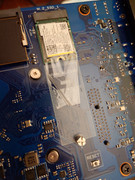
I have my TrueNAS system installed on this port, and it boots normally after installation.
However, if I power off the NAS and turn it back on, the BIOS no longer sees anything in this port
To make the drive visible again in BIOS->Boot, I have to:
a) Either reinstall the system on the drive located in the internal USB port
b) Or remove the drive from the internal USB port and boot the system from the NVMe port
After doing this, on the next NAS power-up, the system boots normally from the drive connected to the internal USB port—but ONLY ONCE.
So every time I turn off the NAS I have to:
1. unscrew the case
2. move the SSD from the USB port to the NVMe port
3. boot the system
4. shut down the NAS once again
5. move the SSD from the NVMe port to the USB port again
6. unscrew the case
7. turn on the NAS server
Is Terra-Master Deliberately Restricting the Use of This Port?
How Can I Bypass It?
