Is My F6-424 BIOS intentionally blocking access to the Internal USB Port?

Discuss, seek assistance, and report issues related to hardware components, such as hardware platforms, memory, network ports, power supplies, UPS systems, and so on.
Post Reply
User avatar
wab
Posts: 4
Joined: 14 Feb 2025, 01:44
Poland

Is My F6-424 BIOS intentionally blocking access to the Internal USB Port?

Post by wab »

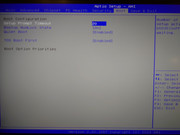
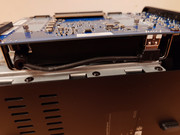
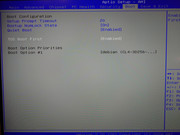
It looks like my F6-424 BIOS detects a drive connected to the internal USB port only during the first boot. After that, whatever is connected to this port is no longer recognized by the BIOS, even though the option in BIOS->Boot->TOS Boot First is ENABLED all the time.

I have my TrueNAS system installed on this port, and it boots normally after installation.
However, if I power off the NAS and turn it back on, the BIOS no longer sees anything in this port :-(

To make the drive visible again in BIOS->Boot, I have to:
a) Either reinstall the system on the drive located in the internal USB port
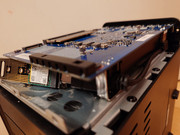
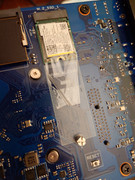
b) Or remove the drive from the internal USB port and boot the system from the NVMe port

After doing this, on the next NAS power-up, the system boots normally from the drive connected to the internal USB port—but ONLY ONCE.

So every time I turn off the NAS I have to:
1. unscrew the case
2. move the SSD from the USB port to the NVMe port
3. boot the system
4. shut down the NAS once again
5. move the SSD from the NVMe port to the USB port again
6. unscrew the case
7. turn on the NAS server

Is Terra-Master Deliberately Restricting the Use of This Port?
How Can I Bypass It?
Image
Image
Image
Image
Image
User avatar
wab
Posts: 4
Joined: 14 Feb 2025, 01:44
Poland

Re: Is My F6-424 BIOS intentionally blocking access to the Internal USB Port?

Post by wab »

So I tried run the system again after power off/on - from usb port, when unplug and plug in. But this doesn't help. To boot the system again from internal USB - I must first boot system from NVMe port or reinstall it. Simply Plug out -> Plug in doesn't work :-(

Do you think BIOS upgrade exist for brand new F6-424 and it help?
User avatar
TMzethar
TM Support
Posts: 2818
Joined: 27 Oct 2020, 16:43

Re: Is My F6-424 BIOS intentionally blocking access to the Internal USB Port?

Post by TMzethar »

Please try setting 'Boot ->TOS Boot First' to 'Disabled' and 'Security ->Secure Boot' to 'Disable'.
To contact our team, please send email to following addresses, remember to replace (at) with @:
Technical team: support(at)terra-master.com (for technical support)
Service team: service(at)terra-master.com (for purchasing, return, replacement, RMA service)
User avatar
wab
Posts: 4
Joined: 14 Feb 2025, 01:44
Poland

Re: Is My F6-424 BIOS intentionally blocking access to the Internal USB Port?

Post by wab »

Tried both without any results.
After first turn off the system, BIOS do not recognize any drive.
User avatar
wab
Posts: 4
Joined: 14 Feb 2025, 01:44
Poland

Re: Is My F6-424 BIOS intentionally blocking access to the Internal USB Port?

Post by wab »

I solve my problem.
Adapter USB->NVMe of JMicron - this is the problem. I get another company adapter RTL - and it work well !!!

It's really weird behavior of this JMicron adapter. I really don't recommend it.

Thanks for your help - and I think post i close :-)
User avatar
CodeHunter
Posts: 13
Joined: 20 Feb 2025, 16:03
Algeria

Re: Is My F6-424 BIOS intentionally blocking access to the Internal USB Port?

Post by CodeHunter »

wab wrote: 19 Feb 2025, 02:39
Thanks, that’s really helpful!
Post Reply

Return to “Hardware, Power and Accessories”