Tos6.0.535 - Add Drive - LAN 1 reset to default - NOT RIGHT

IPv4/6, Port, VPN, proxy, SSH, remote access and more.
Locked
User avatar
Gremlin
Gold Member
Posts: 1627
Joined: 02 Dec 2022, 22:31
Great Britain

Tos6.0.535 - Add Drive - LAN 1 reset to default - NOT RIGHT

Post by Gremlin »

Added a new HDD to F2-424 running 6.0.535 (existing nvme Traid)
On terminal saw ata1 COMRESET failed (error=-16
Created Pool
Created Volume
All seemed normal.

Lost Connection to active page on LAN 1 (fixed IP address)

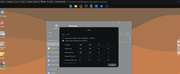
Lan 2 is DHCP; opened TNAS-PC and found nas Lan1 reset to default (see image) Connected to nas via LAN2 to confirm.
Image

As per; LAN 1 has reset to a fixed IP with the 'I cant find anything else nic default'.

This is daft!

With a backup LAN in place I can easily fix this, but I can see that it might not be so easy in other circumstance.
F5-221 TOS7.0.0777 - 4x4TB (Ironwolf) Traid
F2-424 TOS7.0.0777 - 2x500GB nvme (P3) Traid, 2x6TB HDD (HGST) Traid
F2-221 TOS7.0.0777 - 1x3TB Ext4, 1x4TB Btrfs
F2-425+ TOS7.0.0777 - 2x500GB nvme (P3) Traid, 2x6TB HDD (EXOS) Traid
User avatar
HeliaWu
TM Support
Posts: 61
Joined: 22 Aug 2024, 18:54
China

Re: Tos6.0.535 - Add Drive - LAN 1 reset to default - NOT RIGHT

Post by HeliaWu »

Would it be convenient to be informed of how your two networks are connected? So that we can replicate and solve the issue.
User avatar
Gremlin
Gold Member
Posts: 1627
Joined: 02 Dec 2022, 22:31
Great Britain

Re: Tos6.0.535 - Add Drive - LAN 1 reset to default - NOT RIGHT

Post by Gremlin »

2 LAN, Single NETWORK segment:)
1 GBe connections; Lan1 happens to be via a powerline connection to switch, then router; Lan 2 via 2 switches and then router. All wired.

I suspect the error might be induced by 'hot plugging' the HDD in the first instance but it took time (enough to create Pool then create Volume) to produce the issue before the LAN defaulted.

Shutdown, removed drive, cleaned drive and tried again from cold start. All ok for now.
(Only slight bug is that the Volume2 previously created is now "used" and newly created volume is Volume3 and so on)
F5-221 TOS7.0.0777 - 4x4TB (Ironwolf) Traid
F2-424 TOS7.0.0777 - 2x500GB nvme (P3) Traid, 2x6TB HDD (HGST) Traid
F2-221 TOS7.0.0777 - 1x3TB Ext4, 1x4TB Btrfs
F2-425+ TOS7.0.0777 - 2x500GB nvme (P3) Traid, 2x6TB HDD (EXOS) Traid
Locked

Return to “Network”