Importing OpenVPN configurations

IPv4/6, Port, VPN, proxy, SSH, remote access and more.
Locked
User avatar
Poojinky
Posts: 4
Joined: 09 Nov 2024, 11:21
Great Britain

Importing OpenVPN configurations

Post by Poojinky »

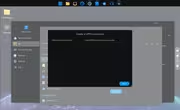
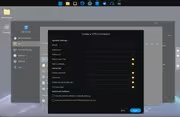
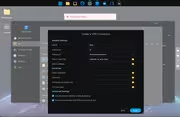
This functionality is _so_ unintuitive, if I'm importing an openVPN configuration, why force me to supply all the other information needed?

when the client side doesn't actually know what the criteria is for satisfying the server

If I'm importing an OpenVPN nothing else should be mandatory, all that's left should be connection successful, connection failed, possibly some hints on error codes

the collection of issues I'm having with terra master is a really disappointing journey that was supposed to be a refreshing migration from Synology.

is there anyone in the UX team over at Terramaster ?


Image

Image

Image
User avatar
TMroy
TM Support
Posts: 3060
Joined: 10 Mar 2020, 14:04
China

Re: Importing OpenVPN configurations

Post by TMroy »

When connecting to an **OpenVPN server** using an imported `.ovpn` file, whether you need to enter a **username/password** or an **SSL certificate** depends on how the OpenVPN server is configured. The `.ovpn` file typically contains all the necessary configuration settings to connect to the VPN server, but it may not always include everything required for authentication. Here's how it works:

1. **Username and Password**:
- If the OpenVPN server is configured to use **username/password authentication** (often in combination with other forms of authentication), the `.ovpn` file may not include your username and password. In this case, you will be prompted to enter them during the connection attempt, even after importing the `.ovpn` file.
- The file may contain placeholders for username/password prompts, or the configuration might explicitly request them if needed.

2. **SSL Certificate**:
- If the server uses **SSL/TLS certificates** for authentication, the `.ovpn` file might contain embedded references to the certificate files (such as `cert`, `key`, `ca` directives). If these certificate files are specified in the `.ovpn` file and are present on your system, you do not need to enter them manually.
- If the certificates are not embedded in the `.ovpn` file, you may be required to manually select or specify them when connecting.

3. **Combined Authentication**:
- Some OpenVPN configurations require both a **username/password** and **SSL certificates** (multi-factor authentication). In this case, the `.ovpn` file may have the certificates included, but you will still be prompted for your username and password when establishing the connection.

### Summary:
- **No Username/Password in .ovpn**: If your `.ovpn` file does not contain username/password authentication details, you will be prompted to enter them.
- **SSL Certificates in .ovpn**: If the `.ovpn` file includes certificate references, you don't need to manually specify them; they will be used automatically if available.
- **Dual Authentication**: If both are required (e.g., username/password and certificates), you'll need to provide both, even after importing the `.ovpn` file.

If you're unsure, check the `.ovpn` file for lines containing `auth-user-pass` (which indicates a username/password prompt) or `cert`, `key`, `ca` (which indicate SSL certificate usage).
To contact our team, please send email to following addresses, remember to replace (at) with @:
Support team: support(at)terra-master.com (for technical support only)
Service team: service(at)terra-master.com (for purchasing, return, replacement, RMA service)
User avatar
rhoadsnroses82
Posts: 7
Joined: 01 Dec 2024, 03:41
United States of America

Re: Importing OpenVPN configurations

Post by rhoadsnroses82 »

TMroy wrote: 29 Nov 2024, 10:53 When connecting to an **OpenVPN server** using an imported `.ovpn` file, whether you need to enter a **username/password** or an **SSL certificate** depends on how the OpenVPN server is configured. The `.ovpn` file typically contains all the necessary configuration settings to connect to the VPN server, but it may not always include everything required for authentication. Here's how it works:

1. **Username and Password**:
- If the OpenVPN server is configured to use **username/password authentication** (often in combination with other forms of authentication), the `.ovpn` file may not include your username and password. In this case, you will be prompted to enter them during the connection attempt, even after importing the `.ovpn` file.
- The file may contain placeholders for username/password prompts, or the configuration might explicitly request them if needed.

2. **SSL Certificate**:
- If the server uses **SSL/TLS certificates** for authentication, the `.ovpn` file might contain embedded references to the certificate files (such as `cert`, `key`, `ca` directives). If these certificate files are specified in the `.ovpn` file and are present on your system, you do not need to enter them manually.
- If the certificates are not embedded in the `.ovpn` file, you may be required to manually select or specify them when connecting.

3. **Combined Authentication**:
- Some OpenVPN configurations require both a **username/password** and **SSL certificates** (multi-factor authentication). In this case, the `.ovpn` file may have the certificates included, but you will still be prompted for your username and password when establishing the connection.

### Summary:
- **No Username/Password in .ovpn**: If your `.ovpn` file does not contain username/password authentication details, you will be prompted to enter them.
- **SSL Certificates in .ovpn**: If the `.ovpn` file includes certificate references, you don't need to manually specify them; they will be used automatically if available.
- **Dual Authentication**: If both are required (e.g., username/password and certificates), you'll need to provide both, even after importing the `.ovpn` file.

If you're unsure, check the `.ovpn` file for lines containing `auth-user-pass` (which indicates a username/password prompt) or `cert`, `key`, `ca` (which indicate SSL certificate usage).
I am trying to set up protonVPN in TOS 6. I have the openVPN config file that i downloaded from protonVPN website, GNU/linux version. I tried entering my username and password, and specifying the openVPN config file, but it just says "connection failed" with no reason as to why. I've tried leaving the username and password blank as well. any idea how i can get this to work?
User avatar
TMnick
TM Product Manager
Posts: 95
Joined: 03 Jul 2024, 15:56
China

Re: Importing OpenVPN configurations

Post by TMnick »

rhoadsnroses82 wrote: 01 Dec 2024, 09:04
TMroy wrote: 29 Nov 2024, 10:53 When connecting to an **OpenVPN server** using an imported `.ovpn` file, whether you need to enter a **username/password** or an **SSL certificate** depends on how the OpenVPN server is configured. The `.ovpn` file typically contains all the necessary configuration settings to connect to the VPN server, but it may not always include everything required for authentication. Here's how it works:

1. **Username and Password**:
- If the OpenVPN server is configured to use **username/password authentication** (often in combination with other forms of authentication), the `.ovpn` file may not include your username and password. In this case, you will be prompted to enter them during the connection attempt, even after importing the `.ovpn` file.
- The file may contain placeholders for username/password prompts, or the configuration might explicitly request them if needed.

2. **SSL Certificate**:
- If the server uses **SSL/TLS certificates** for authentication, the `.ovpn` file might contain embedded references to the certificate files (such as `cert`, `key`, `ca` directives). If these certificate files are specified in the `.ovpn` file and are present on your system, you do not need to enter them manually.
- If the certificates are not embedded in the `.ovpn` file, you may be required to manually select or specify them when connecting.

3. **Combined Authentication**:
- Some OpenVPN configurations require both a **username/password** and **SSL certificates** (multi-factor authentication). In this case, the `.ovpn` file may have the certificates included, but you will still be prompted for your username and password when establishing the connection.

### Summary:
- **No Username/Password in .ovpn**: If your `.ovpn` file does not contain username/password authentication details, you will be prompted to enter them.
- **SSL Certificates in .ovpn**: If the `.ovpn` file includes certificate references, you don't need to manually specify them; they will be used automatically if available.
- **Dual Authentication**: If both are required (e.g., username/password and certificates), you'll need to provide both, even after importing the `.ovpn` file.

If you're unsure, check the `.ovpn` file for lines containing `auth-user-pass` (which indicates a username/password prompt) or `cert`, `key`, `ca` (which indicate SSL certificate usage).
I am trying to set up protonVPN in TOS 6. I have the openVPN config file that i downloaded from protonVPN website, GNU/linux version. I tried entering my username and password, and specifying the openVPN config file, but it just says "connection failed" with no reason as to why. I've tried leaving the username and password blank as well. any idea how i can get this to work?
Have you tried connecting to this VPN on a computer? Currently, there are cases of incompatibility with some third-party VPN service providers' configurations, so it's unclear whether the issue lies with the OpenVPN configuration file or whether the VPN itself is functional. Please let us know the results if you have any, thank you.
To contact our team, please send email to following addresses, remember to replace (at) with @:
Support team: support(at)terra-master.com (for technical support only)
User avatar
rhoadsnroses82
Posts: 7
Joined: 01 Dec 2024, 03:41
United States of America

Re: Importing OpenVPN configurations

Post by rhoadsnroses82 »

TMnick wrote: 01 Dec 2024, 17:03
rhoadsnroses82 wrote: 01 Dec 2024, 09:04
TMroy wrote: 29 Nov 2024, 10:53 When connecting to an **OpenVPN server** using an imported `.ovpn` file, whether you need to enter a **username/password** or an **SSL certificate** depends on how the OpenVPN server is configured. The `.ovpn` file typically contains all the necessary configuration settings to connect to the VPN server, but it may not always include everything required for authentication. Here's how it works:

1. **Username and Password**:
- If the OpenVPN server is configured to use **username/password authentication** (often in combination with other forms of authentication), the `.ovpn` file may not include your username and password. In this case, you will be prompted to enter them during the connection attempt, even after importing the `.ovpn` file.
- The file may contain placeholders for username/password prompts, or the configuration might explicitly request them if needed.

2. **SSL Certificate**:
- If the server uses **SSL/TLS certificates** for authentication, the `.ovpn` file might contain embedded references to the certificate files (such as `cert`, `key`, `ca` directives). If these certificate files are specified in the `.ovpn` file and are present on your system, you do not need to enter them manually.
- If the certificates are not embedded in the `.ovpn` file, you may be required to manually select or specify them when connecting.

3. **Combined Authentication**:
- Some OpenVPN configurations require both a **username/password** and **SSL certificates** (multi-factor authentication). In this case, the `.ovpn` file may have the certificates included, but you will still be prompted for your username and password when establishing the connection.

### Summary:
- **No Username/Password in .ovpn**: If your `.ovpn` file does not contain username/password authentication details, you will be prompted to enter them.
- **SSL Certificates in .ovpn**: If the `.ovpn` file includes certificate references, you don't need to manually specify them; they will be used automatically if available.
- **Dual Authentication**: If both are required (e.g., username/password and certificates), you'll need to provide both, even after importing the `.ovpn` file.

If you're unsure, check the `.ovpn` file for lines containing `auth-user-pass` (which indicates a username/password prompt) or `cert`, `key`, `ca` (which indicate SSL certificate usage).
I am trying to set up protonVPN in TOS 6. I have the openVPN config file that i downloaded from protonVPN website, GNU/linux version. I tried entering my username and password, and specifying the openVPN config file, but it just says "connection failed" with no reason as to why. I've tried leaving the username and password blank as well. any idea how i can get this to work?
Have you tried connecting to this VPN on a computer? Currently, there are cases of incompatibility with some third-party VPN service providers' configurations, so it's unclear whether the issue lies with the OpenVPN configuration file or whether the VPN itself is functional. Please let us know the results if you have any, thank you.
yup i use this protonvpn on my laptop as well as on my phone and work computer. i use the native app on macos and on android and windows, so no need for the VPN config file in those cases, but it definitely works. the error TOS gives is actually "configuration failed", not "connection failed", i wrote it wrong in my first message. I saw someone in the forums said they fixed their issue by editing some server.conf file somehow but i'm not very technical so i'm not sure what to edit there
User avatar
Fred1066
Posts: 3
Joined: 12 Nov 2024, 00:12
United States of America

Re: Importing OpenVPN configurations

Post by Fred1066 »

rhoadsnroses82 wrote: 02 Dec 2024, 02:00
yup i use this protonvpn on my laptop as well as on my phone and work computer. i use the native app on macos and on android and windows, so no need for the VPN config file in those cases, but it definitely works. the error TOS gives is actually "configuration failed", not "connection failed", i wrote it wrong in my first message. I saw someone in the forums said they fixed their issue by editing some server.conf file somehow but i'm not very technical so i'm not sure what to edit there
Do you have a link to the post about editing the server.cong file?
I've been trying to set up a VPN client with no luck so far.
User avatar
rhoadsnroses82
Posts: 7
Joined: 01 Dec 2024, 03:41
United States of America

Re: Importing OpenVPN configurations

Post by rhoadsnroses82 »

Fred1066 wrote: 02 Dec 2024, 03:43
rhoadsnroses82 wrote: 02 Dec 2024, 02:00
yup i use this protonvpn on my laptop as well as on my phone and work computer. i use the native app on macos and on android and windows, so no need for the VPN config file in those cases, but it definitely works. the error TOS gives is actually "configuration failed", not "connection failed", i wrote it wrong in my first message. I saw someone in the forums said they fixed their issue by editing some server.conf file somehow but i'm not very technical so i'm not sure what to edit there
Do you have a link to the post about editing the server.cong file?
I've been trying to set up a VPN client with no luck so far.
its the last post in this thread viewtopic.php?p=31226&hilit=openvpn+server.conf#p31226
User avatar
Fred1066
Posts: 3
Joined: 12 Nov 2024, 00:12
United States of America

Re: Importing OpenVPN configurations

Post by Fred1066 »

rhoadsnroses82 wrote: 02 Dec 2024, 03:59
Thanks. It's about the VPN server, not the client, so I suspect it will not be applicable.
Locked

Return to “Network”