Shared folders are gone
Posted: 06 Oct 2024, 05:12
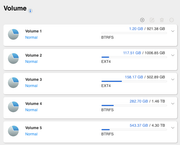
Hello, I have a F4-424 with TOS 5.1.145-00300 and I have severals shared folders (for backup, media and so forth) in differents volumes.
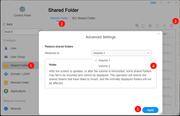
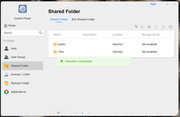
At first, I connected my Nas on LAN2 port. After change to use LAN1 (because I'd like to use WOL only available on LAN1) almost all shared folders are vanished. Only the ones on Volume1 are still there.
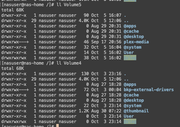
Even though I'm not able to see them, in TOS control panel, I'm able to see through ssh (e.g. folders /plex-media and /bkp-external-drivers) but the permissions are like drwxrwx---+ (don't know if it's normal or not)
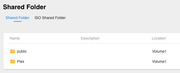
I've already seen lots of topics saying to reboot NAS 3 times, try to restore the shared folder... but none of them have worked in my case.
So... I'm now trying to find out other ways to be able to see them again... any ideas?
Thx
At first, I connected my Nas on LAN2 port. After change to use LAN1 (because I'd like to use WOL only available on LAN1) almost all shared folders are vanished. Only the ones on Volume1 are still there.
Even though I'm not able to see them, in TOS control panel, I'm able to see through ssh (e.g. folders /plex-media and /bkp-external-drivers) but the permissions are like drwxrwx---+ (don't know if it's normal or not)
I've already seen lots of topics saying to reboot NAS 3 times, try to restore the shared folder... but none of them have worked in my case.
So... I'm now trying to find out other ways to be able to see them again... any ideas?
Thx