I have installed Syncthing via Portainer and all is well. I am now trying to sync a folder from my desktop to a shared folder on my NAS. I can not seem to find where the Shared Folders are actually mounted. I am use to them being mounted to /mnt or /media.
Can anyone tell me the path to the shared folders?
Thanks
Path to shared folders? Using Syncthing container.
-
GlitchedInGrey

- Posts: 6
- Joined: 24 May 2024, 18:17

-
GlitchedInGrey
- Posts: 6
- Joined: 24 May 2024, 18:17
Re: Path to shared folders? Using Syncthing container.
here is "mount -l" from a ssh session:
/dev/md9 on / type ext4 (rw,noatime,nodiratime,data=ordered)
devtmpfs on /dev type devtmpfs (rw,relatime,size=16278828k,nr_inodes=4069707,mode=755)
proc on /proc type proc (rw,relatime)
devpts on /dev/pts type devpts (rw,relatime,gid=5,mode=620,ptmxmode=666)
tmpfs on /dev/shm type tmpfs (rw,relatime,mode=777)
tmpfs on /tmp type tmpfs (rw,relatime)
tmpfs on /run type tmpfs (rw,nosuid,nodev,relatime,mode=755)
sysfs on /sys type sysfs (rw,relatime)
tmpfs on /opt/var type tmpfs (rw,relatime)
/dev/mapper/vg0-lv0 on /Volume1 type btrfs (rw,noatime,ssd,space_cache=v2,subvolid=5,subvol=/) [TOS_VOL_20240801]
/dev/mapper/vg0-lv0 on /home type btrfs (rw,noatime,ssd,space_cache=v2,subvolid=257,subvol=/User) [TOS_VOL_20240801]
/dev/mapper/vg1-lv1 on /Volume2 type btrfs (rw,noatime,space_cache=v2,subvolid=5,subvol=/) [TOS_VOL_20240731]
cgroup on /sys/fs/cgroup type tmpfs (rw,relatime,mode=755)
cgroup on /sys/fs/cgroup/cpuset type cgroup (rw,relatime,cpuset)
cgroup on /sys/fs/cgroup/cpu type cgroup (rw,relatime,cpu)
cgroup on /sys/fs/cgroup/cpuacct type cgroup (rw,relatime,cpuacct)
cgroup on /sys/fs/cgroup/blkio type cgroup (rw,relatime,blkio)
cgroup on /sys/fs/cgroup/memory type cgroup (rw,relatime,memory)
cgroup on /sys/fs/cgroup/devices type cgroup (rw,relatime,devices)
cgroup on /sys/fs/cgroup/freezer type cgroup (rw,relatime,freezer)
cgroup on /sys/fs/cgroup/net_cls type cgroup (rw,relatime,net_cls)
cgroup on /sys/fs/cgroup/perf_event type cgroup (rw,relatime,perf_event)
cgroup on /sys/fs/cgroup/hugetlb type cgroup (rw,relatime,hugetlb)
cgroup on /sys/fs/cgroup/pids type cgroup (rw,relatime,pids)
cgroup on /sys/fs/cgroup/rdma type cgroup (rw,relatime,rdma)
cgroup on /sys/fs/cgroup/misc type cgroup (rw,relatime,misc)
/dev/mapper/vg0-lv0 on /Volume1/@apps/DockerEngine/DockerData type btrfs (rw,noatime,ssd,space_cache=v2,subvolid=259,subvol=/@apps) [TOS_VOL_20240801]
/dev/mapper/vg0-lv0 on /Volume1/@apps/DockerEngine/DockerData/btrfs type btrfs (rw,noatime,ssd,space_cache=v2,subvolid=259,subvol=/@apps) [TOS_VOL_20240801]
nsfs on /run/docker/netns/fdbec0ee80e9 type nsfs (rw)
/dev/md9 on / type ext4 (rw,noatime,nodiratime,data=ordered)
devtmpfs on /dev type devtmpfs (rw,relatime,size=16278828k,nr_inodes=4069707,mode=755)
proc on /proc type proc (rw,relatime)
devpts on /dev/pts type devpts (rw,relatime,gid=5,mode=620,ptmxmode=666)
tmpfs on /dev/shm type tmpfs (rw,relatime,mode=777)
tmpfs on /tmp type tmpfs (rw,relatime)
tmpfs on /run type tmpfs (rw,nosuid,nodev,relatime,mode=755)
sysfs on /sys type sysfs (rw,relatime)
tmpfs on /opt/var type tmpfs (rw,relatime)
/dev/mapper/vg0-lv0 on /Volume1 type btrfs (rw,noatime,ssd,space_cache=v2,subvolid=5,subvol=/) [TOS_VOL_20240801]
/dev/mapper/vg0-lv0 on /home type btrfs (rw,noatime,ssd,space_cache=v2,subvolid=257,subvol=/User) [TOS_VOL_20240801]
/dev/mapper/vg1-lv1 on /Volume2 type btrfs (rw,noatime,space_cache=v2,subvolid=5,subvol=/) [TOS_VOL_20240731]
cgroup on /sys/fs/cgroup type tmpfs (rw,relatime,mode=755)
cgroup on /sys/fs/cgroup/cpuset type cgroup (rw,relatime,cpuset)
cgroup on /sys/fs/cgroup/cpu type cgroup (rw,relatime,cpu)
cgroup on /sys/fs/cgroup/cpuacct type cgroup (rw,relatime,cpuacct)
cgroup on /sys/fs/cgroup/blkio type cgroup (rw,relatime,blkio)
cgroup on /sys/fs/cgroup/memory type cgroup (rw,relatime,memory)
cgroup on /sys/fs/cgroup/devices type cgroup (rw,relatime,devices)
cgroup on /sys/fs/cgroup/freezer type cgroup (rw,relatime,freezer)
cgroup on /sys/fs/cgroup/net_cls type cgroup (rw,relatime,net_cls)
cgroup on /sys/fs/cgroup/perf_event type cgroup (rw,relatime,perf_event)
cgroup on /sys/fs/cgroup/hugetlb type cgroup (rw,relatime,hugetlb)
cgroup on /sys/fs/cgroup/pids type cgroup (rw,relatime,pids)
cgroup on /sys/fs/cgroup/rdma type cgroup (rw,relatime,rdma)
cgroup on /sys/fs/cgroup/misc type cgroup (rw,relatime,misc)
/dev/mapper/vg0-lv0 on /Volume1/@apps/DockerEngine/DockerData type btrfs (rw,noatime,ssd,space_cache=v2,subvolid=259,subvol=/@apps) [TOS_VOL_20240801]
/dev/mapper/vg0-lv0 on /Volume1/@apps/DockerEngine/DockerData/btrfs type btrfs (rw,noatime,ssd,space_cache=v2,subvolid=259,subvol=/@apps) [TOS_VOL_20240801]
nsfs on /run/docker/netns/fdbec0ee80e9 type nsfs (rw)

Re: Path to shared folders? Using Syncthing container.
Trying to understand what you are doing, is this a container setup?
What are the host directory and container directory?
You should choose the existing folder under Volume1 as the host directory.
What are the host directory and container directory?
You should choose the existing folder under Volume1 as the host directory.
To contact our team, please send email to following addresses, remember to replace (at) with @:
Technical team: support(at)terra-master.com (for technical support)
Service team: service(at)terra-master.com (for purchasing, return, replacement, RMA service)
Technical team: support(at)terra-master.com (for technical support)
Service team: service(at)terra-master.com (for purchasing, return, replacement, RMA service)
-
GlitchedInGrey
- Posts: 6
- Joined: 24 May 2024, 18:17
Re: Path to shared folders? Using Syncthing container.
Syncthing is installed as a container and is working just fine. Within Syncthing I am syncing a local folder to a folder within a shared folder on the NAS. I have to provide the path to that folder, for example /mnt/sharedfolder. This really isn't a docker/container issue I don't think. I just didnt now where to ask.
It is the the Folder Path towards the bottom of the attached picture.
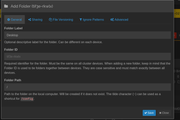
It is the the Folder Path towards the bottom of the attached picture.
-
GlitchedInGrey
- Posts: 6
- Joined: 24 May 2024, 18:17
Re: Path to shared folders? Using Syncthing container.
When setting up the Syncthing container, do I need to provide the path there?
I am very new to docker, so I understand it is most likely my lack of knowledge.
I am very new to docker, so I understand it is most likely my lack of knowledge.
-
justinbieber

- Posts: 1
- Joined: 10 Aug 2024, 16:40
Re: Path to shared folders? Using Syncthing container.
If you are running Syncthing in a Docker container via Portainer, the shared folders from the NAS may not be directly accessible in the container unless they are explicitly mounted. Check the container settings in Portainer to see if any volumes are mapped.
Common Mount Points:
Check /mnt and /media as you mentioned, but also look in:
/srv
/opt
/data
Using SSH: If you have SSH access to your NAS, you can log in and check the mount points by running:
bash
Copy
df -h
This will show you all mounted filesystems and their paths.
Syncthing Configuration: In Syncthing, you can specify the folder path in the configuration. Make sure the folder path you are trying to sync matches the actual path where the shared folder is mounted.
Portainer Volume Configuration: In Portainer, check the volume settings for your Syncthing container. It should list any volumes that have been mounted from the NAS.
Common Mount Points:
Check /mnt and /media as you mentioned, but also look in:
/srv
/opt
/data
Using SSH: If you have SSH access to your NAS, you can log in and check the mount points by running:
bash
Copy
df -h
This will show you all mounted filesystems and their paths.
Syncthing Configuration: In Syncthing, you can specify the folder path in the configuration. Make sure the folder path you are trying to sync matches the actual path where the shared folder is mounted.
Portainer Volume Configuration: In Portainer, check the volume settings for your Syncthing container. It should list any volumes that have been mounted from the NAS.


Re: Path to shared folders? Using Syncthing container.
Is your problem solved ?