
Applicable models
All TNAS models
Applicable version
TOS 4.1.x & TOS 4.2.x
TOS 5
Cause Analysis
1. The user reinstalls or upgrades the TOS and there are multiple volumes in the TOS. At this time, the hard disk may have poor contact and slow startup, causing the default public and appdata to point to the wrong volume location.
2. The data was deleted by mistake.
3. There is a problem with the file system or hard disk.
Solution
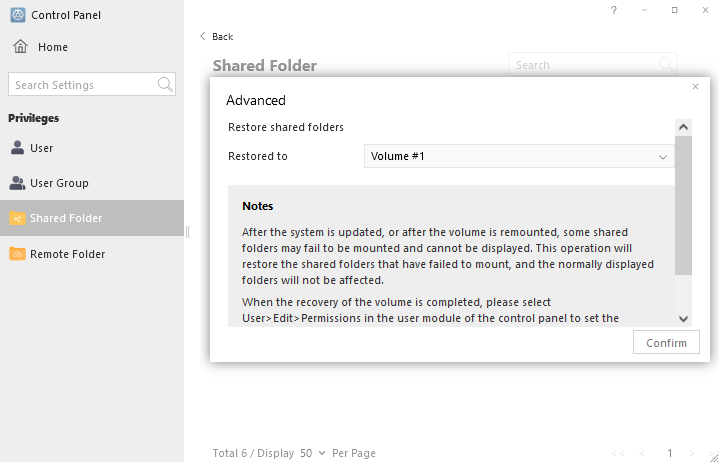
1. Go to Control Panel> Access Permissions> Shared Folders, and confirm whether the location of the two default folder volumes has changed. If there is a change, you need to click the advanced button above to restore it to the corresponding volume.
Wait for "loading" to end, and restart TNAS.
2. If the recycle bin is turned on, a #recycle folder will be generated under the shared folder, where you can retrieve the folder you deleted by mistake. The recycle bin can be enabled when creating or editing a shared folder.
3. If data cannot be retrieved using the first method, it may be due to other issues such as file system or hard disk problems. In this case, you can seek help from the technical team to attempt to fix it.